
Have you ever seen strange numbers or flashing symbols on your radar detector and wondered what they mean? Understanding radar detector codes can save you from confusion and help you stay alert on the road.
You’ll discover the secrets behind these codes and learn how to use them to your advantage. Keep reading to unlock the full potential of your radar detector and drive with confidence every time.
Common Radar Detector Codes
Radar detectors use codes to show different alerts and signals. These codes help drivers understand what the detector senses.
Knowing these codes can improve how you use your radar detector and stay aware of traffic conditions.
Speed Trap Alerts
Speed trap alerts warn drivers about police speed checks. The detector shows a code when it senses radar or cameras.
Common codes include “ST” or a flashing icon to signal a speed trap nearby.
- “ST” means speed trap detected
- Flashing alert signals active speed check
- Some detectors show distance to the trap
Laser Detection Signals
Laser detection codes alert you when a laser speed gun is used. Laser signals are usually shown as “L” or “LASER”.
Laser detection is important because laser guns give no early warning without a detector.
- “L” or “LASER” means laser detected
- Quick alert to prepare for laser speed checks
- Some detectors show the laser beam strength
Radar Band Frequencies
Radar detectors identify different radar bands by code. These bands include X, K, and Ka bands.
Each band has a specific frequency range used by police radar guns.
| Code | Radar Band | Frequency Range |
|---|---|---|
| X | X Band | 8.0 to 12.0 GHz |
| K | K Band | 24.0 to 26.5 GHz |
| Ka | Ka Band | 33.4 to 36.0 GHz |
False Alarm Indicators
False alarms happen when detectors pick up non-police radar signals. These can be from automatic doors or other devices.
Detectors show codes like “FA” or “False” to warn you about false alerts.
- “FA” means false alarm detected
- Helps avoid unnecessary alerts and distractions
- Some detectors learn to ignore common false signals
How Radar Detectors Work
Radar detectors help drivers know if police use radar guns nearby. These devices catch signals from radar guns that measure speed.
When a radar detector senses a signal, it warns the driver with sounds or lights. This gives the driver time to slow down.
Signal Reception Basics
Radar detectors work by scanning the air for radar signals. Radar guns send out radio waves that bounce off moving cars.
The detector picks up these radio waves when they come close. It then processes the signals to decide if there is a radar gun nearby.
Alert Types And Tones
Radar detectors use different sounds and lights to warn about radar signals. Each alert type tells the driver something different.
- Short beeps mean a weak or distant radar signal
- Continuous tones warn of a strong or close radar signal
- Different alerts show different radar bands detected
- Visual lights often flash to show signal strength
The alerts help drivers understand how urgent the warning is. Some detectors also show radar frequency on a screen.
Range And Sensitivity Factors
The range of a radar detector depends on its sensitivity. More sensitive detectors can detect signals from farther away.
Range also depends on the radar gun’s power and obstacles like hills or buildings. Weather can affect detection too.
- High sensitivity increases detection distance
- Stronger radar guns send signals farther
- Obstructions can block or weaken signals
- Rain or fog may reduce signal range
Decoding Alert Patterns
Radar detectors use sounds and symbols to warn you. Understanding these alerts helps you react fast.
This guide explains what different beeps and signals mean on your device.
Single Beep Vs Multiple Beeps
A single beep usually means a minor alert or a distant radar signal. Multiple beeps often warn about a stronger or closer radar source.
- Single Beep: Low threat or weak signal
- Two Beeps: Moderate threat or closer radar
- Three or More Beeps: High threat, immediate attention needed
Visual Display Symbols
Radar detectors show symbols to represent different radar types and alerts. Knowing these helps identify the source quickly.
| Symbol | Meaning |
| Radar Wave Icon | Standard radar detected |
| Laser Beam Icon | Laser speed detection |
| Camera Icon | Speed camera ahead |
| Exclamation Mark | Strong or immediate threat |
Interpreting Signal Strength
Signal strength shows how close the radar source is. Stronger signals mean you are nearer to the device.
Signal Strength Levels:
- Weak:Radar detected far away
- Medium:Radar approaching
- Strong:Radar very close, take action

Credit: escortradar.ca
Customizing Code Settings
Radar detectors use codes to identify different radar signals. You can change these code settings to fit your needs. Customizing helps improve how your detector alerts you.
Adjusting code settings lets you control alert types and sensitivity. This makes your detector more useful in daily driving.
Adjusting Alert Sensitivity
Alert sensitivity controls how strong a radar signal must be to trigger an alert. Higher sensitivity means you get alerts from far away signals.
Lower sensitivity reduces alerts from weak or distant signals. This can reduce distractions while driving.
- High sensitivity: early warning, more alerts
- Low sensitivity: fewer alerts, less distraction
- Medium sensitivity: balance between alerts and quiet
Filtering False Alerts
False alerts happen when your detector signals non-police radar sources. You can filter these to avoid annoying beeps.
Filters block signals from automatic doors, traffic sensors, and other devices. This helps your detector focus on real threats.
- Enable filters for common false sources
- Update filters to keep up with new devices
- Test detector after filtering to check accuracy
Personalizing Signal Responses
You can set how your detector responds to different radar codes. Choose sounds, voice alerts, or vibration for each signal type.
This helps you know what kind of radar is nearby without looking at the screen. Personal responses make alerts clear and quick.
- Assign distinct sounds for radar bands
- Use voice alerts for important signals
- Set vibration for silent alerting
Tips For Effective Use
Radar detectors help drivers stay alert to speed monitoring devices. Using them well means knowing how to position and update them. Also, you must follow laws about radar detectors.
Here are some key tips to get the most from your radar detector and avoid problems.
Positioning Your Detector
Place your radar detector where it has a clear view of the road. Avoid hiding it behind windshield tint or metal parts that block signals.
- Mount it high on the windshield, near the rearview mirror.
- Keep it stable to prevent false alerts from vibrations.
- Make sure it does not block your view while driving.
- Keep windows clean to improve detector reception.
Regular Firmware Updates
Firmware updates improve your radar detector’s accuracy and add new features. You should update it regularly to stay protected from new radar technology.
- Check the manufacturer’s website for the latest firmware.
- Download updates using your computer or mobile device.
- Follow instructions carefully to install the update.
- Test your detector after updating to confirm it works well.
Legal Considerations
| Country/State | Radar Detector Legality | Notes |
|---|---|---|
| United States (Most States) | Legal | Allowed for private vehicles; banned in commercial trucks. |
| Virginia | Illegal | Possession and use are prohibited. |
| Washington D.C. | Illegal | Use and possession banned. |
| Canada (Most Provinces) | Illegal | Use and possession prohibited except in Quebec. |
| Quebec | Legal | Permitted for private vehicles. |
Always check local laws before using a radar detector. Rules vary by place and can change.
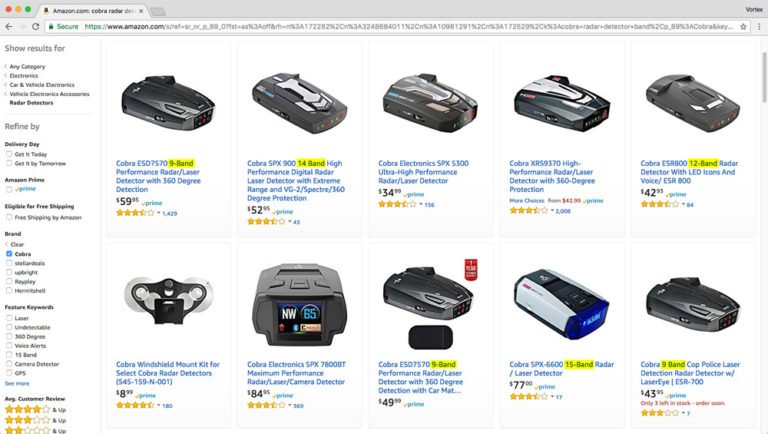
Credit: www.vortexradar.com

Credit: www.reddit.com
Frequently Asked Questions
What Do Radar Detector Codes Represent?
Radar detector codes indicate specific signals or alerts detected by the device. They help identify radar types and their sources. Understanding these codes improves user response and safety while driving.
How To Interpret Radar Detector Warning Codes?
Each warning code corresponds to a radar band or laser signal. Consult your detector’s manual to decode alerts quickly. This ensures proper reaction to potential speed monitoring devices nearby.
Why Do Radar Detectors Show Error Codes?
Error codes usually signal device malfunctions or false alerts. They help diagnose issues like hardware faults or signal interference. Addressing errors maintains the detector’s accuracy and reliability.
Can Radar Detector Codes Vary By Brand?
Yes, different brands may use unique codes or symbols. Always refer to your specific model’s guide for accurate code interpretation. This prevents confusion and maximizes device effectiveness.
Conclusion
Understanding radar detector codes helps drivers stay alert on the road. These codes give quick information about radar signals nearby. Knowing their meanings can improve safety and reaction time. Always pay attention to the codes your device shows. It keeps you informed and ready for any situation.
Remember, safe driving matters more than anything else. Stay aware, drive carefully, and use your radar detector wisely. This simple knowledge can make your trips smoother and less stressful.







