
Have you ever tried to connect your OBD2 scanner to your car’s ECU, only to find it won’t connect? It’s frustrating when your trusted tool suddenly stops working, leaving you in the dark about your vehicle’s health.
But don’t worry—you’re not alone, and this problem can usually be fixed faster than you think. You’ll discover the common reasons why your OBD2 scanner isn’t connecting to your ECU, and simple steps you can take right now to get it working again.
Keep reading—you’re about to take control of your car’s diagnostics like a pro.

Credit: www.foxwelldiag.com
Common Causes Of Connection Issues
Sometimes, an OBD2 scanner does not connect to the ECU. This problem can stop you from reading car data.
Understanding common causes helps fix the issue quickly. Below are the main reasons for connection problems.
Faulty Obd2 Scanner
A broken or damaged OBD2 scanner may not connect to the ECU. Internal parts can fail over time.
Loose wires or bad connectors inside the scanner also cause connection errors. Check the device carefully.
- Scanner hardware damage
- Loose internal connections
- Dead batteries in wireless models
- Outdated or corrupted scanner software
Damaged Ecu Port
The port on your car where you plug the scanner can get damaged. Dirt, rust, or broken pins cause trouble.
If the ECU port is bent or dirty, the scanner cannot connect. Cleaning or repairing the port may help.
- Corrosion on port pins
- Physical damage to port
- Loose port connection to ECU
- Blocked or dirty port area
Vehicle Compatibility
Not all vehicles work with every OBD2 scanner. Some cars use different communication protocols.
Older or foreign models may need special scanners. Check if your scanner supports your car’s system.
- Scanner not supporting car protocol
- Older cars using non-OBD2 systems
- Newer models with advanced ECUs
- Different regional standards
Software And Firmware Problems
Software bugs or outdated firmware can stop scanners from connecting. Updates fix many issues.
Check for updates from the scanner maker. Install new versions to improve connection and performance.
- Outdated scanner software
- Firmware bugs
- Incompatible app versions
- Failed software installation
Credit: www.hyundai-forums.com
Basic Troubleshooting Steps
An OBD2 scanner may not connect to the ECU for several reasons. You can try simple checks before seeking help.
Follow these basic steps to identify and fix common issues with your scanner connection.
Check Scanner Power And Battery
First, ensure your scanner has enough power. Some scanners use batteries, while others draw power from the vehicle.
- Replace or recharge the scanner battery if needed.
- Confirm the scanner’s power indicator is on.
- Try connecting the scanner to another vehicle to test power.
Inspect Obd2 Connector And Cables
Check the OBD2 connector and cables for damage or dirt. A bad connection can stop communication.
| Issue | How to Check | Fix |
| Dirty pins | Look inside the connector | Clean gently with a dry cloth |
| Bent pins | Inspect pins for bending | Straighten carefully or replace cable |
| Damaged cable | Look for cuts or wear | Replace the cable |
Verify Vehicle Ignition Status
The vehicle’s ignition must be on for the scanner to connect. Confirm the ignition is in the correct position.
- Turn the key to the “ON” position without starting the engine.
- Check if the dashboard lights are active.
- Some vehicles need the engine running to connect properly.
Reset Scanner And Vehicle Systems
Resetting both devices can clear errors and improve connection chances.
Reset actions you can try:
- Turn off the vehicle and disconnect the scanner.
- Wait for 1-2 minutes before reconnecting.
- Restart the vehicle and power on the scanner again.
- If possible, perform a scanner factory reset following the manual.
Advanced Solutions
Sometimes, an OBD2 scanner does not connect to the ECU. This can cause frustration during vehicle diagnostics. Advanced solutions help fix this issue.
These solutions include updating firmware, trying new apps, and checking the vehicle itself. Follow these tips to improve scanner connection.
Update Scanner Firmware
Scanner firmware controls how the device works with vehicles. Old firmware can cause connection problems with the ECU. Updating firmware often fixes bugs and adds new support.
Check the scanner maker’s website or app for updates. Follow their steps to install the latest firmware safely.
Use Alternative Diagnostic Apps
Some scanners work with different apps. The app may cause connection issues if it is outdated or incompatible. Trying another app can solve this.
Download a trusted diagnostic app compatible with your scanner. Test the connection again using the new app.
Test With Another Vehicle
Sometimes the problem is in the vehicle, not the scanner. Testing the scanner on another car helps find the cause. If it connects well, the first vehicle might have ECU or port issues.
Try your scanner on a different vehicle that uses the same OBD2 system. This step narrows down the problem source.
Consult Vehicle Repair Manual
Each vehicle has unique ECU and OBD2 port details. The repair manual shows exact locations and connection tips. It may also explain special steps for your car model.
Use the manual to check pin layouts, fuse boxes, and ECU warnings. This knowledge helps you avoid common connection mistakes.
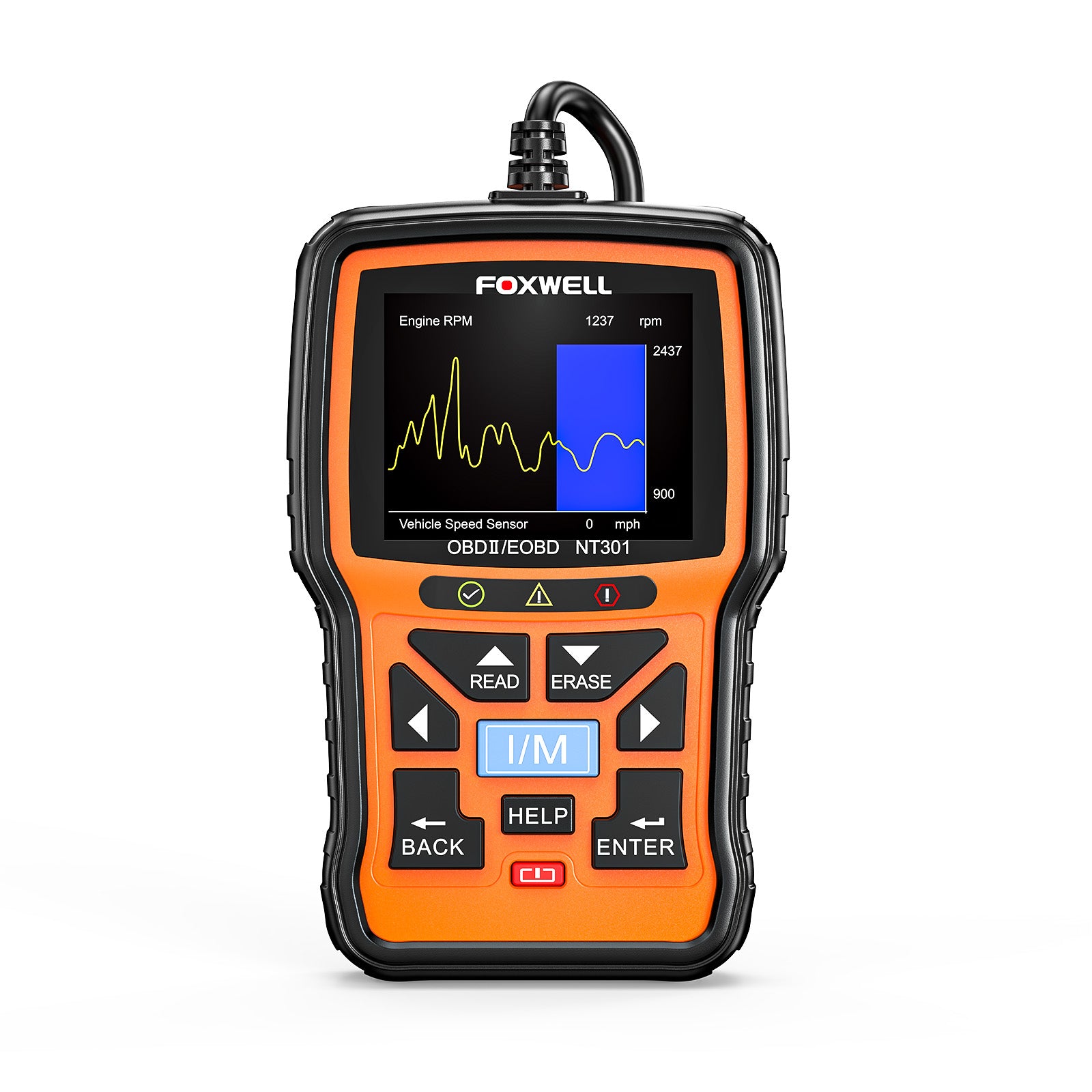
Credit: www.foxwelldiag.com
Expert Tips For Reliable Connection
OBD2 scanners must connect well to the vehicle’s ECU for accurate readings. Poor connection causes frustration and incorrect data.
This guide shares easy tips to keep your scanner working smoothly with your car’s ECU.
Maintain Obd2 Port Cleanliness
Keep the OBD2 port clean to avoid signal loss. Dust, dirt, and debris block the pins and stop good contact.
- Use compressed air to blow out dust
- Wipe gently with a dry cloth
- Do not use liquids that cause corrosion
- Check for bent or damaged pins
Avoid Prolonged Scanner Use
Long scanner sessions may overheat the device or ECU port. This may cause connection drops or damage.
- Limit scan time to under 30 minutes
- Turn off the scanner between uses
- Let the scanner cool if it feels hot
Store Scanner Properly
Proper storage protects your scanner from damage and moisture. This ensures it connects reliably each time.
| Storage Tip | Reason |
|---|---|
| Keep in a dry case | Prevents moisture damage |
| Avoid extreme temperatures | Protects internal electronics |
| Store away from heavy objects | Prevents physical damage |
| Disconnect battery before long storage | Protects scanner circuits |
Choose Compatible Scanners
Use scanners that fit your car’s make and model. Compatibility avoids connection issues and error codes.
- Check the scanner supports your vehicle’s protocols
- Read user reviews on compatibility
- Use scanners updated with the latest software
- Consult your vehicle manual for OBD2 details
When To Seek Professional Help
Using an OBD2 scanner is often simple, but sometimes it cannot connect to the ECU. This issue can be frustrating and stop you from diagnosing car problems.
If your scanner does not connect after basic checks, it may be time to get expert help. Professionals have tools and skills to find hidden issues.
Persistent Connection Failures
When your OBD2 scanner repeatedly fails to connect, it shows a deeper problem. This can happen even after trying different scanners or cables.
- Scanner shows no response or error codes
- Connection drops during data reading
- Scanner cannot detect ECU at all
- Multiple scanners fail with the same car
Complex Ecu Malfunctions
Some ECU problems are hard to find without special tools. These issues may stop the scanner from linking to the ECU properly.
| Symptom | Possible Cause | Need for Professional Help |
| ECU not responding | Internal ECU failure | High |
| Error codes are inconsistent | Corrupt ECU software | High |
| Random disconnections | ECU hardware issues | High |
Wiring And Electrical Issues
Faulty wiring or electrical faults can cause your scanner to lose connection with the ECU. These problems need careful checking.
Signs that wiring problems need expert help:
- Damaged or corroded connectors
- Blown fuses related to the ECU
- Loose or broken wires in the OBD port
- Electrical shorts causing power loss
Frequently Asked Questions
Why Is My Obd2 Scanner Not Connecting To Ecu?
Your OBD2 scanner may not connect due to faulty cables, incompatible protocols, or a dead vehicle battery. Check connections, ensure compatibility, and verify power supply before troubleshooting further.
How To Fix Obd2 Scanner Connection Issues?
Restart the vehicle and scanner, check the OBD2 port for damage, update scanner software, and confirm protocol compatibility. Properly secure connections to restore communication with the ECU.
Can A Dead Battery Cause Obd2 Scanner Failure?
Yes, a dead or weak battery can prevent the OBD2 scanner from powering on or connecting. Ensure your vehicle battery is charged for proper scanner operation.
Does Vehicle Model Affect Obd2 Scanner Compatibility?
Yes, some older or non-standard vehicles use different communication protocols. Verify your scanner supports your vehicle’s make, model, and year for accurate ECU connection.
Conclusion
Troubles with an OBD2 scanner not connecting to the ECU can be frustrating. Check the cable, port, and scanner settings first. Sometimes, a simple reset fixes the problem quickly. Make sure your vehicle supports the scanner’s protocol. Keep the software updated for better compatibility.
If issues persist, consult a professional mechanic. Staying patient helps solve connection problems step by step. Understanding these basics saves time and avoids extra costs. Your scanner should work smoothly with the right checks and care.







