
If you’ve ever felt lost staring at your car’s dashboard warning lights, an OBD2 scanner can be your best friend. This small device holds the key to understanding what’s really going on under the hood.
But how do you use it effectively? In this guide, you’ll learn exactly how to connect your OBD2 scanner, read the codes, and take control of your vehicle’s health. By the end, you’ll feel confident diagnosing problems like a pro—saving time, money, and stress.
Ready to unlock the secrets your car is trying to tell you? Let’s dive in.
What Is An Obd2 Scanner
An OBD2 scanner is a device used to read car data. It connects to your car’s onboard computer system.
This tool helps find problems in your vehicle by reading error codes. It shows what needs fixing.
How Does An Obd2 Scanner Work
The scanner plugs into the car’s OBD2 port. It reads data from the car’s sensors and systems.
The scanner shows trouble codes on its screen or a connected device. These codes explain the car’s issues.
Common Uses For Obd2 Scanners
People use OBD2 scanners to check engine lights and diagnose problems. Mechanics use them for quick checks.
- Read and clear trouble codes
- Check engine performance data
- Monitor fuel efficiency
- Test emissions readiness
There are simple code readers and advanced scanners. Simple ones show basic codes. Advanced scanners give detailed info.
- Basic code readers
- Bluetooth scanners for phones
- Professional diagnostic tools
Benefits Of Using An Obd2 Scanner
An OBD2 scanner saves time and money. It helps you fix small problems before they get worse.
You get clear information about your car’s health. This helps you decide if you need a mechanic.

Credit: www.foxwelldiag.com
Types Of Obd2 Scanners
OBD2 scanners help diagnose car problems. They connect to your car’s onboard computer. There are different types, each with unique features.
Choosing the right scanner depends on your needs. Let’s explore the types available.
Basic Code Readers
Basic code readers show error codes. They are easy to use and affordable. These scanners are suitable for simple diagnostics.
- Plug into the car’s OBD2 port
- Read and display error codes
- Clear error codes
Bluetooth Scanners
Bluetooth scanners connect to your phone. They use an app to show data. This type offers more flexibility and convenience.
Some popular Bluetooth apps include:
- Torque
- OBD Fusion
- Car Scanner ELM OBD2
Professional Diagnostic Tools
Professional tools offer advanced features. They are used by mechanics for in-depth analysis. These tools can perform complex diagnostics.
| Feature | Description |
| Live Data | Shows real-time sensor information |
| Advanced Diagnostics | Includes ABS, SRS, and more |
| Data Logging | Records and stores diagnostic data |
Locating The Obd2 Port
The OBD2 port is essential for car diagnostics. It connects your car to a scanner tool.
Finding this port is the first step in using an OBD2 scanner. Here’s how to locate it.
Check Under The Dashboard
Most OBD2 ports are under the dashboard. Look near the driver’s seat.
Feel around for a connector. It is rectangular and easy to spot.
Inspect Near The Steering Column
Some cars have the port by the steering column. It can be above the pedals.
Check both sides of the column. You might find it to the left or right.
Look In The Center Console
In certain models, the port is in the center console. This is less common.
Open any panels or covers. It might be hidden inside.
Consult Your Vehicle Manual
If you cannot find it, check the manual. It will show the exact location.
Every car model is different. The manual provides the best guidance.
Connecting The Scanner
Using an OBD2 scanner starts with connecting it to your vehicle. This process lets the scanner read data from your car’s computer system. Connecting the scanner correctly ensures accurate diagnostics and easy troubleshooting.
Before you connect the scanner, make sure your vehicle is turned off. Locate the OBD2 port, which is usually under the dashboard near the driver’s seat. This port is the gateway for your scanner to communicate with your car.
Locate The Obd2 Port
The OBD2 port is a 16-pin connector found in most cars made after 1996. It is often under the dashboard or near the steering wheel. Use a flashlight if the area is dark or hard to see.
- Check below the steering column
- Look near the driver’s side fuse box
- Consult your vehicle manual if needed
Plug In The Scanner
Once you find the port, plug the scanner’s connector firmly into it. Make sure it fits snugly to avoid loose connections. Do not force the plug, as it only fits one way.
Turn on your vehicle’s ignition without starting the engine. This powers the car’s computer and the scanner. Some scanners may light up or display a welcome screen at this point.
Start The Scanner
After powering the vehicle, turn on the scanner if it does not start automatically. Follow the scanner’s instructions to begin the diagnostic process. Some models connect via Bluetooth or Wi-Fi and may need pairing with a phone or tablet.
| Connection Type | How to Connect | Notes |
| Wired | Plug directly into OBD2 port | Simple and reliable |
| Bluetooth | Pair with mobile device | Check battery before use |
| Wi-Fi | Connect to scanner’s Wi-Fi network | Use app on phone or tablet |
Check Scanner Connection
After the scanner powers on, check the connection status. The scanner screen or app should confirm it is linked to the vehicle’s system. If not, unplug and reconnect the scanner. Restart the car ignition if needed.
Reading And Interpreting Codes
Using an OBD2 scanner helps you find problems in your car. It reads codes from your vehicle’s computer system.
These codes tell you what part needs attention or repair. Knowing how to read them saves time and money.
Understanding Trouble Codes
Trouble codes are short messages that show a car’s problem. Each code has letters and numbers.
Letters tell the system type. Numbers explain the exact issue. For example, P0301 means a misfire in cylinder one.
- P – Powertrain (engine and transmission)
- B – Body (airbags, seats)
- C – Chassis (brakes, suspension)
- U – Network (communication errors)
After reading the code, check a code list to understand the problem fully. This helps you decide the next steps.
Using Scanner Software
Scanner software connects to your OBD2 device. It shows the codes clearly on your phone or computer.
Good software lets you clear codes after fixing the problem. It also shows live data like engine temperature and speed.
- Connect scanner to car’s OBD2 port
- Open the software and start a scan
- Read the displayed trouble codes
- Look up code meanings in the software
- Clear codes after repairs if possible
Common Diagnostic Codes Explained
OBD2 scanners read codes from your car’s computer. These codes help find problems fast. Each code has a letter and numbers.
Understanding these codes can save time and money. Let’s look at some common codes and what they mean.
Powertrain Codes (p-codes)
Powertrain codes relate to the engine and transmission. They show issues with fuel, air, or spark systems. For example, P0300 means random misfire detected.
Body Codes (b-codes)
Body codes cover parts like airbags, seat belts, and lights. For example, B0020 shows a fault in the driver’s airbag circuit.
Chassis Codes (c-codes)
Chassis codes deal with brakes, suspension, and steering. C0035 means a problem with the left front wheel speed sensor.
Network Codes (u-codes)
Network codes show communication issues between control modules. U0100 means lost communication with the engine control module.
Common Obd2 Codes And Meanings
| Code | Description | Possible Cause |
| P0171 | System Too Lean | Vacuum leak or dirty mass airflow sensor |
| P0420 | Catalyst System Efficiency Below Threshold | Faulty catalytic converter |
| P0300 | Random/Multiple Cylinder Misfire Detected | Ignition or fuel system problem |
| P0442 | Evaporative Emission System Leak Detected | Loose gas cap or leak in fuel system |
| U0121 | Lost Communication with ABS Control Module | Wiring or module failure |
Clearing Codes And Resetting The System
Using an OBD2 scanner to clear codes helps fix car problems. It resets the car’s computer system after repairs.
This guide explains how to clear trouble codes and reset your vehicle’s system safely and easily.
Connect The Obd2 Scanner
Find the OBD2 port under your car’s dashboard. Plug the scanner into this port while the ignition is off.
Turn On The Ignition
Switch the ignition to the “on” position without starting the engine. This powers the scanner and allows it to communicate with the car.
Read And Clear Codes
Use the scanner’s menu to read trouble codes stored in the car’s computer. Write down the codes for reference.
- Select the option to clear or erase codes.
- Confirm your choice on the scanner screen.
- Wait for the scanner to finish clearing the codes.
- Turn off the ignition and disconnect the scanner.
Resetting The System
After clearing codes, the system may need to reset. This resets the check engine light and refreshes the computer’s memory.
| Action | Description |
| Turn ignition off | Disconnect power to the system |
| Wait 1-2 minutes | Allow the system to fully reset |
| Start engine | System checks for errors again |
| Drive normally | Computer relearns sensor data |
Important Tips
- Only clear codes after fixing the problem.
- Clearing codes without repair may cause the light to return.
- Some cars need to be driven for a while to reset fully.
- Keep your scanner updated for best results.
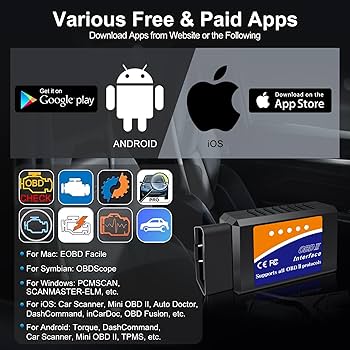
Credit: www.amazon.com
Tips For Accurate Diagnosis
Using an OBD2 scanner can help find car problems fast. It reads error codes from your car’s computer.
To get the best results, follow some important tips. These tips help you get clear and correct information.
Read The Manual Before Use
Every OBD2 scanner works a bit differently. Reading the manual helps you understand the steps clearly.
You learn how to connect the scanner, read codes, and clear errors safely.
Use The Scanner On A Warm Engine
Run your car for a few minutes before scanning. A warm engine shows more accurate error data.
Cold engines may not show all problems. Warm engine data helps you find true issues.
Check Battery Voltage
Low battery voltage can cause wrong readings. Make sure your car battery is charged well.
- Use a voltmeter to check battery level
- Charge the battery if voltage is below 12 volts
- Repeat the scan after fixing battery issues
Record And Research Error Codes
Write down all the codes the scanner shows. Each code means a specific problem in the car.
Look up what the codes mean in a trusted source. This helps you understand what to fix.
Clear Codes And Test Drive
After reading the codes, clear them from the system. Then drive your car to see if codes return.
If codes come back, the problem may still be there. If not, the issue might be fixed.
Use A Quality Obd2 Scanner
Choose a scanner that supports many car models and shows detailed info. This helps with clear diagnosis.
Some scanners also explain codes and suggest fixes. This makes it easier to understand problems.
Troubleshooting Scanner Issues
Using an OBD2 scanner can be simple, but sometimes issues occur. Troubleshooting helps you find and fix problems fast.
This guide covers common scanner issues and ways to solve them. Follow these tips to get accurate readings again.
Scanner Does Not Power On
Check if the scanner is properly connected to the vehicle’s OBD2 port. Sometimes the connection is loose or dirty.
Also, make sure the vehicle ignition is turned on. Most scanners need the engine or ignition to be active for power.
No Communication With Vehicle Ecu
This problem means the scanner cannot talk to the car’s computer. It often happens if the wrong protocol is selected.
- Verify the scanner supports your vehicle’s OBD2 protocol.
- Try unplugging and reconnecting the scanner.
- Check the vehicle fuse for the OBD2 port.
- Use a different vehicle to test the scanner.
Error Codes Not Displaying Correctly
Sometimes the scanner shows wrong or no error codes. This can happen if the scanner software is outdated.
Update your scanner’s firmware or app to the latest version. This fixes bugs and adds new car models.
Scanner Freezes Or Crashes
| Cause | Fix |
| Low battery in scanner | Charge or replace batteries |
| Software bugs | Update firmware or app |
| Incompatible vehicle | Check vehicle compatibility list |
| Damaged connector | Inspect and repair or replace cable |
Bluetooth Or Wi-fi Connection Problems
Wireless scanners may not connect properly to phones or tablets. Check if Bluetooth or Wi-Fi is enabled on both devices.
- Restart both the scanner and the mobile device.
- Forget and re-pair the scanner in device settings.
- Ensure the scanning app has necessary permissions.
- Keep devices close to each other to avoid signal loss.
Maintaining Your Obd2 Scanner
Keeping your OBD2 scanner in good shape helps it last longer. Regular care makes sure it works well every time you use it.
Simple maintenance steps can prevent damage and improve scanner performance.
Clean The Scanner Regularly
Dirt and dust can harm your OBD2 scanner. Clean it with a soft, dry cloth after use.
Avoid using water or harsh chemicals to clean the device. Keep the connector pins free from dust.
Store The Scanner Properly
Store your scanner in a dry, cool place away from direct sunlight. This protects the device from heat damage.
Use the original case or a protective cover to avoid drops and scratches.
Check The Battery Life
Many OBD2 scanners have rechargeable batteries. Check the battery level before each use.
Charge the scanner fully to ensure it works well. Replace batteries if they no longer hold a charge.
Update The Scanner Software
Keep your scanner’s software updated for best results. Updates fix bugs and add new features.
Connect your scanner to a computer or app to check for updates regularly.
Handle The Connector With Care
Plug and unplug the scanner gently to avoid damage. Force can bend or break the pins.
Make sure the connector and car port are clean before use to ensure a good connection.
Credit: www.triumphbobberforum.com
Frequently Asked Questions
What Is An Obd2 Scanner Used For?
An OBD2 scanner reads vehicle diagnostic codes. It helps identify engine issues quickly. Mechanics and car owners use it for troubleshooting and maintenance.
How Do I Connect An Obd2 Scanner To My Car?
Locate your car’s OBD2 port, usually under the dashboard. Plug the scanner into the port, then turn on the ignition. Follow the scanner’s instructions to start reading codes.
Can An Obd2 Scanner Fix Car Problems?
No, an OBD2 scanner only detects problems. It provides error codes that help diagnose issues. You still need to repair the vehicle based on the codes.
Are Obd2 Scanners Compatible With All Cars?
Most cars made after 1996 support OBD2 scanners. However, some older or foreign models may not be compatible. Always check your vehicle’s manual for compatibility details.
Conclusion
Using an OBD2 scanner helps you find car problems fast. It saves time and money by showing clear error codes. Just plug it in, read the codes, and know what to fix. Regular checks keep your car running smooth and safe.
Learning this simple tool makes car care easier for everyone. Try it yourself and feel more confident about your vehicle.







