
If you want to understand what’s really going on inside your car, a Live Data OBD2 Scanner is exactly what you need. Imagine having the power to see your vehicle’s health in real time, right at your fingertips.
No more guesswork or costly trips to the mechanic just to find out what’s wrong. With this tool, you get instant access to crucial information about your engine, fuel system, and more. Ready to take control of your car’s performance and save time and money?
Keep reading to discover how a Live Data OBD2 Scanner can change the way you care for your vehicle.

Credit: www.amazon.ca
What Is An Obd2 Scanner
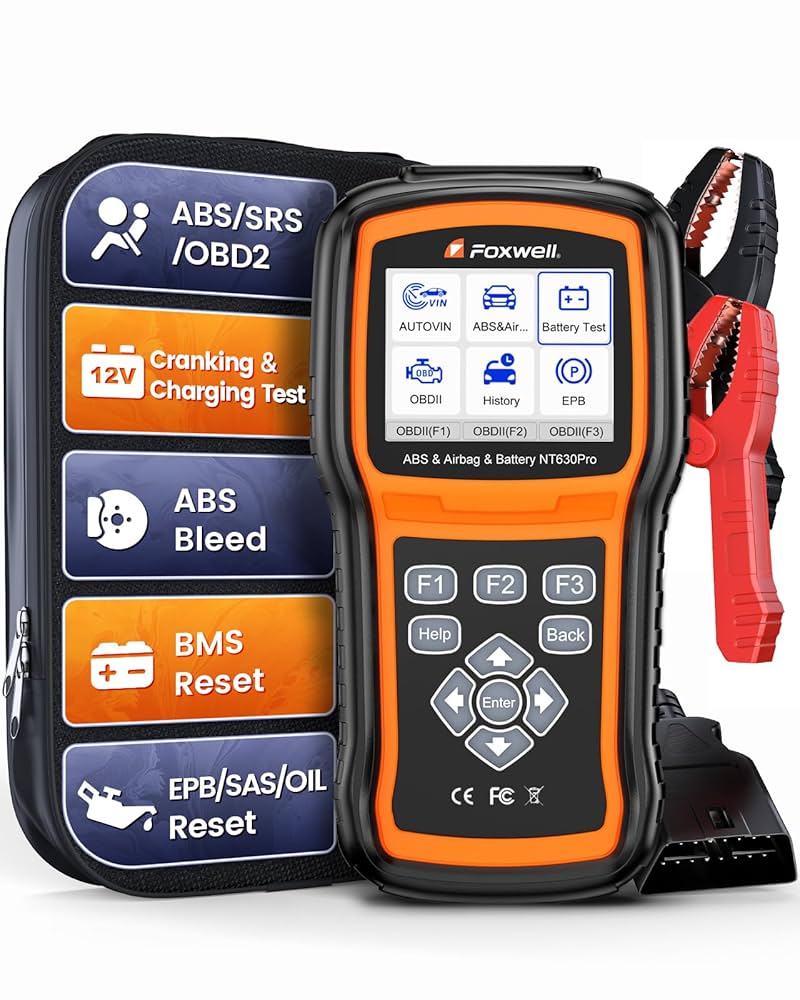
An OBD2 scanner is a device that reads data from a vehicle’s computer. It helps find problems and shows live information about the car’s engine and systems.
It connects to the car’s OBD2 port, usually under the dashboard. Mechanics and car owners use it to check engine health and fix issues faster.
Basic Functions
OBD2 scanners can perform many tasks to help diagnose a car’s condition. Here are some basic functions they offer:
- Read and clear trouble codes that cause the check engine light
- Show live data like engine speed, temperature, and fuel status
- Display vehicle information such as VIN and calibration ID
- Help test emission controls for environmental compliance
- Monitor sensor data to spot faulty parts early
Types Of Scanners
There are several types of OBD2 scanners. Each type fits different needs and budgets.
| Scanner Type | Description | Common Use |
|---|---|---|
| Basic Code Reader | Simple device to read and clear codes | Quick checks for car owners |
| Professional Scanner | Advanced tool with live data and full diagnostics | Used by mechanics and technicians |
| Bluetooth Scanner | Connects wirelessly to a smartphone app | Convenient for DIY users |
| Tablet or PC Scanner | Software-based scanners for detailed analysis | Used by experts and garages |
Benefits Of Live Data
Live data from an OBD2 scanner shows your car’s information in real time. It helps you understand how your vehicle works while driving.
This data helps drivers and mechanics see what is happening inside the car. It makes fixing problems easier and faster.
Real-time Monitoring
Live data lets you watch your car’s systems as they work. You see engine speed, temperature, and other key details right away.
This information helps you know if the car runs smoothly or if something is wrong. It saves time by showing exact conditions.
- Check engine RPM instantly
- Watch coolant and oil temperatures
- Monitor fuel system status
- Track sensor outputs live
Early Problem Detection
Live data helps find problems before they get worse. You can see unusual numbers that point to trouble early.
This early warning helps you fix small issues quickly. It prevents costly repairs and keeps your car safe to drive.
- Spot engine misfires fast
- Detect sensor failures early
- Notice fuel system errors
- Identify overheating risks
How Live Data Works
Live data from an OBD2 scanner shows real-time information from a vehicle. It helps users see how the car’s systems perform while driving.
This data includes engine speed, temperature, and sensor readings. The scanner connects to the car’s computer to get these details instantly.
Data Transmission
The OBD2 scanner talks to the vehicle’s Engine Control Unit (ECU) through a data link connector. This connection sends signals back and forth.
- The ECU collects data from sensors around the vehicle.
- The scanner requests specific information from the ECU.
- The ECU sends the data in small packets to the scanner.
- The scanner processes and displays the data on its screen.
Interpreting Parameters
Each live data parameter has a code and a value. These codes help identify the exact reading, like engine RPM or coolant temperature.
| Parameter | Description | Unit |
| RPM | Engine speed | Revolutions per minute |
| MAF | Air flow rate | Grams per second |
| ECT | Engine coolant temp | Degrees Celsius |
| TPS | Throttle position | Percentage |
Choosing The Right Scanner
Choosing the right live data OBD2 scanner helps you get accurate vehicle information. It saves time and makes car diagnostics easier.
Look for scanners that fit your vehicle and offer useful features. This guide explains what to check before buying one.
Compatibility Factors
Not all scanners work with every car model or system. Check if the scanner supports your vehicle’s make and year.
Some scanners connect via Bluetooth, Wi-Fi, or USB. Make sure your phone or tablet works with the scanner type.
- Vehicle make and model support
- Year range compatibility
- Supported communication protocols (e.g., CAN, ISO)
- Connection type (Bluetooth, Wi-Fi, USB)
- App availability for your device (iOS, Android)
Key Features To Look For
Look for scanners that read live data streams clearly. This helps spot problems fast and easily.
Extra features add value, like graph displays, freeze frame data, and error code definitions.
- Real-time data monitoring
- Clear display of sensor values
- Freeze frame and stored trouble codes
- Error code lookup and explanations
- Data logging and export options
- Easy-to-use interface and app
Using Live Data For Diagnostics
Live data from an OBD2 scanner is vital for car diagnostics. It helps identify issues quickly.
With live data, mechanics can see real-time information. This aids in pinpointing problems efficiently.
Common Trouble Codes
Trouble codes are signals from your car’s system. They show where problems exist.
Understanding these codes is crucial. It helps in diagnosing and fixing issues swiftly.
- P0300: Random misfire detected
- P0171: System too lean
- P0420: Catalyst system efficiency below threshold
Tracking Sensor Readings
Sensors provide important data about your car’s performance. They monitor various systems.
By tracking sensor readings, you can detect potential issues early. This helps in maintaining your car’s health.
| Sensor | Function |
| Oxygen Sensor | Monitors air-fuel ratio |
| Mass Air Flow Sensor | Measures air entering the engine |
| Throttle Position Sensor | Tracks throttle position |
Credit: www.amazon.ca
Apps And Software Options
Live data OBD2 scanners help you see real-time information from your car. You need apps or software to read this data.
There are many apps for mobile devices and software for PCs. Each offers different features for scanning and analyzing vehicle data.
Popular Mobile Apps
Mobile apps connect to OBD2 scanners via Bluetooth or Wi-Fi. They show live data like engine speed, temperature, and fuel usage.
Some apps let you clear error codes and view trouble codes in simple language. Many apps have graphs and gauges for easy reading.
- Torque Pro – Offers many live data options and custom dashboards
- OBDLink – Easy to use with good real-time data display
- Car Scanner – Supports many car models and shows detailed info
- DashCommand – Provides custom views and advanced diagnostics
Pc-based Solutions
PC software connects to OBD2 scanners using USB, Bluetooth, or Wi-Fi. It provides a larger screen for detailed data analysis.
These programs offer in-depth diagnostics, live data logging, and sometimes repair tips. They are ideal for mechanics and serious users.
- OBD Auto Doctor – Simple interface with live data and error code reading
- ScanMaster-ELM – Supports many protocols and shows detailed sensor data
- FORScan – Focuses on Ford, Mazda, Lincoln, and Mercury vehicles
- Carista – Offers customization options and live data features
Tips For Accurate Readings
Using a Live Data OBD2 Scanner can help diagnose car issues. Accurate readings are essential for proper vehicle maintenance.
Follow these tips to ensure your scanner provides the most reliable data. This will help you understand and fix any car problems effectively.
Proper Connection Setup
Ensure that the scanner is securely connected to the OBD2 port. A loose connection can result in incorrect data readings.
Turn on the ignition to the accessory position. This ensures the scanner can communicate with the car’s computer system.
- Locate the OBD2 port under the dashboard
- Plug the scanner firmly into the port
- Check that the scanner powers on
Avoiding Interference
Keep electronic devices away from the scanner during use. Phones and other gadgets can interfere with the scanner’s signal.
Ensure the car is parked in an area with minimal electromagnetic interference. Avoid locations near large power lines or other strong electrical sources.
- Turn off unnecessary electronic devices
- Use the scanner in a quiet area
- Check for nearby electronic interference sources
Future Trends In Obd2 Scanning
OBD2 scanners are tools that read data from vehicles. They help find problems and monitor car health.
The future of OBD2 scanning will bring new features. These features will make scanning easier and more useful.
Enhanced Connectivity
OBD2 scanners will connect better with devices. They will use Wi-Fi, Bluetooth, and mobile networks.
This means users can see live data on their phones or computers. It also allows remote diagnostics and updates.
- Real-time data streaming to multiple devices
- Cloud storage of vehicle information
- Remote troubleshooting by mechanics
- Automatic software updates for scanners
Ai Integration
Artificial intelligence will help analyze vehicle data from OBD2 scanners. AI can find patterns and predict problems.
AI tools can give easy-to-understand advice to users. This helps people fix issues faster and avoid costly repairs.
- Predictive maintenance alerts
- Automatic error code explanations
- Smart diagnostics based on driving habits
- Personalized car care tips

Credit: www.foxwelldiag.com
Frequently Asked Questions
What Is A Live Data Obd2 Scanner?
A Live Data OBD2 Scanner reads real-time vehicle sensor data. It helps diagnose car issues quickly and accurately. This tool displays engine speed, temperature, fuel system status, and more, aiding in effective vehicle maintenance and troubleshooting.
How Does Live Data Help In Car Diagnostics?
Live Data shows real-time sensor readings from your vehicle. It reveals issues like misfires, sensor failures, and performance drops. This immediate feedback allows faster and more precise repairs, saving time and money.
Can Live Data Obd2 Scanner Improve Vehicle Performance?
Yes, by monitoring live data, you can identify inefficiencies. It helps optimize fuel consumption, detect faulty sensors, and maintain engine health. Regular use supports better vehicle performance and longevity.
Is A Live Data Obd2 Scanner Easy To Use?
Most Live Data OBD2 Scanners are user-friendly. They connect via Bluetooth or USB to smartphones or tablets. The accompanying apps display data clearly, making it accessible even for beginners.
Conclusion
A live data OBD2 scanner helps you see your car’s real-time status. It shows engine performance and sensor readings clearly. This tool saves time and money by finding problems early. Anyone can use it, even without much car knowledge. Regular checks keep your vehicle running smoothly and safely.
Keep your car healthy with a live data OBD2 scanner. Simple, smart, and useful for every driver.







