
Have you ever wished you had proof during a tricky situation on the road? Installing a dash cam in your vehicle can be a game-changer.
It captures everything that happens while you drive, protecting you from false claims and giving you peace of mind. But how do you set it up correctly to get the best results? You’ll discover simple, step-by-step instructions to install your dash cam quickly and easily.
Keep reading, and you’ll soon have your car ready to record every important moment.

Credit: www.youtube.com
Choosing The Right Dash Cam
Installing a dash cam helps keep you safe on the road. Picking the right one can be easy if you know what to look for.
This guide will explain different types of dash cams, key features, and budget options.
Types Of Dash Cams
There are several types of dash cams available. Each type serves a different purpose.
Some record only the front view. Others record front and rear views. There are also models with inside cabin cameras.
- Single-lens dash cams:Record the road ahead.
- Dual-lens dash cams:Capture front and rear views.
- Inside cabin dash cams:Monitor passengers inside.
- 360-degree dash cams:Cover all angles around the car.
Key Features To Consider
Look for features that improve safety and ease of use. Good features can help you get clear videos and easy setup.
- Video quality:Choose at least 1080p resolution for clear footage.
- Night vision:Important for recording in low light.
- Loop recording:Automatically overwrites old files.
- G-sensor:Detects sudden impacts and saves videos.
- Parking mode:Records while the car is parked.
- Wi-Fi or app support:Allows easy video sharing.
- Storage:Check if it supports microSD cards.
Budget And Brand Options
Dash cams come in many price ranges. Pick one that fits your budget but still has key features.
Trusted brands often offer better quality and support. Look for brands with good reviews.
- Low budget: Basic models with front camera only.
- Mid-range: Dual cameras and better video quality.
- High-end: 360-degree views, parking mode, and app control.
- Popular brands: Thinkware, Garmin, Vantrue, Nextbase.
Preparing For Installation
Installing a dash cam is easier when you prepare well. Good preparation helps avoid mistakes and saves time.
This guide covers what you need before installing your dash cam. It focuses on tools, mounting, and vehicle checks.
Gathering Necessary Tools
Collecting the right tools makes installation smooth. You do not want to stop midway because of missing items.
- Dash cam device and mount
- Car charger or power cable
- Trim removal tool or plastic pry tool
- Microfiber cloth to clean windshield
- Electrical tape or cable clips
- Optional: screwdriver set
Selecting The Mounting Location
Pick a place on the windshield that gives a clear front view. The camera should not block your vision.
Common locations are behind the rearview mirror or near the top center of the windshield.
- Ensure the camera lens is not blocked by tint or stickers
- Choose a spot that keeps wires hidden
- Check that the mount is secure and stable
- Avoid areas with direct sunlight glare
Checking Vehicle Compatibility
Make sure your vehicle supports dash cam installation. Some cars have special features that affect setup.
Check your car’s manual for power outlet locations and fuse box access.
- Confirm 12V power outlet or USB port availability
- Look for parking mode support if needed
- Check windshield type and sensors to avoid interference
- Review any warranty or insurance rules about dash cams
Step-by-step Installation
Installing a dash cam in your car is simple if you follow clear steps. This guide helps you mount and connect your dash cam the right way.
Make sure to prepare your tools and read each step carefully for a safe and clean installation.
Mounting The Dash Cam
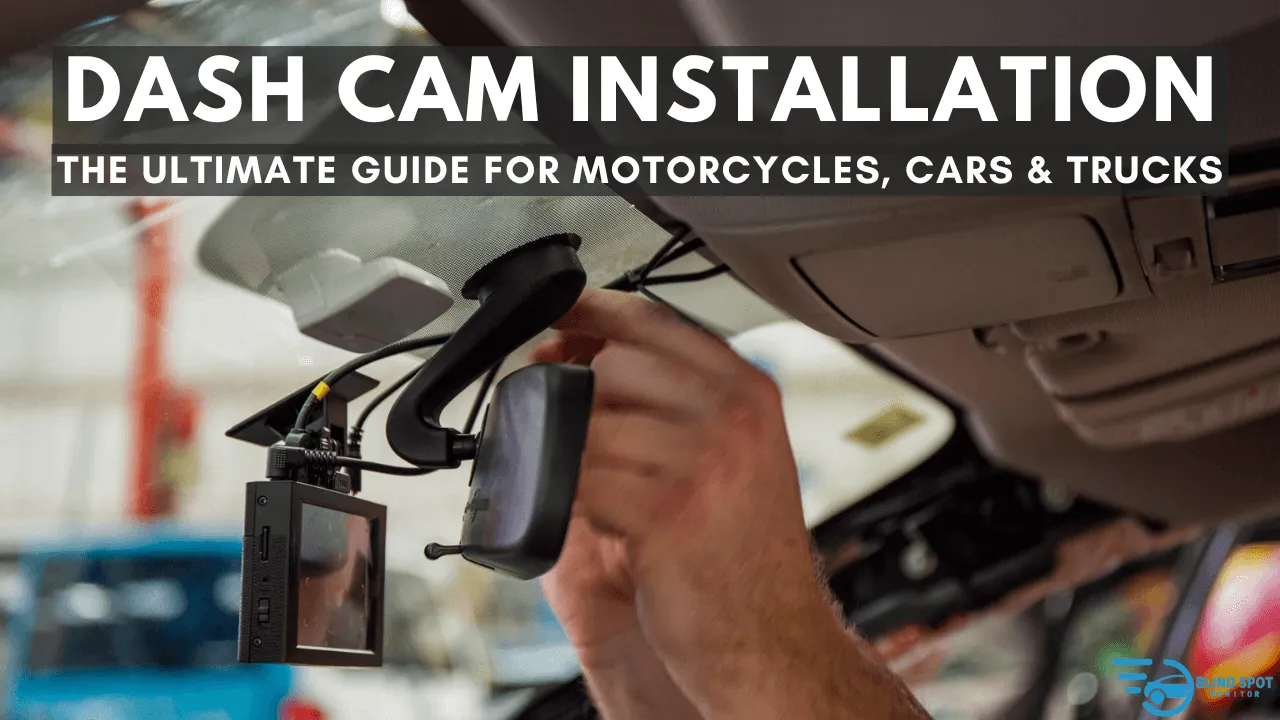
Choose a spot on your windshield near the rearview mirror. Clean the glass with alcohol to remove dust. Attach the mount or adhesive firmly. Adjust the camera angle to cover the road ahead clearly.
Routing The Power Cable
Plan a path for the power cable that avoids blocking your view. Run the cable along the edge of the windshield and tuck it into the headliner and A-pillar trim. Use a plastic tool to gently lift trim pieces if needed.
- Start from the dash cam to the top corner of the windshield
- Follow the headliner toward the car’s side panel
- Continue down the A-pillar toward the dashboard
- Avoid sharp bends or pinching points
Connecting To Power Sources
You can power the dash cam from a 12V socket or hardwire it to the fuse box. Use a fuse tap for a clean connection. Make sure to connect the ground wire to a metal part of the car’s body.
| Power Source | Connection Tip | Note |
| 12V Socket | Plug in the adapter | Easy to use but may turn off with ignition |
| Fuse Box | Use fuse tap for constant or switched power | Requires more skill, cleaner look |
| Ground Wire | Attach to metal chassis | Essential for proper function |
Securing And Hiding Wires
Use cable clips or zip ties to keep wires tight and neat. Hide extra cable length inside the dashboard or under carpet. Avoid loose wires that can distract or block controls.
- Keep wires away from airbags and moving parts
- Check that wires don’t interfere with pedals or steering
- Secure all loose ends to prevent rattling

Credit: www.youtube.com
Configuring Settings
After installing your dash cam, it is important to set it up properly. Configuring the settings helps the camera work well and capture clear videos.
Take time to adjust the camera angle, set the date and time, and enable safety features. These steps improve the dash cam’s performance.
Adjusting Camera Angle
Position the dash cam so it records a clear view of the road. Make sure it is not blocked by the rearview mirror or other objects.
Test the angle by recording a short video. Check if the camera captures the road and nearby cars well.
- Place the camera near the windshield center
- Aim it slightly downward to see the road
- Avoid glare from the sun or headlights
- Secure the mount tightly to avoid shaking
Setting Date And Time
Set the correct date and time on your dash cam. This information is important for video records and legal use.
Use the camera menu to adjust the date and time. Make sure to select your time zone accurately.
- Enter the year, month, and day
- Set the exact hour and minute
- Choose 12-hour or 24-hour format
- Update settings after daylight saving changes
Enabling Safety Features
Many dash cams have safety features like motion detection and collision warnings. Turn these features on to protect your vehicle.
Check the camera settings menu for options. Enable features that fit your needs and driving habits.
- Motion detection records when movement is near
- Collision warnings alert you of sudden stops
- Parking mode monitors your car when parked
- Loop recording saves video in continuous cycles
Testing And Troubleshooting
After installing a dash cam, testing and troubleshooting are key. This ensures the device works well. It helps avoid problems while driving.
Testing checks if the dash cam powers on and records properly. Troubleshooting fixes common issues. Follow the steps below to get your dash cam ready.
Verifying Power And Recording
First, check if the dash cam turns on with the car. It should start recording automatically. If not, the power supply might be incorrect.
Look for a red or blue light on the dash cam. This shows it has power. Then, review the recorded video to confirm it saves files correctly.
- Turn the car ignition on
- Check dash cam power light
- Record a short video
- Play back the video file
- Confirm video quality and length
Common Installation Issues
Some issues often happen during installation. These include no power, poor video, or loose cables. Fixing these keeps the dash cam working well.
Check all cable connections. Make sure the fuse is good and the power source is correct. Clean the camera lens for clear videos.
- Loose or unplugged cables
- Blown fuse in power adapter
- Incorrect voltage from power source
- Dirty or scratched camera lens
- Memory card not inserted or full
Tips For Optimal Performance
To keep your dash cam working well, follow simple tips. These help extend device life and improve video quality.
Use a high-quality memory card. Regularly check and format the card. Position the camera for a clear, wide view of the road.
- Choose a reliable memory card (Class 10 or higher)
- Format the memory card monthly
- Mount camera firmly to avoid shaking
- Keep lens clean and free from obstructions
- Update dash cam firmware if available
Credit: www.blindspotmonitor.com
Legal And Safety Tips
Installing a dash cam can help protect you on the road. Understanding legal and safety tips is important before you start.
This guide covers dash cam regulations, privacy considerations, and safe driving practices. Let’s ensure you comply with the law and drive safely.
Dash Cam Regulations
Dash cam laws differ by country and state. Some places require specific mounting positions to avoid obstructing the driver’s view.
In certain regions, audio recording without consent is illegal. Check local laws to ensure your dash cam use is compliant.
- Check if audio recording is allowed
- Ensure dash cam does not block vision
- Verify dash cam laws in your area
Privacy Considerations
Respecting privacy is crucial when using a dash cam. Consider how your dash cam might record others without their knowledge.
Ensure that any footage captured respects the privacy of individuals. Sharing videos publicly requires careful consideration.
- Avoid sharing footage without consent
- Blur faces or license plates in shared videos
- Store footage securely to protect privacy
Safe Driving Practices
Dash cams are helpful, but safe driving is still essential. Always focus on the road and avoid distractions.
Ensure your dash cam is securely mounted. Distracted driving is dangerous, even with the best dash cam.
- Do not adjust dash cam while driving
- Keep eyes on the road, not the camera
- Securely mount the dash cam before trips
Frequently Asked Questions
What Tools Are Needed For Dash Cam Installation?
You will need a dash cam, power cable, mounting bracket, and trim tools. A screwdriver and cable clips help manage wires neatly during installation.
Where Is The Best Place To Install A Dash Cam?
The ideal spot is behind the rearview mirror. This position offers a clear front view without obstructing the driver’s vision.
How Do I Power A Dash Cam In My Car?
Most dash cams connect to the 12V socket or hardwire to the fuse box. Choose based on your vehicle and preference for a clean setup.
Can I Install A Dash Cam Myself Easily?
Yes, most dash cams are designed for DIY installation. Follow the manual, route cables carefully, and ensure secure mounting for best results.
Conclusion
Installing a dash cam is a smart step for any driver. It helps record important events on the road. The process is simple and quick with the right tools. A good dash cam adds extra safety and peace of mind.
Make sure to place it where it sees clearly. Test it before driving to confirm it works well. Keep your vehicle safer and protect yourself with a dash cam today.







