
Have you ever wondered what’s really going on inside your car when that warning light pops up? If you want to save time and money on repairs, learning how to use an OBD2/EOBD scanner is a game-changer.
This simple tool puts the power of your car’s diagnostics right in your hands. In this guide, you’ll discover exactly how to connect the scanner, read error codes, and understand what they mean for your vehicle. By the end, you’ll feel confident tackling car issues like a pro – no more guessing, no more surprises.
Ready to take control of your car’s health? Let’s dive in.

Credit: www.youtube.com
What Is An Obd2/eobd Scanner
An OBD2/EOBD scanner is a device used to check a car’s computer system. It reads trouble codes and shows problems in the vehicle.
These scanners help car owners and mechanics find issues quickly. They connect to the car’s OBD port and get data from the engine and other systems.
Key Features
OBD2/EOBD scanners have many features to help diagnose vehicle problems. They can read and clear error codes from the car’s system.
Some scanners show live data like engine temperature, speed, and fuel use. Others can test specific systems like the emissions or the ABS brakes.
- Reads and clears diagnostic trouble codes (DTCs)
- Displays live sensor data in real-time
- Shows freeze frame data to capture faults
- Tests emissions and other vehicle systems
- Provides definitions for error codes
Types Of Scanners
There are several types of OBD2/EOBD scanners. Each type offers different levels of detail and ease of use.
Simple code readers show basic trouble codes. More advanced scanners can do full system diagnostics and live data streaming.
- Basic Code Readers:Show error codes and clear them.
- Advanced Scanners:Provide detailed data and system tests.
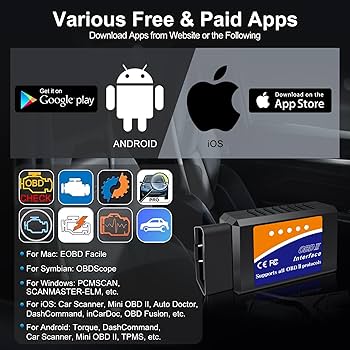
- Bluetooth/Wi-Fi Scanners:Connect to phones or tablets for easier use.
- Professional Scanners:Used by mechanics for deep diagnostics.
Preparing For A Scan
Using an OBD2/EOBD scanner helps find car problems quickly. Before scanning, you must prepare your vehicle and find the right connection point.
Preparation ensures the scan works well and gives correct results. Read these simple steps to get ready for your scan.
Locating The Obd Port
The OBD port is where you plug the scanner into your car. It is usually under the dashboard, near the steering wheel.
- Look under the driver’s side dashboard
- Check near the pedals or under the steering column
- Use a flashlight if the area is dark
- If unsure, check your vehicle’s manual for the exact location
Vehicle Requirements
Not all cars support OBD2 or EOBD scanning. Know your vehicle’s year and type before starting.
| Vehicle Year | OBD2 Support | Notes |
| 1996 or newer (USA) | Yes | Most cars and light trucks |
| 2001 or newer (Europe) | Yes | All petrol cars |
| 2004 or newer (Europe) | Yes | All diesel cars |
| Older than above | No | May need special scanners |
Connecting The Scanner
Connecting your OBD2/EOBD scanner properly is important to get accurate readings. This guide explains how to connect the scanner to your vehicle. You will learn the difference between wired and wireless options and how to set up the device correctly.
Wired Vs Wireless Connection
OBD2 scanners connect to cars in two main ways: wired or wireless. Wired scanners plug directly into the car’s OBD port. Wireless scanners connect through Bluetooth or Wi-Fi. Each has advantages and things to watch out for.
- Wired connection:Plug the scanner into the OBD port under the dashboard. It gets power from the car and sends data through the cable.
- Wireless connection:Turn on the scanner and pair it with your phone or tablet using Bluetooth or Wi-Fi. This allows more freedom of movement.
- Compatibility:Check your car’s OBD port type and the scanner’s connection options before buying.
- Signal interference:Wireless signals may be affected by other devices or distance from the scanner.
Ensuring Proper Setup
Setting up the scanner correctly avoids errors and ensures smooth operation. Follow these key steps to prepare the connection.
| Step | Action |
| 1 | Locate the OBD2 port under the dashboard near the steering column. |
| 2 | If wired, insert the scanner plug firmly into the port. |
| 3 | If wireless, turn on the scanner and enable Bluetooth or Wi-Fi on your device. |
| 4 | Pair the scanner with your phone or tablet following the scanner’s app instructions. |
| 5 | Turn on your vehicle’s ignition without starting the engine. |
| 6 | Open the scanner app and wait for it to connect to the vehicle. |
| 7 | Confirm the scanner shows live data or codes to verify connection. |

Credit: www.youtube.com
Reading Diagnostic Codes
Using an OBD2/EOBD scanner helps you find problems in your car. The scanner reads diagnostic codes from the vehicle’s computer.
These codes tell you what part of the car needs attention or repair. Learning to read them saves time and money.
Common Code Types
Diagnostic trouble codes (DTCs) have different types. Each type shows a specific kind of problem in your car.
There are four main code types: generic, manufacturer-specific, pending, and permanent codes.
- Generic Codes (P0xxx):Work on all OBD2 cars. They show common issues.
- Manufacturer-Specific Codes (P1xxx):Made by car makers for special problems.
- Pending Codes:Show problems that may happen soon.
- Permanent Codes:Fixed codes that need special tools to clear.
Interpreting Codes
Each code has a letter and four numbers. The letter tells the system, and numbers explain the problem.
Knowing what each part means helps you understand what to fix or check.
| Code Part | Meaning |
|---|---|
| First Letter | P – Powertrain, B – Body, C – Chassis, U – Network |
| Second Digit | 0 – Generic, 1 – Manufacturer Specific |
| Last Three Digits | Specific problem code |
Clearing Codes And Resetting
An OBD2/EOBD scanner helps read trouble codes from your car’s computer. It also clears codes and resets the system.
Clearing codes turns off the check engine light and resets the car’s sensors. This guide shows you how to do it safely.
When To Clear Codes
Clear codes only after fixing the problem that caused them. Clearing codes without repair can hide real issues.
Sometimes codes stay after repair. Clearing them helps check if the fix worked and stops the warning light.
- After fixing an engine or sensor problem
- When the check engine light stays on but issue is solved
- To reset the system before a new diagnostic check
- When preparing the car for an emissions test
Step-by-step Reset Process
Follow these steps to clear codes and reset your car’s system using an OBD2/EOBD scanner.
- Locate your car’s OBD2 port, usually under the dashboard.
- Plug the scanner into the OBD2 port firmly.
- Turn the car ignition to the ON position, but do not start the engine.
- Turn on the scanner and allow it to connect with your car’s computer.
- Select the option to read codes and note any active trouble codes.
- Choose the option to clear or erase codes on the scanner.
- Confirm the clear command if the scanner asks for confirmation.
- Wait for the scanner to finish clearing the codes.
- Turn off the ignition and unplug the scanner from the port.
- Start the car to see if the check engine light is off.
If the light returns soon after, the problem is not fixed. You need to diagnose or repair again.
Advanced Scanner Features
OBD2/EOBD scanners offer more than basic error code reading. They provide advanced features that help diagnose vehicle issues deeply.
Understanding these features can help you use the scanner effectively and maintain your car better.
Live Data Monitoring
Live data monitoring shows real-time information from your car’s sensors. You can watch how the engine and other parts work while the car runs.
This feature helps spot problems that only happen during driving. You can see values like engine speed, temperature, and oxygen sensor readings.
- Engine RPM (Revolutions Per Minute)
- Coolant Temperature
- Fuel System Status
- Oxygen Sensor Readings
- Vehicle Speed
Freeze Frame Data
Freeze frame data captures the car’s conditions when an error code appears. It saves a snapshot of sensor values at that moment.
This helps you understand what caused the problem. You can see if the engine was hot, cold, or under heavy load when the issue started.
| Data Type | Example Value |
|---|---|
| Engine RPM | 3000 RPM |
| Vehicle Speed | 50 mph |
| Coolant Temperature | 90°C |
| Fuel Trim | +5% |
Emissions Testing
Many scanners can check your car’s emissions system. This feature helps ensure your vehicle meets environmental rules.
The scanner reads data from sensors that control pollution. It shows if the catalytic converter and oxygen sensors work properly.
- Check readiness monitors for emissions systems
- Read oxygen sensor performance
- Detect faults in catalytic converter
- View fuel system status
Tips For Accurate Diagnostics
Using an OBD2/EOBD scanner helps identify car issues. Accurate diagnostics save time and money.
Follow these tips to ensure your scanner provides reliable results. Proper use improves vehicle maintenance.
Regular Maintenance Checks
Conduct regular checks to keep your car in good shape. Routine maintenance avoids major repairs.
- Check fluid levels every month
- Inspect tire pressure weekly
- Examine brake pads regularly
- Monitor battery health every few months
Using Updated Software
Always use the latest scanner software. Updates improve diagnostic accuracy.
Manufacturers release updates to fix bugs and add features. Download updates from official sources.
- Check for updates monthly
- Install updates as soon as they are available
- Ensure scanner compatibility with your vehicle model
Troubleshooting Scanner Issues
Using an OBD2/EOBD scanner helps find car problems fast. Sometimes, the scanner may not work right.
This guide covers common problems and simple fixes to get your scanner working again.
Common Problems
The scanner may not connect to the car’s computer. It might show error messages or no data at all.
Other issues include the scanner freezing, battery draining fast, or wrong codes showing up.
- Scanner fails to connect to the vehicle
- Error messages during scanning
- Scanner screen freezes or crashes
- Battery drains quickly
- Incorrect or unclear trouble codes
Solutions And Workarounds
Check the scanner’s connection port first. Make sure the plug fits tightly into the car’s OBD2 socket.
If the scanner does not turn on, check its battery or power source. Replace batteries if needed.
- Turn off the car, then restart it and try again
- Clean the OBD2 port and scanner plug from dirt
- Update the scanner’s software to the latest version
- Reset the scanner by turning it off and on
- Consult the scanner manual for error code explanations
- Use a different scanner if problems continue
For unclear trouble codes, look them up online or in the manual. Some codes mean different things for different cars.
If your scanner freezes, try using it on another car to see if the issue is with the device or the vehicle.
Choosing The Right Scanner
Picking the best OBD2/EOBD scanner helps in diagnosing car issues. Consider your needs and scanner features before buying.
Understanding key factors will make your choice easier. Let’s explore budget and compatibility aspects.
Budget Considerations
Think about how much you are willing to spend on a scanner. Prices can vary greatly based on features and brand.
- Basic models are affordable and good for simple tasks.
- Mid-range scanners offer more features at a reasonable price.
- High-end models provide advanced diagnostics but cost more.
Compatibility Factors
Ensure the scanner works with your car’s make and model. Compatibility is crucial for accurate readings and diagnostics.
Check the scanner’s manual or website for a compatibility list. This ensures it matches your vehicle’s requirements.
| Car Make | Compatible Scanner Type |
| Toyota | OBD2 |
| Ford | EOBD |
| Honda | OBD2/EOBD |
Credit: www.amazon.com
Frequently Asked Questions
What Is An Obd2/eobd Scanner Used For?
An OBD2/EOBD scanner reads vehicle diagnostic trouble codes. It helps identify engine and system issues quickly. This tool aids in timely vehicle maintenance and repairs, saving time and money.
How Do I Connect An Obd2 Scanner To My Car?
Locate the OBD2 port under the dashboard. Plug the scanner’s connector into the port securely. Turn on the car’s ignition to power the scanner and begin diagnostics.
Can I Use An Obd2 Scanner On Any Car Model?
Most cars made after 1996 support OBD2 scanners. European vehicles use EOBD, compatible with OBD2 tools. Always check your vehicle’s manual for scanner compatibility.
How Do I Read Codes From An Obd2 Scanner?
After connection, use the scanner’s menu to retrieve codes. The device displays error codes related to engine and systems. Refer to the scanner’s manual or online database to interpret codes.
Conclusion
Using an OBD2/EOBD scanner helps you find car problems fast. It saves time and money on repairs. You just plug it in and read the codes. These codes tell you what needs fixing. Regular checks keep your vehicle running well.
Remember to clear codes after repairs. This tool makes car care easier for everyone. Start using your scanner today and stay informed. Simple steps lead to better car health.







