
Have you ever wondered what your car’s warning lights really mean? Or wished you could quickly find out why your engine is acting up without paying a mechanic right away?
Using an OBD2 scanner puts that power directly in your hands. In this guide, you’ll discover how easy it is to connect the scanner to your vehicle, read the codes, and understand what they tell you about your car’s health.
By the time you finish reading, you’ll feel confident diagnosing common issues and saving both time and money. Ready to become your own car expert? Let’s dive in.
What Is An Obd2 Scanner
An OBD2 scanner is a tool used to check a car’s engine and other systems. It connects to the car’s onboard computer.
This device reads error codes and shows what needs fixing. It helps car owners and mechanics find problems fast.
How An Obd2 Scanner Works
The scanner plugs into a port usually found under the dashboard. It communicates with the car’s computer system.
It reads data from sensors and stores trouble codes. These codes tell what part or system has an issue.
Common Uses Of An Obd2 Scanner
- Check engine light diagnosis
- Read and clear trouble codes
- Monitor real-time vehicle data
- Test emissions readiness
- Help with vehicle repairs
Types Of Obd2 Scanners
| Type | Description |
| Basic Code Reader | Reads and clears error codes only |
| Professional Scanner | Reads codes, live data, and offers repair tips |
| Bluetooth/Wi-Fi Scanner | Connects to phone apps for easy use |

Credit: www.foxwelldiag.com
Preparing Your Car For Diagnosis
Before using an OBD2 scanner, you must prepare your car properly. This helps get accurate readings and saves time.
Preparation involves checking the car’s condition and setting it up for the scanner connection.
Locate The Obd2 Port
The OBD2 port is where you connect the scanner. It is usually under the dashboard near the steering wheel.
Look around the driver’s side footwell or near the fuse box if you do not see it immediately.
Turn Off The Engine
Make sure the engine is off before connecting the scanner. This prevents errors during communication.
Ensure Battery Is Charged
A low car battery can cause the scanner to give wrong codes or fail to connect. Check the battery voltage first.
Prepare Your Scanner Device
Read the scanner’s manual. Charge it fully or insert fresh batteries if needed before use.
- Check power source
- Update scanner software if possible
- Ensure Bluetooth or Wi-Fi is enabled for wireless devices
Warm Up The Engine
Start the car and let it run for a few minutes. A warm engine shows better diagnostic results.
Turn Off All Accessories
Switch off the radio, air conditioning, and other electrical devices. This avoids interference with the scan.
Check For Loose Connections
Look under the hood for any loose or disconnected wires. Fix these before scanning.
| Item | Reason |
| OBD2 Port | Where scanner connects |
| Engine Off | Prevents communication errors |
| Charged Battery | Ensures accurate data |
| Warm Engine | Better diagnostic results |
| All Accessories Off | Reduces electrical noise |
| Secure Wiring | Prevents false codes |
Locating The Obd2 Port
The OBD2 port is where you connect the scanner to your vehicle. It helps you read error codes and check your car’s health.
Finding the OBD2 port is easy if you know where to look. It is usually inside the car near the driver’s seat.
Common Locations Of The Obd2 Port
The OBD2 port is often found in these areas. Look carefully in these spots inside your car.
- Under the dashboard, near the steering wheel
- Below the driver’s side kick panel
- Close to the center console
- Near the fuse box
- Underneath the steering column cover
How To Identify The Obd2 Port
The OBD2 port has a unique shape and size. It is a trapezoid connector with 16 pins inside.
| Feature | Description |
| Shape | Trapezoid |
| Number of Pins | 16 |
| Color | Usually black or dark gray |
| Size | About 1.5 inches wide |
Tips For Finding The Port Quickly
- Turn off your vehicle and sit in the driver’s seat.
- Look under the dashboard near the steering wheel.
- Use a flashlight to see dark areas clearly.
- Check inside panels or covers if you don’t see it right away.
- Consult your vehicle’s manual for the exact location.
Connecting The Scanner
Using an OBD2 scanner helps you check your car’s engine and system errors. Before scanning, you need to connect the device properly.
This guide explains how to connect the OBD2 scanner quickly and safely to your vehicle.
Locate The Obd2 Port
Find the OBD2 port under your car’s dashboard. It is often near the driver’s seat and looks like a small trapezoid.
Prepare The Scanner
Make sure your scanner is charged or has fresh batteries. Some scanners work with your smartphone via Bluetooth.
Connect The Scanner To The Port
Insert the scanner’s plug into the OBD2 port firmly. It should fit without forcing. Turn the ignition key to the “On” position but do not start the engine.
- Locate the OBD2 port under the dashboard
- Check the scanner’s power or connect smartphone app
- Plug the scanner into the OBD2 port securely
- Turn the ignition key to “On” without starting the engine
Check The Scanner Connection Status
| Status | Meaning |
| Power Light On | Scanner is receiving power |
| Bluetooth Connected | Scanner paired with smartphone |
| Error Light | Connection problem, check port and plug |
Navigating The Scanner Interface
Using an OBD2 scanner can help you find car issues quickly. The interface might seem confusing at first. Let’s break it down to make it simple.
Once you know the basics, you’ll be able to read and clear error codes. This will help in maintaining your vehicle.
Understanding The Main Menu
The main menu is the first screen you see. It usually has several options like ‘Read Codes’ and ‘Erase Codes’. Familiarize yourself with each one.
- Read Codes:Shows current error codes.
- Erase Codes:Clears stored error codes.
- Live Data:Displays real-time data from your car.
- Settings:Allows you to change language or units.
Navigating Error Codes
Error codes are usually a combination of letters and numbers. Each code points to a specific issue. Use the scanner to understand what each code means.
| Code | Description |
| P0300 | Random/Multiple Cylinder Misfire Detected |
| P0171 | System Too Lean (Bank 1) |
| P0420 | Catalyst System Efficiency Below Threshold |
Accessing Live Data
Live data provides real-time information about your car’s performance. You can see data like engine speed, temperature, and fuel status.
To access live data, select the ‘Live Data’ option. You can scroll through different parameters and monitor them while the engine is running.
Credit: www.triumphbobberforum.com
Reading And Interpreting Codes
Using an OBD2 scanner helps you find problems in your car. It reads codes from the vehicle’s computer system.
These codes show what part of the car needs attention. Learning to read and understand them saves time and money.
Common Diagnostic Trouble Codes
Diagnostic trouble codes (DTCs) use letters and numbers. Each code points to a specific issue in the car.
- P-codes: Powertrain problems, like engine and transmission issues.
- B-codes: Body system faults, such as airbags or seat belts.
- C-codes: Chassis problems, including brakes and suspension.
- U-codes: Network communication errors between modules.
Understanding Code Severity
Not all codes mean the same level of urgency. Some issues are critical, while others are minor.
| Severity Level | Description | Action |
| High | Codes that affect safety or engine performance | Fix immediately to avoid damage |
| Medium | Issues that reduce efficiency or comfort | Schedule repair soon |
| Low | Minor faults or sensor errors | Monitor and repair if persistent |
Clearing Codes And Resetting The System
An OBD2 scanner is a handy tool for car diagnostics. It helps you find and fix car problems quickly. One key feature is clearing error codes and resetting the system.
Clearing codes removes fault alerts from your car’s system. Resetting ensures your car’s computer starts fresh. Understanding these processes is essential for every car owner.
Connecting The Obd2 Scanner
First, locate the OBD2 port in your car. It’s usually under the dashboard. Plug the scanner into this port. Turn on your car’s ignition without starting the engine.
- Find the OBD2 port under the dashboard
- Plug in the scanner securely
- Switch on the car ignition
Reading And Understanding Codes
Once connected, the scanner reads error codes from the car’s computer. These codes indicate issues with your vehicle. Write down the codes for reference.
Understanding these codes helps in identifying the problem. Refer to the scanner’s manual for code definitions. This step is crucial before clearing codes.
Clearing The Codes
After noting the codes, navigate to the “Clear Codes” option on the scanner. Select it to erase the fault codes from your vehicle’s computer. This stops warning lights from showing up.
- Go to the “Clear Codes” option
- Select it to erase fault codes
- Ensure no warning lights appear
Resetting The System
Resetting the system is the final step. It involves restarting the car’s computer. This ensures the vehicle runs smoothly without previous errors affecting it.
Turn off the ignition, wait a few minutes, and start the car again. The system should now be reset, and your car should run without error alerts.
- Turn off the ignition
- Wait for a few minutes
- Restart the car to reset the system
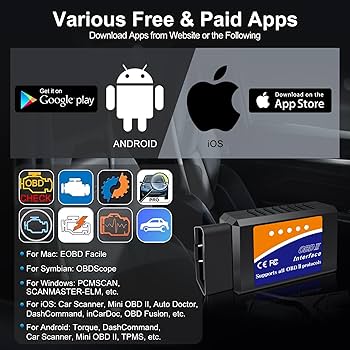
Credit: www.amazon.com
Using Scanner Data For Repairs
OBD2 scanners give useful data about your vehicle’s health. You can find problems fast by reading error codes. Using this data saves time and money on repairs.
The scanner shows which parts need fixing. You can plan repairs better and avoid bigger issues later.
Prioritizing Issues
Not all error codes need urgent attention. Some problems are simple and safe to fix later. Others can cause damage or danger if ignored.
- Look for codes that affect engine or brakes first.
- Check if the problem causes your car to run poorly.
- Focus on issues that may cause safety risks.
- Fix minor faults after urgent repairs are done.
When To Seek Professional Help
Some repairs need special tools and skills. If you don’t know how to fix a problem, ask a mechanic. Complex issues might get worse with wrong repairs.
| Issue Type | Recommended Action |
| Engine misfire | See a professional quickly |
| Loose gas cap | Fix yourself if confident |
| Brake warning light | Get immediate help |
| Minor sensor error | Monitor and repair later |
Tips For Effective Obd2 Scanning
Using an OBD2 scanner helps you find car problems quickly. It reads codes from your vehicle’s computer system.
Follow simple tips to get accurate results and save time during scanning.
Prepare Your Vehicle Properly
Make sure your car is parked and the engine is off before connecting the scanner. Turn the ignition to the ON position without starting the engine.
This step ensures the scanner can communicate with the vehicle’s system correctly.
Use The Right Obd2 Scanner
Choose a scanner that matches your car’s make and model. Some scanners work only with specific brands or newer cars.
Check if the scanner supports all code types, including manufacturer-specific codes.
Follow The Scanner Instructions
Read the user manual before starting. Different scanners have different menus and options.
Follow step-by-step prompts on the device for scanning and reading codes.
Record And Understand Trouble Codes
Write down the codes shown by the scanner. Each code points to a specific problem in the car.
Use an online code directory or scanner manual to understand what each code means.
Clear Codes After Repair
Once you fix the issues, use the scanner to clear the stored codes. This resets the check engine light.
Clearing codes helps you check if the problem is fully solved during the next scan.
Keep The Scanner Updated
Update your scanner’s software regularly. Updates add new codes and improve scanning performance.
Check the manufacturer’s website or app for the latest updates.
Scan Regularly For Better Maintenance
Scan your vehicle often, even without warning lights. Early detection prevents bigger problems.
- Scan every few months or before long trips
- Check after any repair or new parts installation
- Monitor your car’s health to save money
Frequently Asked Questions
What Is An Obd2 Scanner Used For?
An OBD2 scanner reads diagnostic trouble codes from your vehicle’s computer. It helps identify engine problems quickly. This tool saves time and money on repairs by pinpointing issues before they worsen.
How Do I Connect An Obd2 Scanner To My Car?
Locate the OBD2 port under the dashboard. Plug the scanner into the port firmly. Turn on your car’s ignition without starting the engine. Follow the scanner’s instructions to begin diagnostics.
Can An Obd2 Scanner Clear Error Codes?
Yes, most OBD2 scanners can clear error codes. After repairs, you can reset the check engine light. This helps verify if the problem is resolved and the system is error-free.
Which Vehicles Are Compatible With Obd2 Scanners?
OBD2 scanners work with most cars and light trucks made after 1996. Compatibility varies by model and region. Always check your vehicle’s manual or scanner specifications before use.
Conclusion
Using an OBD2 scanner helps you find car problems fast. It saves time and money on repairs. You can read error codes and clear them easily. Regular checks keep your vehicle healthy and safe. The scanner works with many car models.
Understanding basic codes helps you decide what to fix. Take control of your car’s health today. Simple steps lead to better car care. Keep your ride running smoothly and avoid surprises. An OBD2 scanner is a useful tool for every driver.







