
Have you ever wanted to give your car a stylish, modern look that turns heads every time you drive? Installing ambient lighting is one of the easiest and most affordable ways to transform your vehicle’s interior.
Imagine stepping inside your car and being greeted by soft, colorful lights that create a relaxing and personalized atmosphere. In this guide, you’ll discover simple steps to install ambient lighting yourself—no special skills needed. Keep reading, and you’ll learn how to upgrade your ride quickly, safely, and on a budget.

Credit: www.amazon.com
Choosing Ambient Lighting Kits
Ambient lighting can improve your car’s interior look. It creates a soft glow that adds style and comfort.
Picking the right kit depends on several factors. Consider lighting type, color options, and car compatibility.
Types Of Lighting Options
There are different lighting types for cars. LED strips are popular because they are flexible and easy to install. Fiber optic lights offer a smooth, even glow. Some kits use neon lights for bright, colorful effects.
- LED strip lights
- Fiber optic lights
- Neon lights
- Electroluminescent (EL) wire
Color And Brightness Choices
| Feature | Options |
| Colors | Single color, Multicolor (RGB), Customizable |
| Brightness | Low, Medium, High, Adjustable |
| Control | Remote, Smartphone app, Manual switch |
Choose colors that match your style. Some kits let you change colors or brightness with a remote or app. Brightness control helps avoid glare while driving.
Compatibility With Your Car
Check if the lighting kit fits your car model. Some kits are universal, while others need specific sizes or shapes. Power source type is important too. Some use your car’s battery, others have separate power adapters.
- Measure space inside your car before buying
- Confirm power supply type and voltage
- Look for kits with easy installation guides
- Check for waterproof or heat-resistant features
Preparing Your Vehicle
Before installing ambient lighting in your car, you must get your vehicle ready. Proper preparation helps the installation go smoothly and keeps everything safe.
Focus on cleaning, gathering tools, and following safety steps. These tasks make sure your lighting looks good and works well.
Cleaning And Clearing Surfaces
Clean the areas where you want to place the lights. Dirt and dust stop the lights from sticking well.
- Use a soft cloth and mild cleaner to wipe surfaces.
- Remove any old stickers or debris carefully.
- Let the area dry completely before installing lights.
Gathering Necessary Tools
Collect all tools you need before starting. Having tools ready saves time and avoids interruptions.
| Tool | Purpose |
| Cleaning cloth | Clean surfaces |
| Measuring tape | Measure light placement |
| Wire cutters | Cut wires to size |
| Electrical tape | Secure connections |
| Screwdriver | Fix light mounts |
Safety Precautions
Keep safety in mind to avoid accidents and damage. Follow these rules to protect yourself and your car.
- Disconnect the car battery before starting work.
- Wear gloves to protect your hands from cuts.
- Work in a well-lit, ventilated area.
- Do not touch electrical parts with wet hands.
- Check all wiring twice before powering on.
Installing The Lighting Strips
Installing ambient lighting strips in your car adds style and improves visibility inside. This guide helps you place the strips correctly for the best effect.
Focus on measuring, positioning, and securing the strips. Careful steps make sure the lights look neat and stay fixed.
Measuring And Cutting To Fit
Measure the areas where you want to install the strips. Use a tape measure to get accurate lengths for each section.
- Note the length of each area carefully.
- Mark the strips at these lengths before cutting.
- Cut only at the indicated cutting points on the strip.
- Double-check the cut pieces fit the space well.
Positioning The Strips
Place the strips in the desired spots without removing the backing yet. This helps you see how they look and fit.
| Common Positions | Effect |
| Under dashboard | Soft floor lighting |
| Along door panels | Highlight car sides |
| Under seats | Subtle glow |
| Footwells | Safety and style |
Securing With Adhesive
Use the adhesive backing to fix the strips firmly. Clean the surface first for better hold. Press the strips firmly in place.
- Clean the area with rubbing alcohol.
- Peel off the adhesive backing slowly.
- Stick the strip starting at one end.
- Press along the strip to secure fully.
- Let the adhesive set for a few hours before use.
Wiring And Power Connection
Installing ambient lighting in your car requires careful wiring and power connections. Proper setup ensures the lights work safely and reliably.
This guide covers how to find a power source, connect wires safely, and test your electrical setup.
Locating Power Source
Find a power source that matches your lighting’s voltage. Use a fuse box or an accessory power outlet for a clean connection.
- Check the car’s fuse box for an accessory fuse.
- Use a multimeter to confirm the voltage is 12 volts.
- Avoid constant power sources to prevent battery drain.
- Choose a power source that turns off with the ignition.
Connecting Wires Safely
Secure wire connections protect your car’s electrical system. Use the right tools and materials to avoid shorts or damage.
| Material | Purpose | Tip |
|---|---|---|
| Wire strippers | Remove insulation cleanly | Avoid cutting wire strands |
| Crimp connectors | Join wires securely | Use a proper crimping tool |
| Electrical tape | Insulate connections | Wrap tightly to prevent moisture |
| Inline fuse holder | Protect circuit from overload | Match fuse rating to light specs |
Testing Electrical Setup
Test your wiring before finalizing installation. Ensure the lights turn on and off with the ignition and no wires get hot.
- Turn on the car ignition to check if lights activate.
- Inspect all wire connections for looseness.
- Feel wires for overheating after a few minutes.
- Use a multimeter to verify voltage at the lights.
- Fix any issues before securing all components.
Configuring Controls And Settings
After installing ambient lighting in your car, you need to set up controls. Proper settings help you enjoy the lighting fully.
Adjusting the controls lets you change colors, brightness, and effects easily. This guide explains how to configure them.
Remote And App Setup
Most ambient lighting kits come with a remote or a mobile app to control settings. Connect the remote or app to your lights first.
Follow the instructions to pair the remote or app with your lighting system. This usually involves pressing a button or scanning a code.
- Turn on the car and lighting system
- Open the app or use the remote
- Find and select your lighting device
- Confirm the connection
- Test the controls to ensure they work
Adjusting Colors And Effects
You can change colors to fit your mood or style. Use the app or remote to pick from many colors.
Effects like fading or flashing add more excitement to your lighting. Adjust speed and brightness to your liking.
- Choose your favorite color or combination
- Set brightness for day or night driving
- Select effects such as steady, pulse, or flash
- Adjust speed of effects if available
- Save your settings for quick use later
Syncing With Music Or Driving Modes
Some ambient lighting systems sync with music or driving modes. This makes your lights change with sounds or car actions.
Enable syncing in the app or remote settings. Choose how lights react to beats or speed changes.
- Turn on music sync for light changes with songs
- Use driving mode sync for different effects while driving
- Adjust sensitivity to match music volume or speed
- Test syncing in different environments
- Turn off sync if you prefer fixed lighting
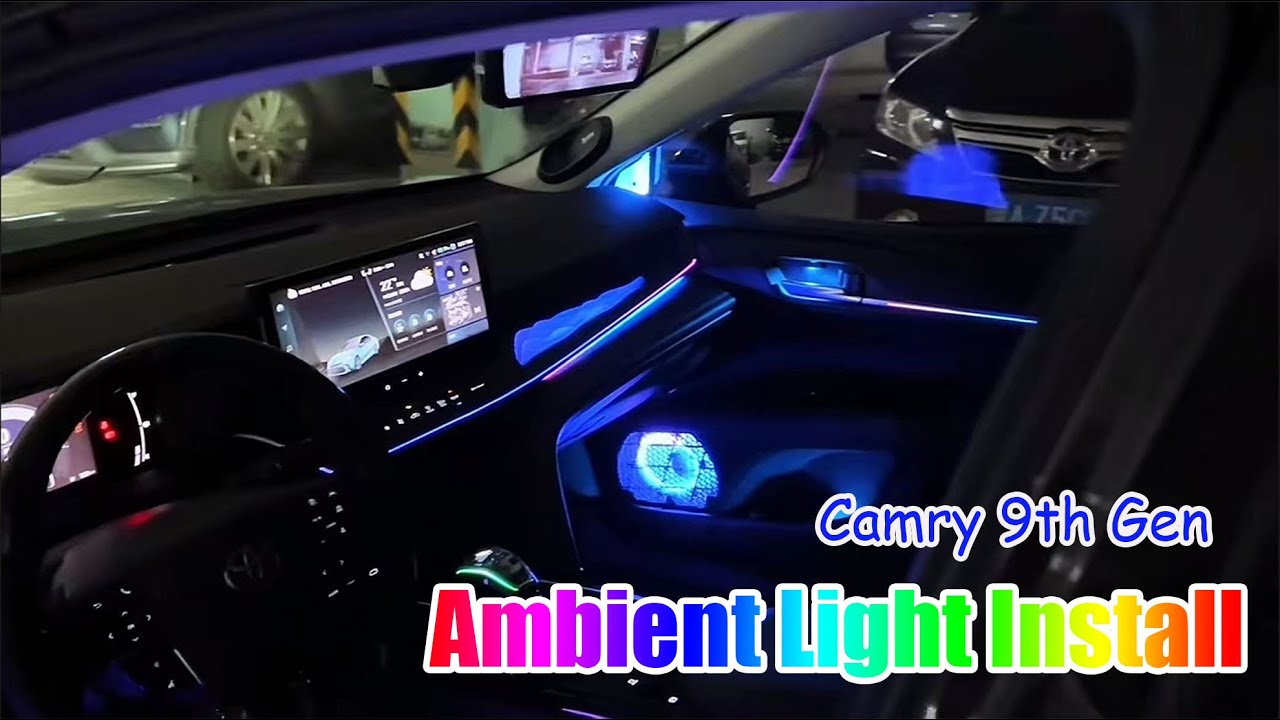
Credit: www.youtube.com
Maintaining Your Ambient Lighting
Ambient lighting in your car adds style and comfort. Regular maintenance keeps it looking great. Follow these tips to ensure your lighting system lasts longer.
Proper care prevents issues and enhances your driving experience. Learn how to clean, troubleshoot, and upgrade your lighting.
Cleaning Tips
Dust and dirt can dull your ambient lights. Cleaning keeps them bright and clear.
- Use a soft cloth to wipe dust off lights
- Avoid harsh cleaners; they can damage surfaces
- Check for any moisture, especially near connections
Troubleshooting Common Issues
Sometimes, ambient lights may flicker or stop working. Identifying the problem helps you fix it.
- Check connections for loose wires
- Ensure the power source is working
- Replace any burnt-out bulbs immediately
Upgrading And Replacing Components
Upgrading your lighting can enhance the look of your car. Replacements might be needed if parts fail.
- Choose LEDs for longer life and better efficiency
- Consider color options that suit your mood
- Consult a professional for complex installations

Credit: www.youtube.com
Frequently Asked Questions
What Tools Do I Need To Install Ambient Lighting In My Car?
You need LED light strips, a power source, connectors, a fuse tap, and basic tools like scissors and screwdrivers. A multimeter helps check power connections safely.
How Do I Connect Ambient Lights To My Car’s Power?
Connect the LED lights to a 12V power source, usually the fuse box or cigarette lighter. Use a fuse tap for safety and secure wiring properly.
Can I Install Ambient Lighting Without Professional Help?
Yes, you can install ambient lighting yourself with basic electrical knowledge and patience. Follow instructions carefully and ensure connections are secure.
How Long Does Car Ambient Lighting Installation Take?
Installation typically takes 1 to 3 hours, depending on your car model and lighting complexity. Plan extra time for testing and adjustments.
Conclusion
Installing ambient lighting in your car is simple and fun. Choose the right lights and tools before you start. Take your time to place the lights carefully for the best look. Test the lights to make sure they work well.
Enjoy the new glow inside your car on every ride. This small change can make your car feel more cozy and stylish. Try it yourself and see how ambient lighting changes your driving experience.







