
Are you tired of your car’s GPS tracking your every move? Maybe you want more privacy, or perhaps you just need to reset the system.
Whatever your reason, knowing how to disconnect GPS in your car can give you control back. You’ll discover simple, clear steps to disable your car’s GPS quickly and safely. Keep reading to learn how to take charge of your location data and protect your privacy on the road.
Locate The Gps System
The GPS system in a car helps track its location. To disconnect it, you need to find where it is installed first.
GPS devices are usually small boxes or modules connected to the car’s electrical system. They can be hidden in various places.
Check Under The Dashboard
The most common place for a GPS unit is under the dashboard. Look near the steering column or fuse box area.
Use a flashlight to see clearly. The device may be attached with screws or tape.
Inspect The Center Console
Some GPS systems are hidden inside the center console. Check inside storage compartments or under panels.
Remove any covers carefully to avoid damage. The GPS module may be small and hard to spot.
Look Near The Rearview Mirror
Modern cars sometimes have GPS units near the rearview mirror. This can be part of the car’s built-in system.
Check behind or around the mirror for any small devices or wires.
Search The Trunk Area
In some vehicles, the GPS device is placed in the trunk. Look under the carpet or near the spare tire well.
Check for any small boxes or wires connected to the car’s battery or electrical system.
Review The Owner’s Manual
The owner’s manual may have details about the GPS system location. It can guide you to the exact spot.
Look for sections about security or tracking systems in the manual.
Access The Car’s Settings
Disconnecting the GPS in your car starts with accessing the settings menu. This lets you control various features, including the GPS system.
Most modern cars have an infotainment screen that helps you find and change settings easily. Follow the steps below to find the GPS options.
Using The Infotainment Screen
The infotainment screen is your main control center for the car’s settings. It is usually located in the center of the dashboard.
- Turn on the car and wait for the screen to activate.
- Tap the “Settings” icon on the home screen.
- Look for a section labeled “Navigation” or “GPS”.
- Select this section to view GPS options.
- Choose the option to disable or disconnect the GPS.
Navigating The Menu Options
Menus may vary by car brand and model, but the navigation is similar. Use the screen or control knobs to move through options.
| Menu Item | Action |
| Settings | Open main settings menu |
| Navigation or GPS | Access GPS related settings |
| GPS On/Off | Toggle GPS connection |
| Confirm | Save changes and exit |
Disable Gps Through Settings
Many cars have built-in GPS systems to help with navigation. Sometimes, you may want to turn off the GPS for privacy or other reasons.
You can disable GPS by changing settings in your car’s system. This guide explains how to do this step by step.
Turning Off Location Services
Location services use GPS to track where your car is. Turning this off stops the car from sharing your location.
To turn off location services, go to your car’s main menu and find the settings area. Look for a section called “Location” or “Privacy.”
- Open the car’s settings menu
- Find and select “Location” or “Privacy”
- Switch off the location services option
- Confirm if a prompt asks for approval
Disabling Navigation Features
Navigation features use GPS to give directions and maps. Turning these off stops the system from using GPS data.
You can disable navigation features in your car’s system settings. This may include turning off automatic route tracking or map updates.
- Access the navigation or GPS settings menu
- Turn off options like “Auto-route” or “Live Traffic”
- Disable map updates if available
- Save your changes before exiting
Disconnect Gps Hardware
Disconnecting the GPS hardware in your car can stop location tracking. This guide helps you safely remove the GPS module from your vehicle.
Follow these simple instructions to find and unplug the GPS device without causing damage to your car’s electronics.
Identifying The Gps Module
The GPS module is a small device inside your car that receives satellite signals. It is often hidden to prevent easy removal.
- Check under the dashboard near the steering column.
- Look behind the glove box or under seats.
- Search near the rearview mirror or roof lining.
- Find a small box with a wire antenna connected.
- Look for labels like “GPS” or “Tracking Device.”
Unplugging The Gps Connector
Once you locate the GPS module, you can unplug its connector to stop power and signal flow. This disables the device.
| Step | Action | Tip |
| 1 | Turn off the car engine and remove the key. | Prevent electrical shorts and shocks. |
| 2 | Locate the GPS connector attached to the module. | Use a flashlight if needed for better view. |
| 3 | Press the clip or tab on the connector and gently pull it apart. | Avoid pulling wires directly to prevent damage. |
| 4 | Secure the disconnected wires with tape to avoid contact. | Prevent accidental reconnection or short circuit. |
Use Privacy Mode Or Airplane Mode
Many cars have GPS systems that track your location. You may want to disconnect GPS for privacy or safety reasons. Using Privacy Mode or Airplane Mode can help you do this easily.
This guide explains how to turn on these modes to stop GPS tracking in your car. Follow the steps below for a simple solution.
Enable Privacy Mode
Privacy Mode disables GPS tracking without turning off other functions. It keeps your location hidden from apps and services.
- Open your car’s infotainment system.
- Find the GPS or location settings menu.
- Look for “Privacy Mode” or a similar option.
- Turn on Privacy Mode to stop location sharing.
- Check your car’s manual if you cannot find this option.
Use Airplane Mode To Disconnect Gps
Airplane Mode turns off all wireless signals, including GPS. This stops your car from sending or receiving location data.
| Action | Effect on GPS |
| Privacy Mode On | Stops location sharing but keeps other signals active |
| Airplane Mode On | Turns off GPS and all wireless connections |
| Airplane Mode Off | Restores GPS and wireless functions |

Credit: gpstracker247.com
Consider Software Updates And Resets
Updating your car’s GPS software can enhance its performance. Regular updates ensure that you have the latest maps and data.
Sometimes, resetting the navigation system is necessary. This can solve many issues related to the GPS not working properly.
Resetting Navigation System
Resetting your navigation system can clear errors. It often restores the GPS to its original settings.
- Turn off the car’s ignition.
- Disconnect the battery for a few minutes.
- Reconnect the battery and start the car.
- Follow on-screen instructions to reset the GPS.
Updating Firmware To Manage Gps
Firmware updates can fix bugs and improve GPS accuracy. Keeping the firmware up to date is important for optimal performance.
| Update Type | Frequency |
| Map Updates | Quarterly |
| Firmware Updates | Biannually |
| System Resets | As Needed |
Consult The Vehicle Manual
To disconnect the GPS in your car, start by consulting the vehicle manual. The manual provides specific instructions for your car model.
Reading the manual helps you understand the GPS system. It ensures you follow the correct steps without causing damage.
Locate The Gps Section
The vehicle manual has different sections. Find the one that covers the GPS system. It may be under “Electronics” or “Navigation”.
- Look for the table of contents
- Find the GPS or navigation section
- Refer to the index for quick search
Understand Safety Precautions
Before disconnecting the GPS, read the safety precautions. This ensures you do not accidentally affect other systems.
Follow guidelines to avoid electric shocks or short circuits. Safety first when handling electronic components.
Identify Required Tools
The manual lists tools needed to disconnect the GPS. These tools may include screwdrivers or special wrenches.
- Flathead screwdriver
- Phillips screwdriver
- Socket wrench set
Follow Step-by-step Instructions
The manual provides step-by-step instructions. Follow these carefully to safely disconnect the GPS.
Each step may include diagrams or images. These visual aids help you identify parts and connections.
Check For Additional Tips
Some manuals offer extra tips or troubleshooting advice. These can help if you encounter issues during the process.
Reading additional tips can save time. It prepares you for potential challenges.

Credit: www.youtube.com
Seek Professional Assistance
Disconnecting the GPS in your car can be tricky. It is best to get help from a professional.
A trained technician knows the car’s system well. They can disconnect the GPS safely without causing damage.
Why Professionals Are Important
Cars have complex electrical systems. A wrong move might break the GPS or other parts.
Professionals have the right tools and knowledge. They follow safety steps to avoid risks.
How Technicians Disconnect Gps
First, they check the car’s GPS type and wiring. Then, they disconnect power to the GPS module.
They also test to make sure other systems still work after disconnection. This avoids future problems.
- Identify GPS hardware and location
- Use diagnostic tools to access system
- Safely unplug or disable GPS module
- Test car functions after removal
Benefits Of Professional Help
Getting help saves time and avoids mistakes. You prevent damage to your car’s electronics.
Professionals also advise on legal issues. They ensure disconnecting GPS does not break local laws.
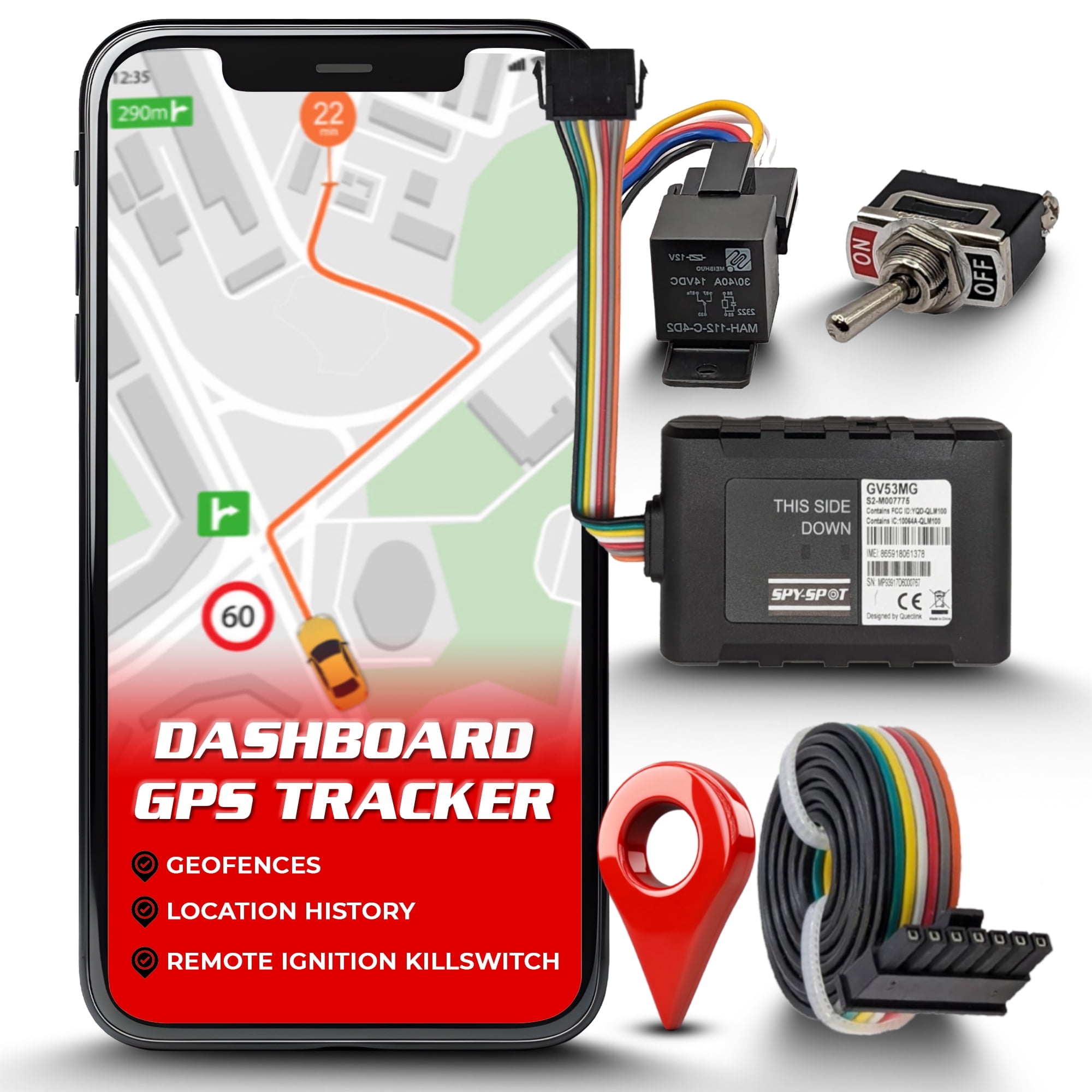
Credit: www.walmart.com
Frequently Asked Questions
How Do I Disconnect Gps In My Car Safely?
To disconnect GPS in your car, access the settings menu on your infotainment system. Locate the GPS or navigation option and disable it. Alternatively, you can unplug the GPS antenna or device if it’s external. Always refer to your car’s manual for specific instructions.
Can I Disable Gps Without Affecting Other Car Functions?
Yes, you can disable only the GPS feature without impacting other systems. Access the navigation settings and turn off GPS tracking. This won’t interfere with radio, Bluetooth, or vehicle diagnostics. Make sure to confirm the settings are saved before exiting.
Will Disconnecting Gps Affect My Car’s Warranty?
Disconnecting GPS typically does not void your car’s warranty if done correctly. Avoid tampering with internal wiring or components. Use the official system settings to disable GPS. When in doubt, consult your dealership or manufacturer guidelines to protect your warranty.
Is It Legal To Disconnect Gps In My Car?
Yes, it is legal to disconnect GPS in your personal vehicle. However, some leased or company cars may have restrictions. Always check your contract or local laws before disabling GPS tracking. Ensure you comply with any monitoring agreements.
Conclusion
Disconnecting GPS in your car is simple and quick. Follow the steps carefully to avoid mistakes. Turning off the GPS can protect your privacy and save battery. Always check your car manual for specific instructions. Remember, you can reconnect the GPS anytime you need it.
Stay safe on the road and control your device settings easily. This way, you keep full control over your car’s navigation system. Try these tips next time you want to disable your GPS.







