
Are you concerned about your privacy every time you start your car? Or maybe you want to save battery and avoid constant tracking?
Knowing how to disable GPS on your car can give you more control over your location data. You’ll discover simple steps to turn off your car’s GPS quickly and safely. Keep reading, and you’ll feel confident managing your car’s tracking features like a pro.

Credit: www.jammermfg.com
Why Disable Car Gps
Many cars have built-in GPS systems that track your location. Some people want to turn off this feature for different reasons.
Disabling the GPS can help protect your privacy and improve security. It gives you more control over your data.
Privacy Risks Of Gps Tracking
Car GPS tracks where you go and stores this data. If someone accesses this information, they can see your daily routes.
This can lead to unwanted spying or misuse of your location data. Turning off GPS helps keep your movements private.
- Location history can reveal personal habits
- Data may be shared without your permission
- Third parties might track your car remotely
Potential Security Threats
GPS systems can be hacked by criminals to find your car. This risk is higher if your GPS connects to the internet.
Turning off GPS limits the chance of hackers tracking or stealing your vehicle. It adds a layer of security.
- Hackers can locate your car using GPS signals
- Cyber attacks may disable safety features
- Disabling GPS reduces digital attack risks
When To Turn Off Gps
You should turn off GPS when you want to protect your privacy. Also, consider turning it off if you do not need navigation help.
Some situations to disable GPS include parking in public places or storing your car for a long time. This stops unwanted tracking.
- When parked in unfamiliar or public areas
- During long-term storage of the vehicle
- If you want to avoid constant location sharing
- When you prefer manual navigation
Methods To Disable Gps
Many cars come with built-in GPS to help with navigation and tracking. Some people want to disable this feature for privacy or other reasons. There are a few ways to turn off or disconnect the GPS system in your car.
This guide explains three common methods to disable GPS in your vehicle. Each method varies in complexity and tools needed.
Using The Car’s Settings Menu
Most modern cars let you control GPS through the main settings menu. You can often turn off location tracking or disable navigation features.
- Access the car’s infotainment system.
- Find the GPS or location settings.
- Toggle off GPS or location services.
- Save changes and restart the system if needed.
Disconnecting The Gps Antenna
The GPS antenna receives satellite signals. Disconnecting it can stop the GPS from working, but it may be inside a panel or under the dashboard.
Here is a simple table showing where antennas are usually found and tools you might need.
| Location | Tools Needed | Notes |
| Under Roof Panel | Screwdriver, Trim Removal Tool | May require panel removal |
| Behind Dashboard | Socket Wrench, Flashlight | Check wiring harness |
| Near Rearview Mirror | Plastic Pry Tool | Careful not to damage glass |
Removing Or Disabling The Gps Module
The GPS module is the device that processes signals. Removing or disabling it stops GPS functions completely but can affect other systems.
- Locate the GPS module, usually under the dashboard or glove box.
- Unplug the module from its wiring harness.
- Secure the loose wires to avoid shorts.
- Test the car systems to ensure no errors occur.
Temporary Gps Disabling Options
Disabling GPS in your car can protect your privacy or save battery power. There are easy ways to turn off GPS temporarily.
This guide covers three simple methods to stop your car’s GPS from tracking your location.
Activating Airplane Mode
Airplane mode disables all wireless signals, including GPS on devices that support it. Many modern cars and smartphones have this feature.
- Find the settings menu on your car’s infotainment system or connected device.
- Look for the airplane mode option and turn it on.
- Confirm that GPS and other wireless services are disabled.
- Turn off airplane mode to resume normal GPS use.
Using Gps Jammers Legally
GPS jammers block GPS signals to stop tracking. Use them only where legal, as some places ban their use.
| Country/Region | GPS Jammer Use Allowed? | Notes |
| United States | No | Illegal for public use |
| United Kingdom | No | Prohibited by law |
| Some Middle Eastern Countries | Yes | Allowed with restrictions |
| Private Property | Depends | Check local laws first |
Before using a GPS jammer, research local laws and regulations carefully.
Turning Off Location Sharing Apps
Apps on your phone or car system may share GPS data. Turning off location access stops this sharing.
- Open your device’s settings.
- Go to the privacy or location section.
- Find apps that use location data.
- Disable location access for these apps temporarily.
- Check the app’s settings for additional location controls.
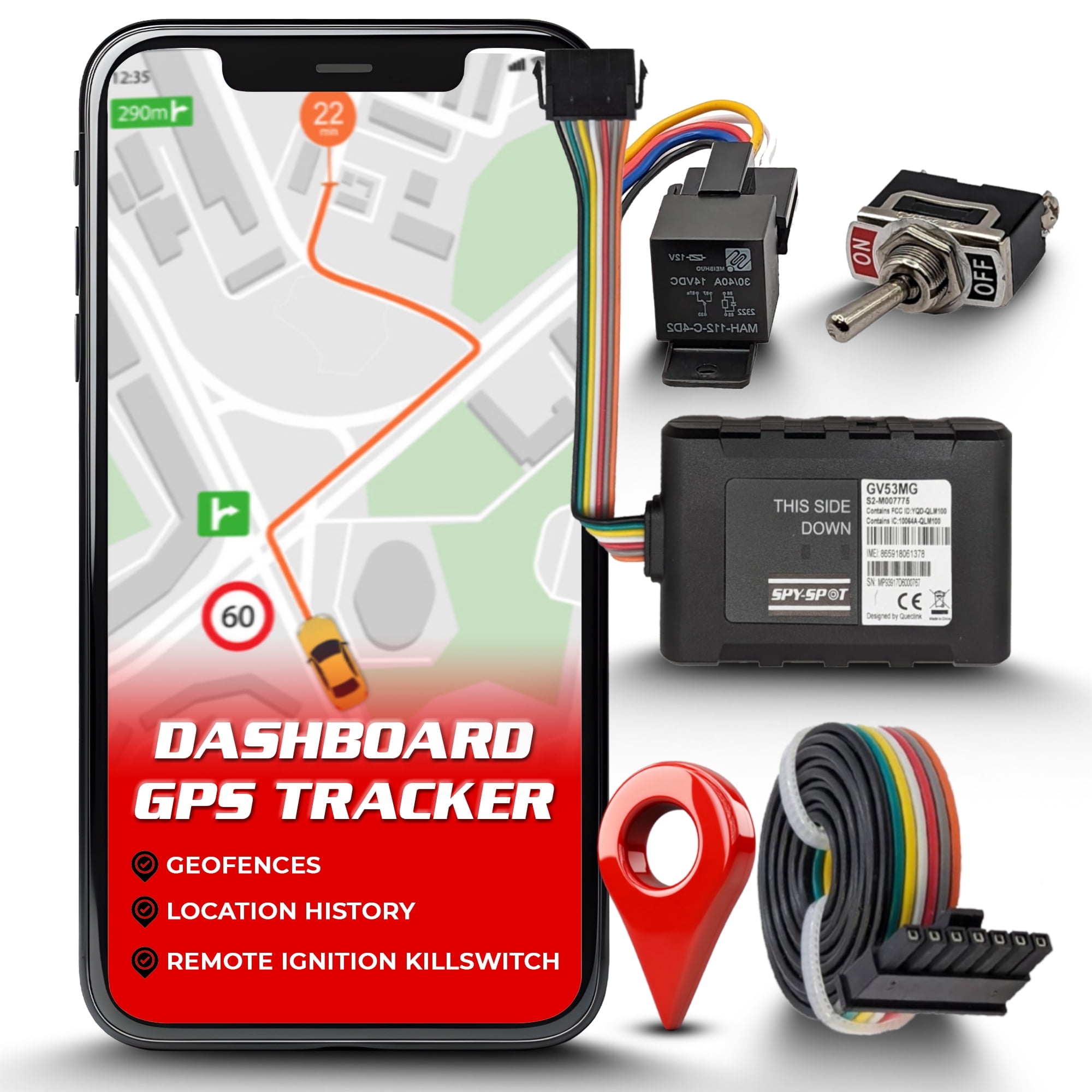
Credit: www.walmart.com
Tools And Devices For Gps Control
Many people want to control GPS tracking on their cars. Some tools help block or manage GPS signals. These devices and apps increase privacy and safety.
Let’s look at popular tools and devices for GPS control in cars. These include signal blockers, privacy gadgets, and mobile apps.
Gps Signal Blockers
GPS signal blockers stop GPS devices from sending or receiving signals. They create a small area where GPS signals cannot reach. This prevents tracking devices from working.
People use these blockers to protect their car location from being tracked. They come in different sizes and strengths. Some can block signals only near the car.
- Portable blockers fit inside the car
- Stronger blockers cover larger areas
- Easy to use with simple controls
Privacy Protection Gadgets
Privacy gadgets help protect your car’s GPS data. They do not block signals but hide or scramble location information. This makes it hard to track your car accurately.
These gadgets work with your car’s GPS system. They add a layer of privacy by changing or masking the data sent to trackers.
- GPS jammers interfere with signal reception
- Signal scramblers change location data
- Shielding cases block GPS signals on devices
Mobile Apps To Manage Gps
Mobile apps let you control GPS settings on your phone or car system. They can turn GPS off or limit its use. Some apps block apps from accessing GPS data.
These apps help you manage privacy without extra devices. They are easy to install and use. Some apps also show which apps use your GPS.
- GPS toggle apps turn GPS on or off quickly
- Privacy apps block GPS data sharing
- Tracking detector apps alert when GPS is used
Legal And Safety Considerations
Disabling GPS on a car affects more than just location tracking. It raises legal and safety concerns. Understanding these issues helps you make smart decisions.
This guide covers laws about GPS disabling, how it impacts emergency help, and how to balance privacy with safety.
Laws Regarding Gps Disabling
Many places have rules about turning off GPS in vehicles. Some laws forbid it, especially if the car is leased or insured with tracking requirements. Breaking these laws can lead to fines or other penalties.
- Check local laws before disabling GPS
- Leased cars often require active GPS
- Insurance policies may need GPS for claims
- Disabling GPS without permission can be illegal
Impact On Emergency Services
GPS helps emergency responders find your car quickly after accidents. Turning off GPS can delay help and increase risks during emergencies.
| Emergency Service | Role of GPS | Effect if GPS Disabled |
| Police | Track stolen vehicles | Harder to locate car |
| Ambulance | Find accident sites fast | Slower response times |
| Firefighters | Reach crash scenes quickly | Possible delays |
Balancing Privacy And Safety
Many drivers want privacy but also need safety. Finding the right balance is key. You can limit GPS use while keeping important safety functions active.
- Use GPS privacy settings instead of full disabling
- Inform your insurer about GPS changes
- Keep emergency location sharing enabled
- Understand your local laws to avoid issues

Credit: www.amazon.com
Tips To Secure Your Car’s Gps Data
Keeping your car’s GPS data secure is important. It prevents unauthorized access to your personal information.
Here are some simple steps to help you protect your car’s GPS system.
Regular Software Updates
Software updates fix bugs and improve security. They help keep your GPS data safe from hackers.
- Check for updates monthly.
- Install updates as soon as they are available.
- Contact your car dealer for help if needed.
Changing Default Passwords
Default passwords are easy targets for intruders. Change them to something unique and strong.
- Use a mix of letters, numbers, and symbols.
- Avoid using personal information like birthdays.
- Change your password every six months.
Monitoring Gps Data Access
Regularly check who accesses your GPS data. This helps you spot any unusual activity quickly.
Consider using car security software to track access logs. It provides reports on who accessed your data and when.
| Action | Frequency |
| Check for Updates | Monthly |
| Change Passwords | Every 6 Months |
| Review Access Logs | Weekly |
Frequently Asked Questions
How Do I Disable Gps On My Car’s Infotainment System?
Access your car’s settings menu, find the GPS or navigation option, and select “Disable” or “Turn Off. ” This stops location tracking and GPS navigation features.
Can I Turn Off Gps Without Affecting Other Car Functions?
Yes, you can disable only the GPS navigation by adjusting settings. Other car functions like audio or climate control remain unaffected.
Will Disabling Gps Improve My Car’s Battery Life?
Turning off GPS can slightly reduce battery usage since the system stops searching for satellite signals. However, the overall impact is minimal.
Is It Safe To Disable Gps In My Car?
Disabling GPS is safe but may limit navigation and emergency location services. Always ensure you have alternative navigation methods when GPS is off.
Conclusion
Disabling GPS on your car helps protect your privacy and control tracking. The process is simple and can be done through your car’s settings or manual methods. Always follow your car’s manual for safe steps. Remember, turning off GPS may affect navigation and safety features.
Stay aware of your car’s functions and choose what works best for you. Taking control of your GPS is a small step toward more personal security on the road. Keep your information safe and drive with confidence.







