
Have you ever wondered how to put a GPS on your car and make your drives safer and more convenient? Whether you want to track your vehicle, get real-time directions, or keep an eye on your loved ones, installing a GPS device is easier than you think.
You’ll discover simple steps to add a GPS system to your car without any hassle. By the end, you’ll feel confident about choosing the right device and setting it up quickly. Ready to take control of your car’s navigation and security?
Let’s dive in!
Credit: spy-spot.com
Choosing The Right Gps Device
Putting a GPS on your car helps you track its location easily. You must pick a GPS device that fits your needs.
This guide explains different types of GPS trackers and what to consider before buying one.
Types Of Gps Trackers
There are several GPS tracker types made for cars. Each type works in a different way.
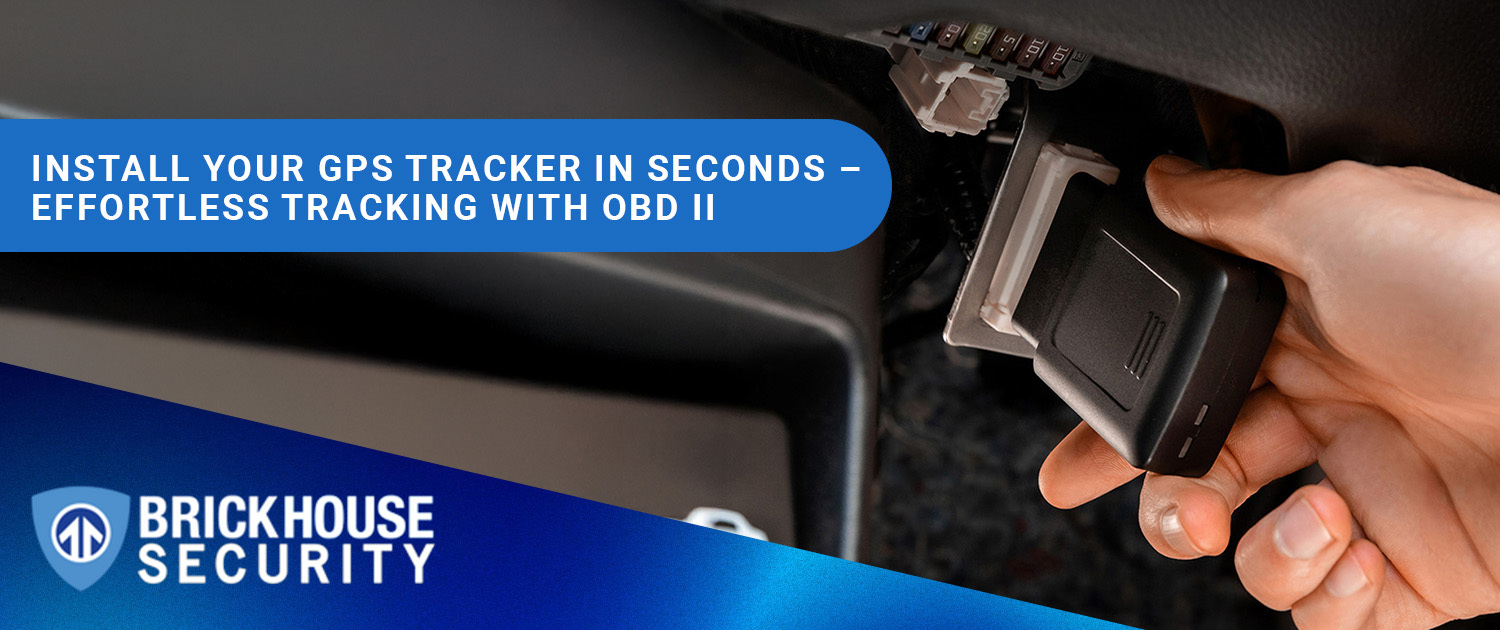
- Plug-in Trackers:These connect to your car’s OBD-II port. They are easy to install.
- Hardwired Trackers:These connect directly to the car’s battery or wiring. They are more secure.
- Battery-powered Trackers:These are small and portable. They do not need a car connection but need charging.
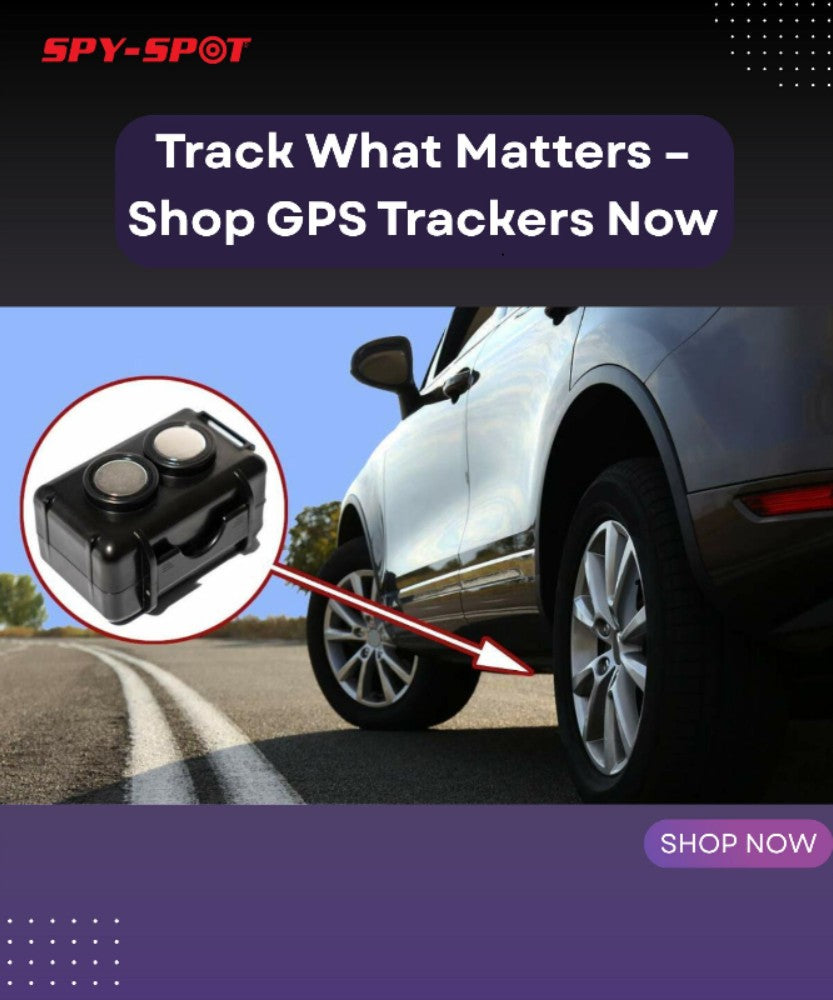
- Magnetic Trackers:These attach outside the car with a magnet. They are easy to hide but need regular charging.
Factors To Consider
Choose a GPS device that matches your car and tracking needs. Think about these factors before buying.
| Factor | Explanation |
| Battery Life | Longer battery means less charging needed. |
| Installation | Easy or professional installation required. |
| Size | Smaller devices are easier to hide. |
| Signal Type | GPS alone or GPS with cellular for live tracking. |
| Alerts | Some devices send alerts for movement or speed. |
Budget And Features
GPS devices come in many price ranges. You can find basic models or ones with many features.
- Basic models track location only.
- Advanced models offer live tracking and alerts.
- Some include geofencing to warn if your car leaves an area.
- Check if there are monthly fees for the tracking service.
- Choose a device that fits your budget and offers needed features.
Preparing For Installation
Installing a GPS on a car needs careful preparation. This helps the process go smoothly and safely.
Before you start, gather the tools and materials you need. Also, pick the right spot for the GPS device.
Gathering Tools And Materials
Collecting the correct tools makes installation easier and faster. It also helps avoid damage to your vehicle.
- GPS tracking device
- Power cable or adapter
- Wire strippers and cutters
- Electrical tape or connectors
- Screwdrivers (flat and Phillips)
- Zip ties for securing cables
- User manual and installation guide
Selecting The Installation Spot
Choose a hidden spot to keep your GPS safe. The place should have a clear signal and easy access to power.
| Location | Advantages | Disadvantages |
| Under the dashboard | Easy to reach and wire | Possible signal obstruction |
| Inside the trunk | Very hidden | May block GPS signal |
| Behind the rear bumper | Out of sight | Exposure to weather |
| Under seats | Hidden and accessible | Possible movement damage |
Safety Precautions
Follow safety rules to avoid injury or car damage. Always work with care and proper tools.
- Disconnect the car battery before starting.
- Wear gloves and safety glasses.
- Avoid working near airbags or sensitive wiring.
- Keep tools organized to prevent accidents.
- Test the GPS system after installation carefully.
Step-by-step Installation Guide
Installing a GPS device on your car helps you track its location easily. This guide will walk you through the basic steps.
Follow these instructions carefully to set up your GPS device correctly and ensure it works well.
Power Connection Setup
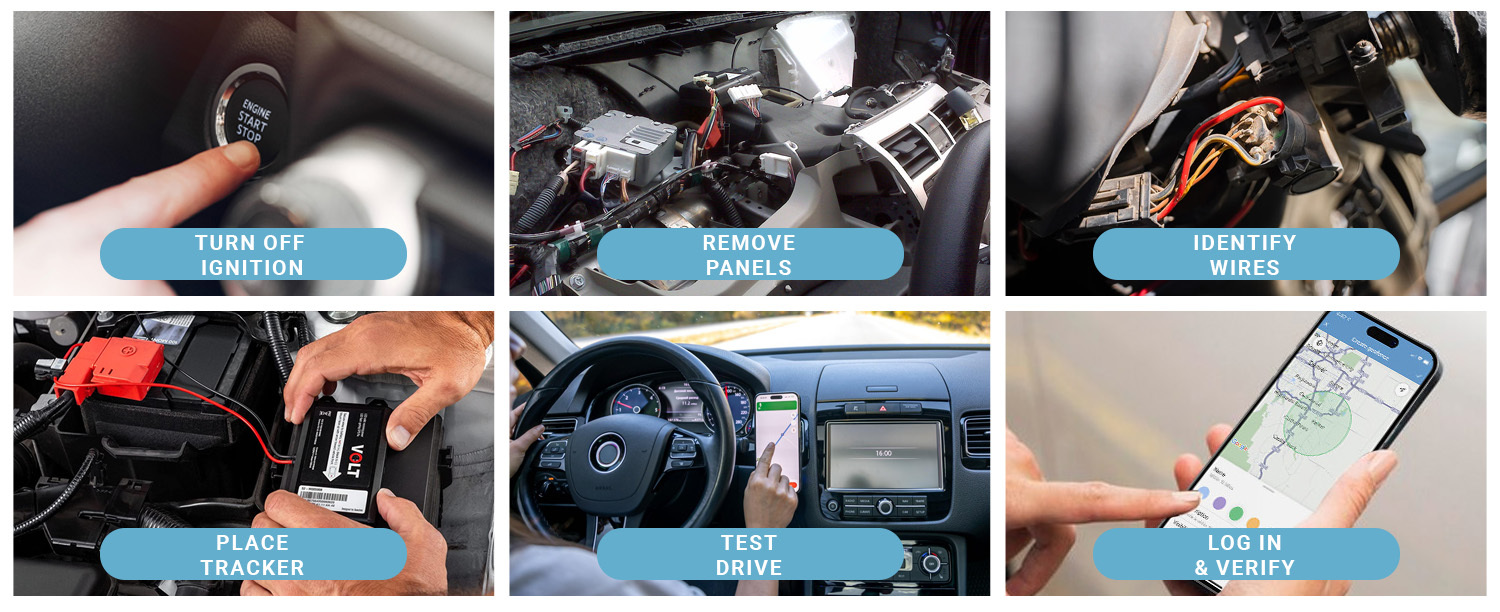
Connect the GPS device to your car’s power source to keep it running. Most devices use the car battery or fuse box.
- Turn off your car and disconnect the battery for safety.
- Find the car fuse box or battery terminals.
- Use the GPS device’s power cables to connect to the fuse box or battery.
- Secure the connections with electrical tape or wire connectors.
- Reconnect the car battery and turn on the ignition to check power.
Mounting The Gps Device
Choose a spot where the GPS device can get a clear signal. Avoid metal covers or enclosed spaces.
| Mounting Location | Advantages | Disadvantages |
| Dashboard | Good signal, easy access | Visible to others |
| Under the windshield | Protected, good signal | May block view |
| Under the car | Hidden, safe from theft | Weaker signal |
| Inside the glove compartment | Hidden | Signal may be weak |
Attach the device firmly using adhesive pads or screws provided. Make sure it does not move while driving.
Testing The Device
After installation, test the GPS to confirm it works and sends location data properly.
- Start your car and check if the GPS powers on.
- Use the GPS app or software to find your car’s location.
- Drive around to see if the device tracks movement smoothly.
- If the signal is weak, adjust the device position and test again.
- Ensure the device alerts or reports as expected.
Configuring The Gps System
After installing a GPS tracker on your car, you need to configure it. This setup ensures the device works correctly. It also helps you get real-time information about your vehicle.
This guide covers how to activate the tracker, set up the software or app, and customize alerts and notifications.
Activating The Tracker
To start using your GPS tracker, you must activate it first. This process connects the device to the tracking network. Usually, activation involves powering the device and registering it online.
Make sure the tracker is fully charged or connected to your car’s power supply before activation.
Setting Up Software Or App
Most GPS trackers come with a software or app for monitoring. You need to install this on your phone or computer. Once installed, log in with your tracker details.
- Download the app from the official source.
- Create an account or sign in.
- Enter your tracker ID or serial number.
- Sync the device with the app.
- Test the connection to see your car’s location.
Customizing Alerts And Notifications
Alerts help you stay informed about your vehicle’s status. You can set notifications for different events like movement, speed, or low battery.
| Alert Type | Description | Example |
| Movement Alert | Notifies if the car moves unexpectedly | Car starts moving after parking |
| Speed Alert | Warns if the car exceeds set speed | Speed goes over 70 mph |
| Battery Alert | Alerts when tracker battery is low | Battery below 20% |
| Geofence Alert | Notifies if car leaves a set area | Car exits home zone |
Troubleshooting Common Issues
Installing a GPS on a car can sometimes lead to issues. Understanding common problems helps fix them fast.
This guide covers common GPS troubles and how to solve them easily.
Signal Problems
GPS devices need a clear signal from satellites to work well. Signal issues cause wrong or no location data.
Check if tall buildings, tunnels, or trees block the GPS signal. Move the car to an open area for better reception.
- Avoid parking in garages or near large metal objects
- Clean the GPS antenna for better signal
- Restart the device to reset the signal connection
Power Supply Issues
GPS units need steady power to work. Power problems cause the device to turn off or reset.
Check the car’s power source and wiring for loose or damaged connections. Use the right adapter for your GPS model.
- Inspect the fuse related to the GPS power circuit
- Ensure the power cable is firmly plugged in
- Try a different power source if available
Device Malfunctions
Sometimes the GPS device may freeze or stop responding. Malfunctions can be due to software or hardware errors.
Restart the device to clear temporary bugs. Update the GPS software regularly to fix known issues.
- Reset the device to factory settings if problems persist
- Keep the device firmware up to date
- Contact support if hardware damage is suspected
Credit: www.brickhousesecurity.com
Maintaining Your Gps Tracker
Keeping your GPS tracker in good condition is important. It helps ensure accurate tracking and longer device life.
Regular maintenance can prevent issues and improve performance. Here are some tips to help you maintain your GPS tracker.
Regular Updates
Updating your GPS tracker software is crucial. Regular updates fix bugs and improve features.
Check for updates often. Install them as soon as they become available to keep your device running smoothly.
Battery Care
Proper battery care extends the life of your GPS tracker. Charge the battery fully before use.
Avoid letting the battery drain completely. This can damage it and shorten its lifespan.
- Charge regularly to keep the battery healthy
- Use the correct charger for your device
- Store in a cool, dry place when not in use
Cleaning And Inspection
Regular cleaning keeps your GPS tracker in good condition. Dust and dirt can affect the performance.
Inspect your device for any physical damage. Check the connections and make sure everything is secure.
- Use a soft cloth to clean the device
- Check for cracks or loose parts
- Ensure all ports are clean and undamaged
Credit: www.brickhousesecurity.com
Frequently Asked Questions
How Do You Install A Gps Tracker In A Car?
To install a GPS tracker, first choose a reliable device. Connect it to the car’s power source, usually the battery or fuse box. Secure the tracker in a hidden spot for safety. Finally, activate the device and sync it with your tracking app.
Can I Install A Gps Device Myself?
Yes, many GPS devices are designed for easy DIY installation. Follow the manufacturer’s instructions carefully. Ensure proper power connection and signal reception. If unsure, consider professional help to avoid damaging your vehicle or the device.
What Are The Best Locations To Hide A Gps Tracker?
Common hiding spots include under the dashboard, inside the glove compartment, or beneath the car’s chassis. Choose a location that protects the device from weather and tampering, while ensuring good GPS signal reception for accurate tracking.
Do Gps Trackers Affect Car Battery Life?
GPS trackers use minimal power and generally do not drain the car battery significantly. However, some devices with constant live tracking may impact battery life if the car is unused for long periods. Opt for low-power models to minimize battery drain.
Conclusion
Adding a GPS to your car is easier than it seems. Choose the right device, find a good spot, and follow simple steps. A GPS helps you find places fast and stay safe on the road. Keep your device updated for the best use.
Now, you can drive with more confidence and less worry. Ready to try it?







