
Have you ever wondered if your dash cam keeps an eye on your car even when it’s turned off? Imagine parking your vehicle and walking away, only to find out later that something happened while you weren’t there.
Wouldn’t it be great to know your dash cam is still working to protect your car and your peace of mind? You’ll discover how dash cams operate when your car is off and what features to look for to keep your vehicle safe around the clock.
Keep reading—you might be surprised by what your dash cam can really do for you.

Credit: www.crashservices.com
How Dash Cams Work
Dash cams record video footage while you drive. They help capture events on the road. This can be useful for evidence after accidents or for security.
Many people wonder if dash cams record when the car is off. The answer depends on how the dash cam is powered and its features.
Basic Recording Functions
Dash cams usually start recording when the car turns on. They save video in loops, so old files get replaced by new ones. Some dash cams also have motion detection or impact sensors.
- Loop recording saves space by overwriting old videos
- Motion detection records only when movement is noticed
- Impact sensors trigger recording during sudden shocks
- Some dash cams record continuously while driving
Power Sources For Dash Cams
Dash cams need power to work. Most get power from the car’s electrical system. Some can keep recording after the car is off if they have a battery or external power.
| Power Source | Records When Car Off? | Notes |
| Cigarette Lighter Socket | No | Stops when car is off |
| Hardwired to Car Battery | Yes (with parking mode) | Uses low power mode to save battery |
| Built-in Battery | Yes (short time) | Limited recording after car off |
| External Battery Pack | Yes | Extends recording time after car off |
Parking Mode Features
Dash cams can keep recording even when the car is off. This is useful for parking security. The parking mode helps capture events around your car.
Different features trigger the dash cam to record. These features help catch motion or impacts while parked.
Motion Detection
Motion detection activates the dash cam when it senses movement near the car. It saves video clips of any nearby activity. This helps record possible theft or vandalism.
- Detects moving objects close to the car
- Starts recording automatically
- Saves video clips for review
- Helps to catch suspicious activity
Impact Sensors
Impact sensors trigger recording when the car experiences a shock or hit. This feature works even if the car is off. It captures accidents or attempts to break in.
| Impact Type | Recording Trigger |
| Minor bump | Starts video recording |
| Strong hit | Locks video clip to protect it |
| Vibration | Activates alert or recording |
Time-lapse Recording
Time-lapse records video at a slower frame rate. It uses less memory and power. This is good for long parking periods. The dash cam saves a shorter video showing hours in minutes.
Benefits of Time-Lapse Recording:
- Extends recording time on parking mode
- Reduces file size and storage needs
- Shows long events quickly
- Consumes less battery power
Power Options For Off-state Recording
Dash cams can keep recording even when your car is off. This feature helps catch events like parking accidents or theft. Different power options allow dash cams to work in the off state.
Choosing the right power source depends on your needs and car setup. Some options use your car battery, while others have built-in or external power sources.
Hardwiring Kits
Hardwiring kits connect your dash cam directly to your car’s fuse box. This lets the camera draw power even when the engine is off. The camera can watch your car 24/7 with this setup.
These kits often include a voltage monitor to protect your car battery. If the battery voltage gets too low, the dash cam will stop drawing power. This prevents your car from not starting.
- Connects to car fuse box for constant power
- Includes voltage monitoring to save car battery
- Records while car is parked and off
- Requires professional or careful installation
Battery-powered Dash Cams
Some dash cams have built-in batteries. These batteries allow the camera to keep recording after the car is off. The battery life varies by model but is usually short.
Battery-powered dash cams are easy to install. You do not need to connect them to the car’s wiring. They work well for short parking periods or when hardwiring is not possible.
- Has built-in battery for off-state recording
- Easy to install without wiring
- Battery lasts from a few minutes to an hour
- Best for short parking times
External Power Banks
External power banks can supply power to dash cams when the car is off. These power banks are rechargeable and connect with a cable. They provide longer recording times than built-in batteries.
You can charge the power bank at home and then use it in your car. This option is flexible and does not affect your car battery. It also allows you to use dash cams in cars without a hardwiring setup.
- Rechargeable battery pack outside the car
- Connects to dash cam with power cable
- Offers longer off-state recording
- Does not drain car battery
- Needs regular charging

Credit: www.redtigercam.com
Limitations And Risks
Dash cams offer extra security by recording video while driving. Some models claim to record even when the car is off. This feature has limits and risks you should know.
Understanding these limitations helps you decide how to use dash cams safely and effectively.
Battery Drain Concerns
Dash cams that record when the car is off can drain the vehicle’s battery. This risk is higher if the dash cam runs for long periods without the engine on. A dead battery can leave you stranded.
- Continuous recording uses power even when the car is parked.
- Older car batteries may drain faster with dash cam use.
- Some dash cams have parking mode to reduce power use.
- It is best to check your car’s battery health regularly.
Legal Restrictions
Laws about dash cam recording vary by location. Recording when the car is off may break privacy rules. Check local laws before using this feature.
- Some states or countries forbid recording audio without consent.
- Video recording in private areas can be illegal.
- Dash cams must not distract other drivers.
- Keep your dash cam settings compliant with local laws.
Storage And Overwriting
Dash cams save videos on memory cards. These cards have limited space. Old videos get overwritten automatically. This can cause loss of important footage.
| Storage Issue | Description |
| Limited Card Space | Memory cards can fill up quickly with high video quality. |
| Automatic Overwrite | New videos replace the oldest ones when storage is full. |
| Manual Backup Needed | You must save important clips before they are erased. |
| File Corruption Risk | Power loss during recording can damage video files. |
Choosing The Right Dash Cam
Dash cams help record your drives and protect you from accidents. Some record even when the car is off. Picking the right one is important.
This guide will help you find a dash cam that fits your needs and budget. It will also give tips on installation.
Features To Look For
Look for features that keep your car safe at all times. Some dash cams have parking mode to record when the car is off.
Other useful features include good video quality and easy controls.
- Parking mode to record while parked
- Loop recording to save space
- High resolution for clear videos
- G-sensor to detect impacts
- Night vision for dark conditions
- Wi-Fi for easy video transfer
Budget Considerations
Dash cams come in many prices. Think about what features you need before buying.
Cheaper models may lack parking mode or high video quality. More expensive ones offer better protection.
- Set a budget before shopping
- Check if parking mode fits your needs
- Balance price with important features
- Read reviews to find reliable models
Installation Tips
Install your dash cam where it records well but does not block your view. Most fit behind the rearview mirror.
Ensure the power cable is hidden and does not interfere with airbags or controls.
- Clean windshield before attaching
- Use cable clips to hide wires
- Test camera angle before final fix
- Consider professional help for hard wiring
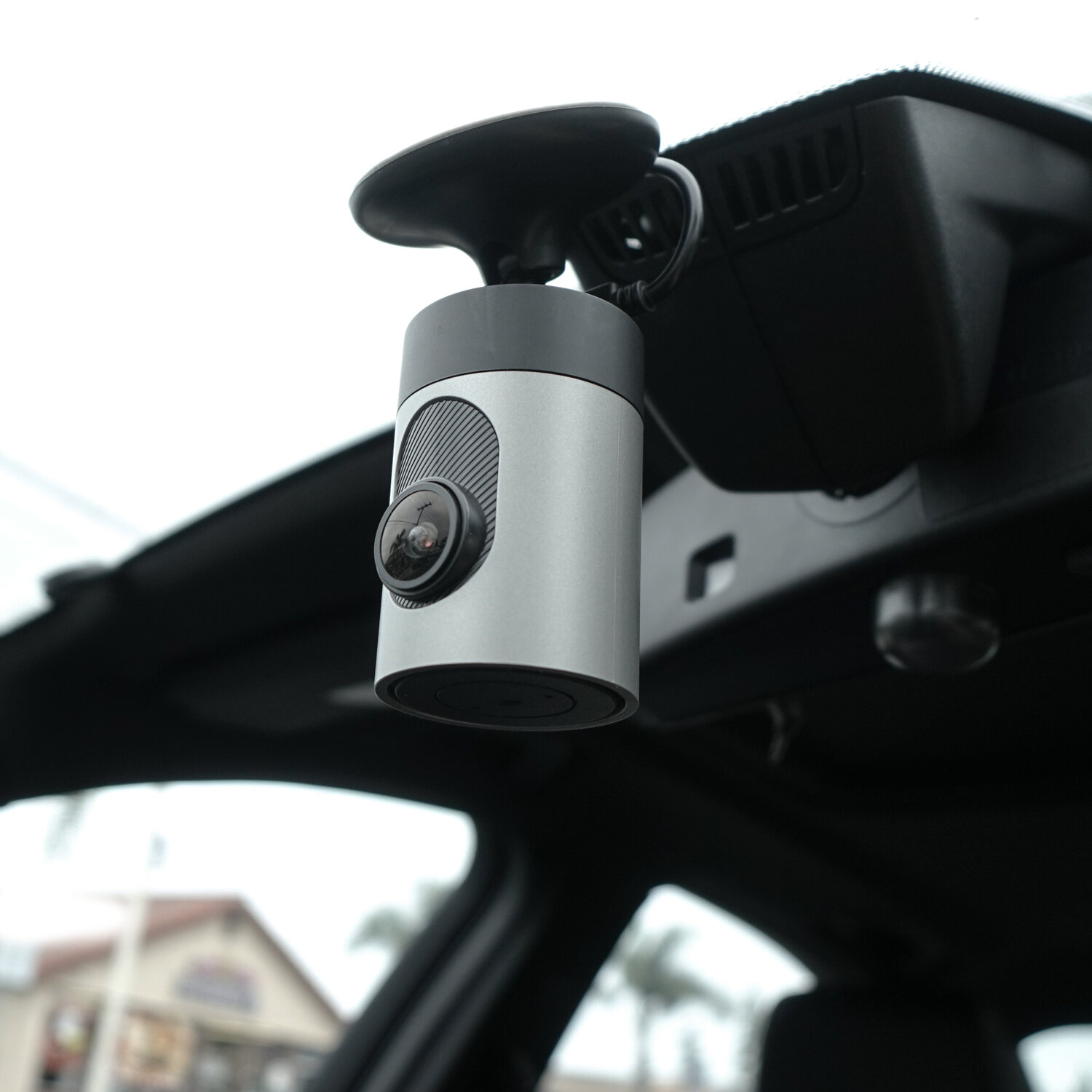
Credit: www.grdian.com
Frequently Asked Questions
Do Dash Cams Record When The Car Is Off?
Most dash cams do not record when the car is off unless connected to a constant power source. Parking mode or battery-powered models can capture footage while parked. Always check your dash cam’s features to confirm if it records after ignition is off.
How Do Dash Cams Record Without Car Power?
Dash cams record without car power using built-in batteries or external hardwiring kits. Hardwiring connects the dash cam to the car’s battery for continuous power. Battery-powered dash cams rely on internal batteries, which limit recording time when the car is off.
What Is Parking Mode In Dash Cams?
Parking mode enables dash cams to record while the vehicle is parked and turned off. It activates recording upon detecting motion or impact. This feature protects your car by capturing incidents like vandalism or hit-and-runs during parking.
Can Dash Cams Drain Car Battery When Off?
Dash cams with parking mode can slowly drain the car battery if used extensively. Hardwired dash cams consume power even when the car is off. To prevent battery drain, use a voltage cutoff device or choose dash cams with low power consumption modes.
Conclusion
Dash cams may keep recording even when your car is off. This depends on your dash cam model and its features. Some use parking mode or motion sensors to watch for activity. Others stop recording once the engine shuts down.
Knowing your dash cam’s settings helps protect your vehicle better. Always check the manual or product details before buying. A dash cam that records while parked offers extra safety. It can catch accidents or theft that happen when you’re away.
Choose one that fits your needs and budget well.







