
Have you ever worried about what happens to your car when you’re not around? Imagine catching every suspicious move or unexpected event, even when your car is parked and turned off.
A dash cam with a motion sensor when your car is off can be your silent guardian, watching over your vehicle 24/7. You’ll discover how this smart technology works and why it’s a must-have for your peace of mind. Keep reading to find out how you can protect your car effortlessly, day and night.
How Dash Cams Detect Motion
Dash cams with motion sensors can record when your car is off. They watch for movement around the vehicle. This helps catch events like break-ins or accidents.
The motion sensor triggers the dash cam to start recording. It saves battery and memory by working only when needed.
Types Of Motion Sensors
Dash cams use different types of sensors to detect motion. The most common are PIR sensors and video-based sensors.
PIR sensors detect heat changes from moving objects. Video sensors compare video frames to find motion.
- PIR Sensors:Detect body heat and movement.
- Video Sensors:Analyze changes in camera view.
- Radar Sensors:Use radio waves to sense motion.
Sensitivity Settings
Sensitivity controls how easily the sensor triggers the camera. High sensitivity catches small movements. Low sensitivity ignores minor motion.
Adjusting sensitivity helps avoid false alarms. It also saves battery and storage space.
- High sensitivity: detects small movements like animals or leaves
- Medium sensitivity: balanced for common motion
- Low sensitivity: triggers only on large movements
Triggering Events
Dash cams start recording when the sensor detects certain events. These events tell the camera to save video and protect your car.
Common triggers include motion near the car, impact, or vibration. These help capture important moments even if the car is off.
- Motion detected around the parked car
- Sudden impact or collision
- Vibrations from nearby movement or bumps

Credit: www.redtigercam.com
Benefits Of Motion Sensor Dash Cams
Dash cams with motion sensors offer extra protection for your car. They work even when your car is off.
These devices detect movement near your vehicle. They start recording automatically to capture important events.
24/7 Surveillance
Motion sensor dash cams watch your car all day and night. They activate only when they detect motion.
- Save battery by recording only when needed
- Monitor parking areas without constant recording
- Capture unusual activity around your car
Accident Evidence
These dash cams record clear videos of accidents. The motion sensor helps catch details even if the car is parked.
| Feature | Benefit |
| Motion Detection | Records unexpected impacts |
| High-Quality Video | Shows clear evidence |
| Time Stamps | Proves when the event happened |
Theft And Vandalism Prevention
Motion sensor dash cams act as a warning to thieves and vandals. Their presence can discourage crime near your vehicle.
- Detects suspicious movement near your car
- Records video to identify offenders
- Helps with police reports and insurance claims
Power Solutions For Off-state Monitoring
Dash cams with motion sensors can record even when your car is off. This feature needs a steady power supply to work well. Choosing the right power solution helps protect your car and keeps the camera ready.
There are several ways to power dash cams during off-state monitoring. Each option has its benefits and limits. Understanding these helps you pick the best fit for your needs.
Hardwiring Options
Hardwiring connects the dash cam directly to your car’s fuse box. This gives constant power without draining the car battery too much. Many users prefer this for long-term off-state use.
Some hardwiring kits include a low-voltage cutoff. This stops the dash cam from using too much power when the battery is low. It helps protect your car battery from dying.
- Direct connection to fuse box
- Constant power supply
- Low-voltage cutoff for battery safety
- Professional installation recommended
Battery-powered Models
Battery-powered dash cams have built-in batteries. They work without needing a car’s power all the time. These models can record for a limited time after the car is off.
The battery life depends on the camera settings and motion detection. Some cameras last a few hours, while others last longer. Charging the battery regularly is important for off-state use.
- Built-in rechargeable battery
- Limited recording time off state
- Easy to install and move
- Needs regular charging
Using External Power Banks
External power banks can supply power to dash cams when the car is off. They act as a backup battery source. This option extends the recording time without hardwiring.
Some power banks are designed for cars and can handle long use. They connect easily to the dash cam’s power port. It is important to choose a power bank with enough capacity.
- Portable external battery source
- Extends off-state recording time
- Easy to connect and use
- Choose high capacity for longer use
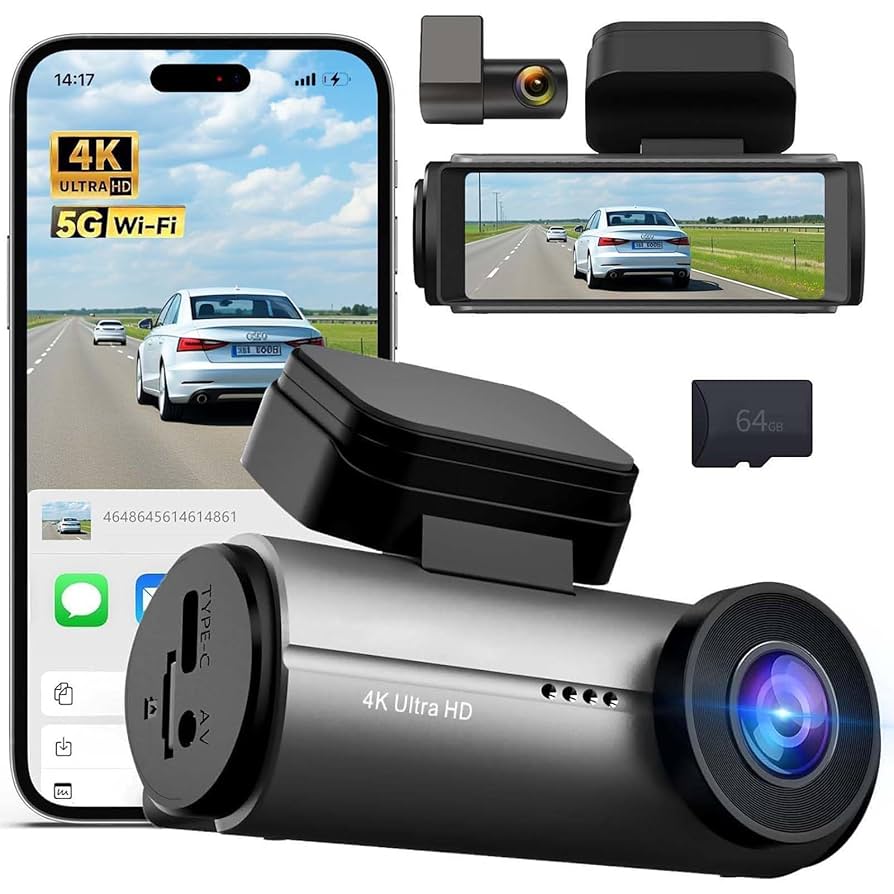
Credit: www.amazon.com
Key Features To Look For
Installation Tips For Optimal Protection
Installing a dash cam with a motion sensor helps protect your car when parked. Proper setup ensures the sensor works well and records important events.
Follow these tips to place the dash cam correctly, manage cables neatly, and test motion detection for best results.
Best Placement Inside The Car
Place the dash cam where it has a clear view of the front windshield. Avoid areas that block your view or get too much glare.
- Mount near the rearview mirror for a wide angle
- Keep the camera lens clean and unobstructed
- Ensure it does not interfere with airbags or sensors
- Position to capture the car’s license plate and nearby traffic
Cable Management
Organize cables to avoid loose wires that can distract or damage the dash cam. Use clips and tuck wires away safely.
| Tip | Reason |
|---|---|
| Route cables along window edges | Keeps wires hidden and secure |
| Use cable clips or ties | Prevents cables from dangling |
| Avoid blocking airbags | Ensures safety in crashes |
| Check cable length | Prevents tension and disconnection |
Testing Motion Detection
Test the motion sensor to confirm it activates recording when your car is off. This helps catch any suspicious movement.
- Turn off the car and wait for the dash cam to enter parking mode
- Move near the car or tap the windows gently
- Check if the dash cam starts recording automatically
- Review the footage to ensure the motion was captured clearly

Credit: awesafeinc.com
Popular Dash Cam Models With Motion Sensors
Dash cams with motion sensors help keep cars safe even when parked. These cameras detect movement and start recording if something happens.
Many brands offer dash cams with motion sensors. Here are some popular models you might consider.
Top-rated Brands
Some brands are known for their high-quality dash cams. They offer reliable performance and excellent features.
- Garmin: Known for clear video and easy setup.
- Nextbase: Offers smart features and high resolution.
- Thinkware: Provides advanced parking mode options.
Budget-friendly Choices
Not everyone wants to spend a lot on a dash cam. There are affordable options that still offer good features.
- Yi Dash Cam: Affordable with good video quality.
- Vantrue N1 Pro: Compact and easy to use.
- Rexing V1: Offers wide-angle recording at a low price.
Advanced Feature Sets
Some dash cams come with advanced features for those who want more than basic recording.
- BlackVue DR900X: 4K recording and cloud connectivity.
- Viofo A129 Pro: Dual cameras for front and rear views.
- Street Guardian SG9663DC: Excellent night vision capabilities.
Troubleshooting Common Issues
Dash cams with motion sensors are useful for monitoring your car. But sometimes, issues can arise when the car is off. Understanding common problems helps in maintaining functionality.
This guide covers troubleshooting tips for false alarms, power drain concerns, and firmware updates.
False Alarms
False alarms can be annoying and may drain the battery. They often occur due to sensitivity settings being too high.
- Check the sensitivity settings in the dash cam menu.
- Adjust to a lower sensitivity to avoid false triggers.
- Ensure the camera is mounted securely to reduce vibration.
Power Drain Concerns
Power drain is a common issue when the car is off. It can lead to a dead battery if not managed properly.
Consider these solutions to minimize power drain:
- Use a dedicated power bank to avoid draining the car battery.
- Install a low-voltage cut-off device to protect the battery.
Firmware Updates
Keeping your dash cam firmware up to date is crucial. It ensures optimal performance and fixes known issues.
| Step | Action |
| 1 | Visit the manufacturer’s website for updates. |
| 2 | Download the latest firmware version. |
| 3 | Follow instructions to update your device. |
Frequently Asked Questions
What Is A Dash Cam With Motion Sensor Feature?
A dash cam with a motion sensor detects movement near your parked car. It automatically records video when motion is sensed, ensuring security when the vehicle is off. This feature helps capture potential theft or accidents without manual activation.
How Does A Motion Sensor Dash Cam Work When Off?
When the car is off, the motion sensor activates the dash cam only on detecting motion. It records video clips triggered by nearby movement, saving battery life by staying inactive otherwise. This ensures constant surveillance without draining the car’s power.
Can Dash Cams Drain Car Battery When Using Motion Sensor?
Some dash cams with motion sensors consume minimal power but can slowly drain the battery if used excessively. It is best to use a hardwire kit with a low voltage cutoff to protect the car battery from over-discharge during parking mode.
Are Dash Cams With Motion Sensors Easy To Install?
Yes, dash cams with motion sensors are generally easy to install. Most models come with plug-and-play options or hardwire kits. Installation involves mounting the camera and connecting power, often requiring no professional help for basic setups.
Conclusion
A dash cam with a motion sensor works even when your car is off. It helps catch events like theft or accidents without you being there. This feature gives extra safety and peace of mind. Choosing the right dash cam depends on your needs and budget.
Make sure it has good video quality and easy setup. Protect your car and yourself with smart dash cam technology. Stay safe, stay aware.







