
If your car’s check engine light just came on, you might feel a mix of confusion and worry. What’s wrong?
How serious is it? Here’s the good news: with an OBD2 scanner, you can quickly find out what’s going on under the hood. Using this handy tool puts you in control, saving you time and money on visits to the mechanic.
In this guide, you’ll learn exactly how to use an OBD2 scanner step by step. By the end, you’ll be confident in diagnosing your car’s issues like a pro. Ready to take charge of your car’s health? Let’s get started.
What Is An Obd2 Scanner
An OBD2 scanner is a tool that helps you check your car’s computer system. It reads codes from the engine and other parts.
Mechanics and car owners use it to find problems early. It saves time and money by showing the exact issue.
How An Obd2 Scanner Works
The scanner connects to the car’s OBD2 port, usually under the dashboard. It communicates with the car’s computer to get data.
The device reads error codes and shows details about the problem. Some scanners also display live data like speed and temperature.
- Basic code readers that show error codes only
- Advanced scanners with live data and freeze frame info
- Bluetooth scanners that connect to a smartphone app
- Professional-grade scanners used by mechanics
Common Obd2 Codes And Their Meaning
| Code | Description |
| P0171 | System Too Lean (Bank 1) |
| P0300 | Random/Multiple Cylinder Misfire Detected |
| P0420 | Catalyst System Efficiency Below Threshold |
| P0455 | Evaporative Emission System Leak Detected |
Benefits Of Using An Obd2 Scanner
- Quickly find the cause of the check engine light
- Help you decide if a mechanic visit is needed
- Save money on minor repairs by fixing issues early
- Monitor vehicle performance over time
Why Use An Obd2 Scanner
An OBD2 scanner helps you find problems in your car quickly. It reads error codes from the car’s computer.
Using this tool saves time and money by showing what needs fixing before you visit a mechanic.
Detect Car Issues Early
The scanner shows error codes that tell you what part has a problem. This helps you fix issues early.
Early detection stops small problems from becoming big and expensive repairs.
Save Money On Repairs
You can check your car’s condition yourself. This avoids paying for guesswork by mechanics.
- Know the exact problem before repair
- Avoid unnecessary part replacements
- Decide if a mechanic visit is needed
Understand Your Vehicle Better
The scanner gives information about your car’s systems. This helps you learn how your car works.
Knowing your car’s health can improve how you maintain it and keep it running longer.
Clear Error Codes And Reset Warning Lights
You can clear error codes after fixing the problem. This turns off the warning lights on the dashboard.
Resetting the lights helps you know if the problem returns or is fully fixed.
Types Of Obd2 Scanners
OBD2 scanners help you find problems in your car’s engine and systems. They connect to your vehicle and read error codes.
There are different types of OBD2 scanners. Each type has unique features and uses.
Basic Code Readers
Basic code readers are simple tools that show trouble codes from your car. They help you know what part needs fixing.
These readers usually show a code and a short description. They do not offer deep details or live data.
- Easy to use with plug-and-play design
- Display generic engine codes
- Affordable and small size
- Good for quick checks
Professional Scan Tools
Professional scan tools give detailed information about your car’s systems. They read all codes, including engine and transmission.
These tools offer features like live data, freeze frame, and advanced diagnostics. They are used by mechanics and serious car owners.
- Read and clear all trouble codes
- Show live sensor data and graphs
- Support many vehicle makes and models
- Include software updates and manuals
Bluetooth Obd2 Adapters
Bluetooth OBD2 adapters connect to your car and send data to a smartphone app. They are small and easy to carry.
You can use apps to read codes, view live data, and check your car’s health. These adapters work well for everyday drivers.
- Plug into OBD2 port and pair with phone
- Use apps for code reading and diagnostics
- Wireless and portable
- Good for basic and some advanced features
Locating The Obd2 Port
The OBD2 scanner is a useful tool for checking your vehicle’s health. Before using it, you must find the OBD2 port.
This guide helps you locate the port quickly. It is usually inside your car, near the driver.
Common Locations Of The Obd2 Port
The OBD2 port is often under the dashboard or near the steering wheel. It can also be found in other places depending on the car model.
- Under the dashboard, near the driver’s side knee area
- Close to the steering column
- Near the fuse box
- Inside the center console
- Under the glove compartment
How To Identify The Obd2 Port
The port is trapezoid-shaped with 16 pins. It is usually black or dark gray. It is about the size of a USB port but wider.
| Feature | Description |
| Shape | Trapezoid |
| Number of Pins | 16 |
| Color | Black or dark gray |
| Size | About the width of a USB port |
Tips For Finding The Port Quickly
Use these tips to find the OBD2 port without delay. Knowing these can save time and avoid frustration.
- Look under the steering wheel for a small panel or cover
- Check near the pedals if it is not visible upfront
- Use a flashlight for better visibility in dark areas
- Consult your car’s manual for exact location
- Search online for your car model’s port location
Preparing Your Vehicle
Before using an OBD2 scanner, it’s important to prepare your vehicle. This ensures accurate readings and a smooth scanning process.
Follow these steps to make sure your car is ready for the scanner. Proper preparation can save time and avoid errors.
Turn Off The Engine
Ensure your car’s engine is turned off before connecting the OBD2 scanner. This prevents any electrical issues during the setup.
Leaving the engine on might cause incorrect data readings. Always start with the engine off for accurate results.
Locate The Obd2 Port
Find the OBD2 port in your vehicle. It’s usually under the dashboard, near the steering wheel. This is where you will connect the scanner.
If you have trouble locating it, consult your vehicle manual. Some cars have the port in different places.
- Check under the driver’s side dashboard
- Look near the steering column
- Consult the vehicle manual if needed
Ensure Battery Health
Check that your car’s battery is in good condition. A weak battery can interfere with the scanning process.
A strong battery provides stable power to the scanner. This helps in getting accurate diagnostic results.
Secure Your Vehicle
Make sure your car is parked on a flat surface. Engage the parking brake for safety while using the scanner.
This prevents any accidental movement of the vehicle. Safety is important during the diagnostic process.

Credit: www.youtube.com
Connecting The Scanner
Connecting an OBD2 scanner to your car is easy. This guide will help you get started with a few simple steps.
With the right connection, you can read error codes and understand your vehicle better.
Locate The Obd2 Port
The OBD2 port is usually under the dashboard. Look near the steering wheel for a small plug.
- Check under the driver’s side dashboard
- Look around the center console
- Consult your car’s manual if needed
Plug In The Scanner
Take your OBD2 scanner and plug it into the port. Make sure the connection is secure.
- Align the scanner’s connector with the port
- Push gently until it clicks into place
- Ensure the scanner is powered on
Turn On The Ignition
Turn your car’s ignition to the “on” position. This will power the scanner and allow it to read data.
- Do not start the engine
- Keep the ignition in the “on” position
- Wait for the scanner to connect
Read The Codes
Once connected, the scanner will display error codes. These codes help identify issues with your car.
- Follow the scanner’s instructions
- Note down any codes displayed
- Research the codes for more information
Reading And Clearing Codes
An OBD2 scanner helps you find car problems fast. It reads codes from your car’s computer.
You can also clear codes after fixing issues. This turns off the check engine light.
Interpreting Trouble Codes
Trouble codes tell you what part of your car has a problem. They start with a letter and have numbers.
Each code means something different. You can look up the code in the scanner’s manual or online.
- Pxxxx codes relate to the engine and emissions.
- Bxxxx codes deal with the body systems.
- Cxxxx codes are for the chassis parts.
- Uxxxx codes mean network or communication issues.
Resetting The Check Engine Light
After fixing the problem, you can reset the check engine light with the scanner. This clears stored codes.
Make sure the car is off. Connect the scanner and turn the ignition on to reset the light.
- Connect the OBD2 scanner to the car’s port.
- Turn on the car without starting the engine.
- Use the scanner menu to find the option to clear or erase codes.
- Confirm the action to reset the check engine light.
- Turn off the ignition and remove the scanner.
Credit: www.triumphbobberforum.com
Using Live Data For Diagnostics
Live data from an OBD2 scanner shows real-time information from your vehicle. This helps you understand how different parts work while the engine runs.
Using live data can help find problems that do not trigger a fault code. It gives a clear view of engine behavior and sensor readings.
Accessing Live Data On Your Scanner
Connect your OBD2 scanner to the vehicle’s port under the dashboard. Turn the ignition on but do not start the engine. Power on the scanner and select the live data or data stream option.
The scanner will display a list of available sensors. Choose the ones you want to monitor based on the issue you suspect.
Key Live Data Parameters To Monitor
- Engine RPM: Shows how fast the engine runs.
- Vehicle Speed: Displays current speed.
- Throttle Position: Indicates how much the throttle is open.
- Coolant Temperature: Helps check engine temperature.
- Oxygen Sensor Voltage: Measures air-fuel mixture efficiency.
- Fuel Trim: Shows adjustments made to fuel delivery.
Interpreting Live Data Values
Compare live data values to normal ranges found in your vehicle manual. Values outside the range may point to a problem.
| Parameter | Normal Range | Possible Issue if Abnormal |
| Engine RPM | 600 – 1000 idle | Idle control problem |
| Coolant Temperature | 85°C – 105°C | Cooling system issue |
| Oxygen Sensor Voltage | 0.1 – 0.9 volts | Fuel mixture problem |
| Throttle Position | 0% – 100% | Throttle sensor fault |
Using Live Data To Diagnose Engine Problems
Watch how sensor values change when you press the gas pedal or let go. Sudden drops or spikes may show where the issue lies.
Example: If engine RPM does not increase when pressing the pedal, it may mean a throttle or fuel delivery problem.
Check oxygen sensor voltage while driving. Fluctuations can indicate if the engine runs too rich or lean.
Common Issues And Fixes
Using an OBD2 scanner can help you find car problems fast. It shows error codes from your vehicle’s computer.
Sometimes, the scanner might not work as expected. Here are common issues and how to fix them.
Scanner Does Not Connect To Vehicle
If your scanner does not connect, check the OBD2 port first. It might be dirty or damaged.
- Make sure the ignition is on or the engine is running.
- Inspect the OBD2 port for bent pins or debris.
- Try a different scanner to rule out device issues.
- Check if your vehicle supports OBD2 (usually cars made after 1996).
Scanner Shows No Codes But Car Has Problems
Sometimes the scanner shows no codes even if the car feels wrong. This can happen if the problem is not detected by the computer.
Try these fixes to find hidden issues:
- Drive the car in different conditions to trigger the error.
- Reset the scanner and scan again after some time.
- Check for pending or manufacturer-specific codes.
- Consult a mechanic if problems persist.
Error Codes Are Hard To Understand
Error codes can be confusing. Each code means a specific issue in the car.
| Code | Meaning | Common Fix |
| P0300 | Random Misfire | Check spark plugs and ignition coils |
| P0420 | Catalyst Efficiency Low | Replace catalytic converter or oxygen sensor |
| P0171 | System Too Lean | Inspect for vacuum leaks or fuel issues |
Scanner Battery Or Power Issues
Some scanners have internal batteries or need power from the car. If the scanner won’t turn on, check the power source.
- Replace internal batteries if needed.
- Ensure the car’s battery is charged.
- Check the scanner’s fuse or power cable.
- Use the correct adapter for your vehicle.
Scanner Freezes Or Crashes
If the scanner freezes or crashes during use, try these solutions:
- Restart the scanner and reconnect it to the car.
- Update the scanner’s software or firmware.
- Clear old codes before scanning again.
- Contact support if the problem continues.
Tips For Maximizing Your Scanner
An OBD2 scanner helps you find car problems quickly. Using it right saves time and money.
These tips will help you get the most from your scanner. Follow them for better car diagnostics.
Understand Your Scanner Features
Read the manual to learn what your scanner can do. Different models offer different tools.
Prepare Your Vehicle
Turn off your engine before connecting the scanner. Make sure the car is in park or neutral.
Connect The Scanner Correctly
Locate the OBD2 port under the dashboard. Plug the scanner in firmly to get accurate readings.
Use Clear Diagnostic Codes
Note down all trouble codes shown. Use a code list or app to understand what each code means.
Keep Your Scanner Updated
Check for software updates regularly. Updates add new features and improve scanner accuracy.
Follow Safety Precautions
Do not touch engine parts while scanning. Work in a well-lit area to avoid accidents.
Track Your Vehicle’s History
Keep a log of all scans and repairs. This helps spot recurring issues and maintain your car better.
- Read the manual before use
- Turn off engine before connecting
- Plug scanner firmly into port
- Write down diagnostic codes
- Update scanner software often
- Work safely with good lighting
- Keep a scan and repair log
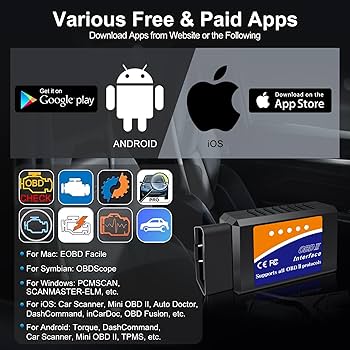
Credit: www.amazon.com
Frequently Asked Questions
What Is An Obd2 Scanner Used For?
An OBD2 scanner reads your vehicle’s diagnostic codes. It helps identify engine and system issues quickly. This tool is essential for DIY car maintenance and repair.
How Do I Connect An Obd2 Scanner?
Locate the OBD2 port, usually under the dashboard. Plug the scanner into the port securely. Turn on your car’s ignition to power the scanner.
Can An Obd2 Scanner Clear Error Codes?
Yes, most OBD2 scanners can clear error codes. After repairs, use the scanner to reset the check engine light. This confirms the issue is resolved.
Which Vehicles Support Obd2 Scanners?
All cars and light trucks made after 1996 in the U. S. support OBD2. Most international vehicles from 2001 also comply. Always check your vehicle’s manual.
Conclusion
Using an OBD2 scanner helps you check your car’s health quickly. It reads error codes and shows what needs fixing. This tool saves time and money on repairs. Anyone can use it with a little practice. Just plug it in, follow the steps, and understand the codes.
Regular checks keep your car running smooth and safe. Start using an OBD2 scanner to stay informed about your vehicle. Simple, smart, and useful for every car owner.







