
Are you tired of paying high fees just to check your car’s health? Imagine having a powerful tool right on your PC that can instantly tell you what’s wrong with your vehicle—for free.
A free OBD2 scanner for PC puts control back in your hands. Whether you’re a car enthusiast or just want to avoid costly mechanic visits, this tool can save you time and money. Keep reading to discover how you can easily turn your computer into a smart car diagnostic device, and start fixing problems before they become expensive headaches.
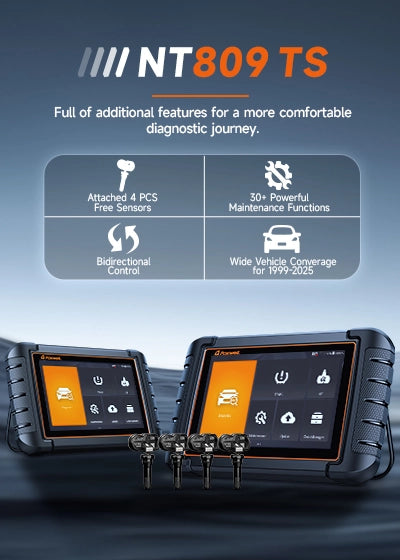
Credit: www.foxwelldiag.com
What Is An Obd2 Scanner?
An OBD2 scanner is a tool used to read car engine data. It helps find problems in vehicles. Many cars made after 1996 have OBD2 systems.
This scanner connects to the car’s computer port. It shows codes that explain engine issues. Mechanics and car owners use it for quick checks.
How Does An Obd2 Scanner Work?
The scanner plugs into the car’s OBD2 port. It reads data from the engine control unit (ECU). The data includes error codes and sensor readings.
These codes help identify problems like engine misfires or sensor failures. The scanner shows codes on its screen or a connected device.
Types Of Obd2 Scanners
- Basic code readers: Show error codes only.
- Advanced scanners: Show live data and freeze frame info.
- Wireless scanners: Connect via Bluetooth or Wi-Fi to phones or PCs.
Common Obd2 Error Codes
| Code | Meaning |
| P0300 | Random/Multiple Cylinder Misfire Detected |
| P0171 | System Too Lean (Bank 1) |
| P0420 | Catalyst System Efficiency Below Threshold |
| P0455 | Evaporative Emission System Leak Detected |
Benefits Of Using An Obd2 Scanner
- Identify car problems early.
- Save money on mechanic visits.
- Check engine status anytime.
- Monitor vehicle performance.

Credit: www.ebay.com
Benefits Of Using Free Obd2 Scanners
Free OBD2 scanners help car owners check their vehicle’s health quickly. They connect to your car’s computer system and show error codes.
Using these scanners on your PC makes it easier to read and understand your car’s data without extra costs.
Save Money On Car Repairs
Free OBD2 scanners let you find car problems early. This helps avoid costly repairs by fixing small issues first.
Easy To Use And Understand
Many free scanners come with simple software for PCs. They show clear messages and explain error codes in easy words.
Track Your Vehicle’s Performance
OBD2 scanners help monitor how well your car runs. You can check fuel use, engine status, and other key data anytime.
- Monitor real-time engine data
- Check fuel efficiency
- View emissions readiness
- Track sensor performance
Compatible With Many Vehicles
Most free OBD2 scanners work with many car brands and models. They support all vehicles made after 1996 in the US.
| Feature | Benefit |
| Wide Vehicle Support | Works on many car types |
| Simple Software | Easy to read codes |
| Cost-Free | No fees for use |
| Real-Time Data | Track car health live |
How To Connect Obd2 Scanner To Pc
Connecting an OBD2 scanner to a PC helps you read car data easily. It allows you to diagnose problems from your computer.
This guide shows how to connect your OBD2 scanner to a PC step by step.
Required Hardware
You need some hardware parts to connect the OBD2 scanner to your PC. These parts must be compatible with each other.
- OBD2 scanner device with PC support
- USB cable or Bluetooth adapter (depending on scanner type)
- PC or laptop with USB port or Bluetooth
- OBD2 connector to plug into the car’s port
Setup Steps
Follow these steps to connect your OBD2 scanner to your PC properly. Each step is important for a good connection.
- Plug the OBD2 scanner into your car’s OBD2 port.
- Turn on your car’s ignition but do not start the engine.
- Connect the scanner to your PC using USB or Bluetooth.
- Install any needed drivers or software on your PC.
- Open the OBD2 software to start reading data.
Common Connection Issues
Sometimes, the connection between the OBD2 scanner and PC may fail. These issues are common and easy to fix.
- The USB cable is not plugged in firmly.
- Bluetooth pairing between scanner and PC failed.
- Missing or outdated drivers on the PC.
- Car ignition is off or not in the correct position.
- Scanner or software is not compatible with your vehicle.
Top Free Obd2 Scanner Software For Pc
OBD2 scanner software helps you check your vehicle’s health using a PC. Many free options offer useful features. This guide shows four top tools you can try on your computer.
Each tool supports different cars and has unique functions. Read on to find the best match for your needs.
Tool 1: Features And Compatibility
This tool reads and clears trouble codes easily. It shows live data and supports many OBD2 protocols.
- Supports Windows 7 and later
- Works with most OBD2 adapters
- Displays real-time sensor data
- Logs and exports diagnostic reports
Tool 2: Features And Compatibility
Tool 2 focuses on user-friendly design. It gives clear code definitions and has a dashboard for quick checks.
| Feature | Details |
| Operating System | Windows 10 and 11 |
| Protocol Support | CAN, ISO9141, KWP2000 |
| Extra Tools | Freeze frame data, emissions readiness |
| Export Options | CSV and PDF |
Tool 3: Features And Compatibility
This software is good for detailed diagnostics. It shows live graphs and helps with advanced error codes.
- Compatible with Windows 8 and newer
- Supports all standard OBD2 protocols
- Includes vehicle sensor monitoring
- Offers custom alert settings
Tool 4: Features And Compatibility
Tool 4 is a simple scanner with fast code reading. It works well for quick checks and basic repairs.
| Compatibility | Details |
|---|---|
| Windows Versions | Windows 7, 8, 10 |
| Supported Protocols | CAN, ISO9141 |
| Key Features | Quick code reading, reset functions |
| User Level | Beginner to intermediate |
Key Features To Look For In Obd2 Software
Choosing the right OBD2 software for your PC is important. The software helps you read car data and fix problems.
Good software should be easy to use and give clear information about your vehicle’s health.
User Interface
The user interface should be simple and easy to understand. This helps you find information quickly.
Look for software with clear menus and readable text. Buttons and icons should be easy to recognize.
- Simple layout
- Clear labels
- Easy navigation
- Readable fonts and colors
Diagnostic Capabilities
The software must read and show many car problems. It should check engine codes and other systems.
Good software can reset error codes and track live data while the car runs.
- Read engine and transmission codes
- Show live sensor data
- Clear trouble codes
- Support various car brands
Update Frequency
Car technology changes often. Your OBD2 software should update regularly to stay current.
Frequent updates add new car models and fix bugs. Check how often the software gets updates.
- Regular software updates
- New car model support
- Bug fixes and improvements
- Easy update process
Support And Community
Good software comes with help if you get stuck. Look for active support from developers.
A strong user community can share tips and solve problems together.
- Customer support options
- Online forums or groups
- User guides and tutorials
- Active developer updates
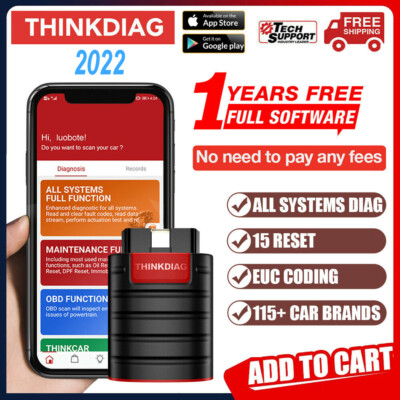
Credit: www.ebay.com
Tips For Accurate Car Diagnostics
Using a free OBD2 scanner for your PC can help diagnose car issues. It’s important to follow some guidelines to ensure accurate results.
These tips will help you prepare your vehicle, interpret error codes, and know when to seek expert advice.
Preparing Your Vehicle
Before using your OBD2 scanner, make sure your vehicle is ready for diagnostics. This ensures precise readings and helps avoid errors.
- Turn off all electronic devices in the car
- Park the vehicle on a level surface
- Ensure the engine is turned off
- Check that the OBD2 port is clean and accessible
Interpreting Error Codes
After connecting the scanner, you’ll receive error codes. Understanding these codes is key to diagnosing the problem accurately.
| Error Code | Description |
| P0300 | Random/multiple cylinder misfire detected |
| P0420 | Catalyst system efficiency below threshold |
| P0171 | System too lean (Bank 1) |
When To Seek Professional Help
Some issues may require expert intervention. Knowing when to consult a professional can save time and prevent further damage.
- If the same error code persists after repairs
- When the check engine light keeps flashing
- If the car exhibits unusual noises or behavior
Frequently Asked Questions
What Is A Free Obd2 Scanner For Pc?
A free OBD2 scanner for PC is software that reads vehicle diagnostics. It connects your car to a computer via an OBD2 adapter. It helps identify engine issues and monitor performance without extra cost.
How Do I Connect An Obd2 Scanner To My Pc?
To connect, plug the OBD2 adapter into your car’s port. Then, link the adapter to your PC via USB or Bluetooth. Launch the scanner software to start reading vehicle data.
Are Free Obd2 Scanner Apps Reliable For Diagnostics?
Yes, many free OBD2 scanner apps provide accurate basic diagnostics. However, they may lack advanced features found in paid versions. For most users, free apps cover essential vehicle health checks well.
Can I Use A Free Obd2 Scanner On Any Car Model?
Most free OBD2 scanners work with cars made after 1996. Some older or non-standard models might not be compatible. Always check the software’s vehicle compatibility before use.
Conclusion
Free OBD2 scanners for PC help you check your car’s health easily. They save money by avoiding unnecessary trips to the mechanic. These tools work with many car models and provide clear codes. Using them can help you spot problems early and keep your vehicle running smoothly.
Choose a scanner that fits your needs and start diagnosing today. Simple, quick, and effective—car care made easy.







