
Have you ever worried about what happens to your car when you’re not around? Imagine having a camera that keeps an eye on your vehicle even when it’s turned off.
A dash cam that records while your car is off can give you peace of mind like never before. Whether you want to catch hit-and-runs, vandalism, or unexpected incidents, this device works silently in the background, protecting your car 24/7.
Keep reading to discover how this smart technology can keep your car—and your mind—safe.
How Parking Mode Works
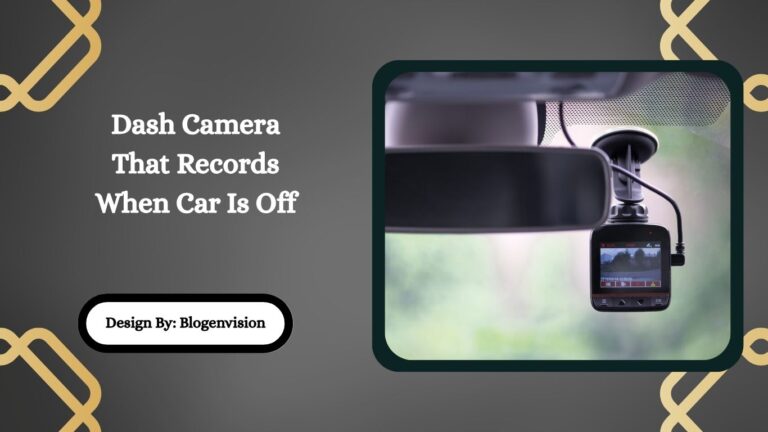
A dash cam with parking mode records video even when your car is off. It helps capture events like accidents or vandalism. This feature keeps your car monitored while you are away.
Parking mode uses special sensors and power setups. These let the dash cam detect motion or impacts. The camera then starts recording automatically.
Motion Detection
Motion detection means the dash cam notices moving objects near the car. The camera records only when it sees motion. This saves storage and power.
- The camera scans the area around the vehicle.
- It triggers recording if it detects moving people or objects.
- Motion detection can be adjusted for sensitivity.
- Some models allow you to set zones to watch closely.
Impact Sensors
Impact sensors detect sudden shocks or hits on the car. They trigger the dash cam to record right after a hit. This is useful for hit-and-run situations.
| Sensor Type | Function |
| G-Sensor | Detects sudden impacts and shakes |
| Accelerometer | Measures changes in motion and force |
| Shock Sensor | Activates recording on physical contact |
Power Sources
Parking mode needs power even when the car is off. Dash cams use different power methods to stay on. Some connect to the car battery or use an internal battery.
- Hardwire kit: Connects dash cam directly to car battery.
- Internal battery: Provides limited recording time after car is off.
- External power bank: Offers extra power for long parking times.
- Low voltage protection stops battery drain.

Credit: www.amazon.com
Top Features To Look For
Choosing a dash cam that records when your car is off can help protect your vehicle. It captures incidents even when you are away. This feature is useful for parking surveillance and security.
Here are key features to consider before buying a dash cam with this capability. Understanding these will help you pick the right model for your needs.
Video Quality
Clear video is essential for identifying details like license plates and faces. Look for dash cams that offer at least 1080p resolution. A wide viewing angle helps cover more area around your car.
Battery Life
A good battery ensures the dash cam can keep recording when the car is off. Some models use built-in batteries, while others connect to the car’s power system. Check how long the camera can record without power.
Storage Options
| Storage Type | Description | Benefit |
| MicroSD Card | Common removable storage | Easy to upgrade and replace |
| Built-in Memory | Fixed internal storage | No extra parts needed |
| Cloud Storage | Uploads videos online | Access files remotely anytime |
Choose a storage option that fits your usage. MicroSD cards are popular and simple to use. Cloud storage adds convenience but may need a subscription.
Wi-fi Connectivity
- Allows easy video transfer to your phone or computer
- Enables live view from your mobile device
- Makes firmware updates faster and simpler
Wi-Fi lets you check your recordings without removing the memory card. It also helps keep your dash cam software up to date for better performance.
Best Dash Cams With Parking Mode
Dash cams with parking mode keep your car safe when parked. They record any movement or impact even if the car is off.
These cameras help catch accidents or thefts that happen while you are away. Many models offer different features at various prices.
Budget-friendly Models
Affordable dash cams can still offer useful parking mode features. They detect motion and record when the car is off.
These models usually have basic video quality and simple setups. They are good for drivers on a tight budget.
- Motion detection triggers recording automatically
- Loop recording saves space on memory cards
- Easy installation on the windshield
- Some include G-sensors to detect impacts
Premium Options
High-end dash cams offer sharper video and more features for parking mode. They can record in 4K or have wider viewing angles.
These devices often include parking impact detection and time-lapse recording. They may also connect to your phone for alerts.
- High-resolution video quality
- Advanced motion and impact sensors
- Mobile app access for live view
- Built-in battery or capacitor for power backup
Hidden Camera Designs
Hidden dash cams are small and blend into the car interior. They provide discreet parking mode recording without drawing attention.
These cameras are perfect if you want to keep your security device out of sight. They often have compact designs and easy mounting.
- Small and unobtrusive shapes
- Easy to hide behind mirrors or dashboards
- Full parking mode support with motion sensors
- Good video quality despite small size

Credit: www.youtube.com
Installation Tips
Installing a dash cam that records when the car is off needs care. Proper setup helps protect your vehicle and captures events accurately.
Follow safe steps to connect power and place the camera for best coverage. This guide covers key installation tips.
Hardwiring Basics
Hardwiring connects the dash cam directly to your car’s fuse box. It allows the camera to work even when the engine is off.
- Locate the fuse box, usually under the dashboard.
- Use a hardwire kit to connect the camera’s power cable.
- Attach the red wire to a fuse with constant power.
- Connect the black wire to a ground point on the car’s body.
- Test the camera to ensure it turns on with the car’s electrical system.
Using External Batteries
External batteries give extra power for long parking mode use. They prevent the car battery from draining.
| Battery Type | Capacity | Estimated Parking Time |
| Small External Battery | 5000mAh | 3-5 hours |
| Medium External Battery | 10000mAh | 6-10 hours |
| Large External Battery | 20000mAh | 12-24 hours |
Placement For Optimal Coverage
Position the dash cam to cover the front windshield and as much of the surroundings as possible. Clear view helps record all important details.
- Place the camera near the rearview mirror for a central view.
- Avoid blocking the driver’s sight or car sensors.
- Clean the windshield before mounting the camera.
- Use cable clips to secure wires neatly along the car’s edges.
Legal Considerations
Dash cams that record when the car is off raise important legal questions. Understanding these laws helps avoid trouble with privacy and data use.
This section covers privacy laws, recording rules, and how to store data properly.
Privacy Laws
Privacy laws vary by location. You must respect others’ rights when recording video. Recording inside private property often needs permission.
- Inform passengers and nearby people about recording
- Avoid capturing audio without consent in some areas
- Check local rules on video recording in public places
Recording Regulations
Some regions limit when and how dash cams can record. Laws may control video capture while the car is parked or off.
| Region | Allowed Recording Time | Notes |
| United States | Varies by state | Often allowed with notice |
| European Union | Generally allowed | Must follow GDPR rules |
| Canada | Allowed with consent | Audio recording restricted |
Data Storage Policies
How you keep recorded files matters. Proper storage protects privacy and complies with laws.
Key tips for data storage:
- Use encrypted storage to protect files
- Limit access to recorded footage
- Delete recordings after a reasonable time
- Keep backups only if legally required
Credit: www.blogenvision.com
Troubleshooting Common Issues
Dash cams are useful for recording events while driving. They can even record when the car is off. Sometimes, issues may arise with these devices.
Understanding common problems and how to troubleshoot them is important. Here, we discuss power drain, recording failures, and file corruption.
Power Drain Problems
Power drain happens when the dash cam uses battery power even when the car is off. This can lead to a dead battery.
- Check if the dash cam is compatible with your car’s power system.
- Ensure the camera has a parking mode feature that manages power efficiently.
- Use a hardwiring kit with a voltage cut-off feature.
Recording Failures
Recording failures can prevent important events from being captured. This might be due to improper settings or faulty equipment.
Check the following:
- Ensure the memory card is properly inserted.
- Update the dash cam’s firmware regularly.
- Verify that the camera’s settings are correct for your needs.
File Corruption
File corruption can occur due to several reasons. It may result in loss of recorded footage.
| Possible Causes | Solutions |
| Improper ejection of the memory card | Always turn off the dash cam before removing the card. |
| Faulty memory card | Use a high-quality, compatible card. |
| Power interruptions | Ensure stable power supply during use. |
Maintaining Your Dash Cam
Your dash cam is an essential tool for road safety. Regular maintenance ensures it works when needed. Keep it in good condition with a few simple steps.
Proper care involves updating software, cleaning the lens, and managing the memory card. Follow these tips to maintain your dash cam effectively.
Firmware Updates
Firmware updates improve your dash cam’s performance. They fix bugs and add new features. Check for updates regularly to keep your dash cam running smoothly.
Visit the manufacturer’s website for the latest firmware. Follow their instructions to install updates safely. This keeps your dash cam up-to-date.
Cleaning The Lens
A clean lens ensures clear recordings. Dust and smudges can blur the image. Regular cleaning helps maintain video quality.
Use a soft, lint-free cloth to clean the lens. Avoid harsh chemicals that can damage it. This keeps your recordings sharp and clear.
Memory Card Care
Memory cards store your dash cam’s recordings. Proper care extends their life and ensures reliable storage. Avoid errors by following these tips.
- Format the card regularly to prevent data corruption.
- Use high-quality cards to avoid failures.
- Replace cards when they show signs of wear.
Frequently Asked Questions
What Is A Dash Cam That Records When Car Is Off?
A dash cam that records when the car is off monitors surroundings 24/7. It activates on motion or impact, providing security even when parked.
How Does Parking Mode Work In Dash Cams?
Parking mode uses motion or impact sensors to trigger recording while parked. It saves footage of incidents, protecting your vehicle from theft or damage.
Do Dash Cams Drain The Car Battery When Off?
Some dash cams may drain the battery if parking mode is active long-term. Use low voltage cutoff features to protect your car’s battery life.
Can Dash Cams Record Continuously Without The Car Running?
Dash cams with parking mode can record without the engine running. They rely on built-in batteries or hardwired power sources to function continuously.
Conclusion
A dash cam that records when your car is off adds extra safety. It catches events even when you are not driving. This helps protect your vehicle from damage or theft. Choosing the right model with good parking mode is important.
Easy installation and reliable power options matter too. Such dash cams give peace of mind every time you park. Stay safe and keep your car monitored all day long.







