
If you want to park with confidence and avoid those tricky blind spots, installing a rear view camera in your car is a smart move. You might think it’s complicated or expensive, but the truth is, you can do it yourself with just a few simple tools and steps.
Imagine backing up without worrying about what’s behind you—safer for you, your passengers, and everyone on the road. In this guide, you’ll discover exactly how to install a rear view camera quickly and easily, even if you have no technical experience.
Ready to upgrade your driving safety? Let’s get started!
Credit: dashcamtalk.com
Choosing The Right Camera
Installing a rear view camera improves your car’s safety. Picking the right camera is the first step.
This guide explains how to choose a camera that fits your needs and car model.
Types Of Rear View Cameras
There are several types of rear view cameras. Each type has different features and uses.
- Wired cameras connect directly to your car’s display.
- Wireless cameras send video signals without cables.
- Mirror cameras replace the rearview mirror with a screen.
- License plate cameras mount near the license plate.
Key Features To Consider
| Feature | Why It Matters | What to Look For |
| Resolution | Clear image to see obstacles | At least 720p HD quality |
| Viewing Angle | Covers wide area behind car | 120 degrees or more |
| Night Vision | Good visibility in dark | Infrared or LED lights |
| Waterproof | Works in rain and wet conditions | Rating IP67 or higher |
| Parking Guidelines | Helps judge distance while parking | Adjustable on-screen lines |
Compatibility With Your Car
Not every camera fits all cars. Check your car’s make, model, and year.
Before buying, ask these questions:
- Does the camera connect with my car’s existing display?
- Is my car’s power supply compatible?
- Will the camera fit in my car’s mounting area?
- Are the cables long enough for installation?
- Do I need extra adapters or tools?
Gathering Necessary Tools
Installing a rear view camera in your car needs the right tools. Gather everything before you start. This helps the job go smoothly.
Some tools are essential, while others are optional. Knowing what to use makes the process easier and safer.
Essential Tools List
- Screwdrivers:Both flat-head and Phillips types for removing panels.
- Wire Stripper:To strip insulation from wires for connections.
- Electrical Tape:For securing and insulating wire connections.
- Drill with Bits:Needed if you must make holes for mounting the camera.
- Multimeter:To check electrical connections and voltage.
- Panel Removal Tool:Helps remove car panels without damage.
- Measuring Tape:For precise placement of the camera.
- Zip Ties:To organize and secure wires neatly.
Optional Accessories
Optional items can make installation easier or improve the camera’s function. You do not need them, but they help.
| Accessory | Use |
| Fuse Tap | Allows safe tapping into the car’s fuse box |
| Heat Shrink Tubing | Protects wire connections better than tape |
| Extension Wires | For longer cable runs if the supplied wires are short |
| Wire Connectors | Make secure and easy wire connections |
| Velcro Strips | Attach cables without drilling holes |
Preparing Your Car
Installing a rear view camera needs some preparation. This helps the process go smooth and safe.
Before you start, check your car and get it ready for the installation. This will save time and avoid problems.
Locating The Installation Area
Find the best spot for the rear view camera on your car. Usually, it goes near the license plate or on the back bumper.
Make sure the area is clean and has no obstacles. The camera needs a clear view for safety.
- Check the center of the rear bumper or above the license plate.
- Avoid areas with metal parts that block the camera.
- Look for a flat, stable surface for mounting.
- Make sure the camera lens is not blocked by dirt or car parts.
Disconnecting The Battery
Always disconnect the car battery before starting any electrical work. This stops sparks and electric shocks.
Use a wrench to remove the negative terminal cable from the battery. Keep it away from the battery to avoid contact.
- Turn off the engine and remove the key.
- Wear gloves and safety glasses.
- Use the right size wrench to loosen the negative terminal.
- Remove the cable and keep it aside safely.
Mounting The Camera
Installing a rear view camera makes parking easier and safer. This guide explains how to mount the camera correctly.
Follow the steps to ensure your camera is positioned and secured properly for optimal performance.
Positioning The Camera
Positioning the camera correctly is crucial for a clear view. It should capture the widest possible area behind your car.
- Aim for the center of the rear bumper.
- Ensure the camera is at eye level with the driver.
- Avoid placing it too low to prevent ground glare.
Securing The Camera In Place
Once positioned, securing the camera properly ensures it stays in place. Use the right tools for a firm installation.
| Tool | Purpose |
| Screwdriver | Tighten screws |
| Double-sided tape | Extra hold |
| Drill | Create mounting holes |
Wiring The Camera
Installing a rear view camera needs careful wiring. Proper wiring ensures the camera works well and safely.
This guide covers how to route wires, connect power and ground, and link the camera to the display screen.
Routing The Wires
Start by placing the camera at the back of your car. Run the wires from the camera to the front where the display is.
Use car panels and door seals to hide the wires. Keep wires away from sharp edges and moving parts to avoid damage.
- Remove interior panels carefully
- Use wire clips or tape to secure wires
- Avoid areas with heat or moisture
Connecting Power And Ground
Find a power source that turns on with the car, such as the reverse light wire. Connect the camera’s power wire to it.
Attach the camera’s ground wire to a metal part of the car frame. This completes the electrical circuit for the camera.
- Use a multimeter to find the reverse light wire
- Strip wires before connecting
- Secure connections with wire connectors
- Test connections before reassembling panels
Linking To The Display Screen
Run the video cable from the camera to the display screen in the dashboard. Connect the video cable to the screen’s video input.
Check that the display is set to the correct input mode. Turn on the car and put it in reverse to see the camera view.
- Use RCA or compatible video cables
- Avoid tight bends in the video cable
- Secure cable connections firmly
- Adjust screen settings if needed
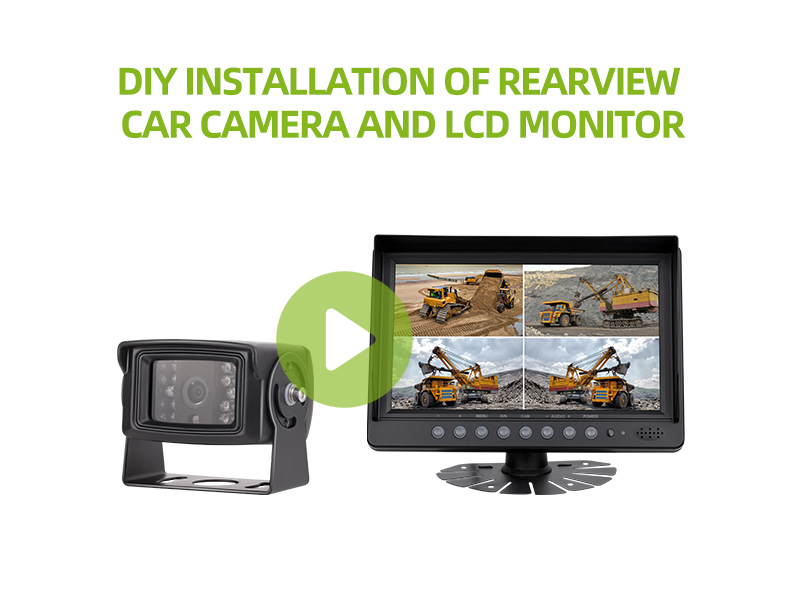
Credit: luview.com
Testing The System
After installing the rear view camera, testing the system ensures it works correctly. This step is important for safety and proper function.
Check the camera and screen to confirm clear images and proper responses before driving.
Powering Up
Turn on your car’s ignition to power the camera system. The display screen should light up and show the rear view.
- Ensure the camera’s power cable is connected to the reverse light circuit.
- Switch the car to reverse gear to activate the camera.
- Look for the live feed on the display screen.
Adjusting Camera Angle
Adjust the camera angle to get a clear and wide view of the area behind your car. This helps avoid blind spots.
| Camera Position | Best Use |
|---|---|
| Lower Angle | Shows ground close to the bumper |
| Higher Angle | Shows farther objects behind the car |
| Centered | Gives balanced view left to right |
Use the table above to find the best camera angle for your needs.
Troubleshooting Common Issues
If the camera does not show an image or the picture is unclear, try these fixes.
- Check all wiring connections for loose or damaged cables.
- Clean the camera lens to remove dirt or water spots.
- Make sure the camera is powered only when the car is in reverse.
- Reset the display screen if the image is frozen or blank.
- Replace the fuse if the system does not turn on.
Final Touches
After installing the rear view camera, it’s important to finalize the setup. These final touches ensure the camera works smoothly and lasts longer.
Focus on securing loose wires and cleaning the camera lens. These steps help maintain the camera’s performance and reliability.
Securing Loose Wires
Loose wires can cause problems if they are not secured. They might interfere with the camera’s operation or even get damaged.
Use cable ties to hold wires in place. This keeps them tidy and protected from movement.
- Check for any wires hanging loosely.
- Gather loose wires and bundle them together.
- Secure them with cable ties or clips.
- Ensure wires are not stretched or pinched.
Cleaning The Camera Lens
A clean lens is crucial for a clear view. Dust or dirt can blur the image and reduce visibility.
Use a soft cloth to gently wipe the lens. Avoid using harsh chemicals that might damage it.
- Inspect the camera lens for dirt or smudges.
- Use a microfiber cloth for cleaning.
- Wipe gently to avoid scratching the lens.
- Check the lens regularly and clean as needed.

Credit: www.youtube.com
Frequently Asked Questions
How Do I Install A Rear View Camera In My Car?
To install a rear view camera, mount it near the license plate. Connect the camera to your car’s reverse light power source. Run the video cable to the dashboard display or monitor. Finally, test the camera to ensure it works correctly.
What Tools Are Needed For Rear View Camera Installation?
You will need a drill, screwdrivers, wire strippers, electrical tape, and zip ties. A multimeter helps check electrical connections. Having a panel remover tool makes accessing interior panels easier. These tools ensure a secure and neat installation.
Can I Install A Rear View Camera Myself?
Yes, with basic tools and instructions, DIY installation is possible. Follow step-by-step guides carefully. Ensure proper wiring and secure mounting for safety. If unsure, consider professional help to avoid damage or faulty setup.
How Do I Connect The Rear View Camera To Power?
Tap the camera’s power cable into the reverse light wire. This powers the camera only when reversing. Use electrical tape or connectors to secure the connection. Proper wiring avoids battery drain and ensures camera activation at the right time.
Conclusion
Installing a rear view camera in your car improves safety and convenience. The process is simple when you follow clear steps carefully. Double-check all connections to avoid any issues later. Test the camera before driving to ensure it works well.
This small upgrade helps you see better while parking or reversing. Taking time to install it properly saves money on repairs and accidents. Enjoy the extra confidence a rear view camera brings to your driving.







