
Have you ever wondered how your dash cam keeps an eye on your car even when it’s turned off? Imagine someone bumping into your parked car or vandalizing it while you’re away.
Without your dash cam working, you might miss out on capturing crucial evidence. You’ll discover exactly how dash cams stay alert when your vehicle is off, why this feature is so important, and how it can protect you from unexpected trouble.
Keep reading to learn how your dash cam works behind the scenes to keep your car safe 24/7.
Dash Cam Basics
A dash cam is a small camera that records the road while you drive. It helps capture important events for safety or evidence.
Many people wonder how dash cams work when the car is off. Understanding this requires learning about their core features and power sources.
Core Features
Dash cams usually record video while the car is on. Some models keep working after the engine stops to protect your car.
They have motion sensors and impact detection. These features turn the camera on if something moves nearby or the car is hit.
- Continuous recording while driving
- Motion detection activates recording when parked
- Impact sensors save video during collisions
- Loop recording overwrites old footage automatically
Power Sources
Dash cams need power to work after the car is off. They use different power sources to keep running.
Some use the car’s battery with special wiring. Others have built-in batteries or capacitors that store energy.
- Wired to car battery for constant power
- Internal battery lasts for short times
- Capacitors protect data during power loss
- Power management avoids draining the car battery
Parking Mode Functionality
Parking mode lets your dash cam keep working even when your car is off. It protects your vehicle by recording events around it.
This mode helps catch accidents or vandalism while you are away from the car.
Motion Detection
Motion detection allows the dash cam to start recording when it senses movement near the car. This saves storage by not recording all the time.
The camera watches for moving objects like people or other vehicles close to your car.
- Saves battery by only recording when needed
- Records only when something moves nearby
- Helps catch suspicious activity
Impact Sensors
Impact sensors detect sudden shocks or vibrations. If your car is hit or bumped, the dash cam automatically starts recording.
This feature protects evidence in case of a hit-and-run or parking lot accident.
- Detects sudden impacts
- Starts recording instantly after a hit
- Saves important video clips securely
Time-lapse Recording
Time-lapse recording takes pictures at set intervals instead of continuous video. This saves space while still monitoring the car.
The dash cam creates a fast video showing long periods in a short time.
- Captures long parking periods efficiently
- Uses less storage than full video
- Shows a quick overview of parking time
Power Supply Options
Dash cams can record even when your car is off. This feature depends on how the dash cam gets power. Different power supply options let the dash cam keep working after the engine stops.
Understanding these options helps you choose the best setup. The main ways to power a dash cam when the car is off are using an internal battery, hardwiring to the car battery, or using external power packs.
Internal Battery
Some dash cams have a built-in battery. This battery stores energy to keep the camera running when the car is off. It usually lasts a short time, like 10 to 30 minutes.
The internal battery lets the dash cam save important footage after the engine stops. It also powers features like motion detection or parking mode for a short while.
Hardwiring To Car Battery
Hardwiring means connecting the dash cam directly to the car’s battery. This connection gives steady power even when the car is off. It lets the dash cam work for hours or days.
To protect the car battery, a fuse or voltage monitor is used. This stops the dash cam from draining the car battery too much.
- Provides constant power
- Supports long parking mode
- Needs professional installation
- Includes battery protection features
External Power Packs
External power packs are portable batteries made for dash cams. You charge them before use. Then they power the dash cam when the car is off.
They give more power than internal batteries but do not connect to the car battery. You can remove and recharge them as needed.
- Portable and rechargeable
- Works without hardwiring
- Gives longer recording time
- Needs manual charging

Credit: www.youtube.com
Energy Management
Dash cams need power to record even when the car is off. Energy management helps save the car battery. It controls how much power the dash cam uses.
Good energy management stops the dash cam from draining the battery. It makes sure the camera works only when needed.
Low Voltage Protection
Low voltage protection stops the dash cam from using power if the battery is low. This feature protects the car battery from dying. It turns off the camera before the battery gets too weak.
This protection lets the car start easily. It saves power for important car functions. The dash cam only uses power when the battery is strong enough.
Power Consumption Patterns
Dash cams use different power levels depending on their mode. When the car is off, they enter a low-power state. This state uses very little energy to keep the camera ready.
Some dash cams use motion detection or impact sensors to decide when to record. They stay mostly off and turn on only when needed. This pattern helps save battery life.
- Standby mode uses minimal power
- Motion detection activates recording
- Impact sensors trigger emergency recording
- Camera turns off if battery is low
Recording And Storage
Dash cams keep recording even when the car is off. They use built-in batteries or parking mode power to stay active. This helps capture important events that happen while you are away.
Storage is usually on a memory card inside the dash cam. The device manages files automatically to save space and protect important videos.
Video Looping
Dash cams record videos in short segments. When storage is full, the oldest videos are deleted to make room for new ones. This process is called video looping.
- Videos are saved in clips of 1 to 5 minutes
- The camera overwrites old clips automatically
- This ensures continuous recording without manual deletion
File Protection
Dash cams protect important files from being deleted. When a collision or motion is detected, the camera locks the video clip. This prevents it from being overwritten during looping.
| Trigger Event | File Protection Action |
| Collision detected | Video locked automatically |
| Manual save by user | Clip marked as important |
| Motion in parking mode | File protected from deletion |
Cloud Backup
Some dash cams upload videos to the cloud for extra safety. This keeps files safe even if the camera is damaged or stolen.
Cloud backup benefits include:
- Remote access to videos anytime
- Automatic uploading of important clips
- Extra storage beyond the memory card
Installation Tips
Dash cams help record your drives and keep your car safe. Some dash cams work even when the car is off. Proper installation is key to this feature.
This guide gives tips on placing and wiring your dash cam for the best results.
Best Placement
Place the dash cam where it can see the road clearly without blocking your view. Usually, this is near the rearview mirror.
Keep the camera steady to avoid shaky videos. Make sure it does not interfere with airbags or sensors.
- Mount behind or near the rearview mirror
- Keep lens clean and free from obstructions
- Avoid placing on tinted or curved glass
- Check camera angle to cover the full road view
- Secure mount firmly to prevent falling
Wiring Techniques
Wiring the dash cam correctly lets it work when the car is off. Use a hardwire kit to connect the camera to your car’s fuse box.
Choose a fuse that supplies power even when the engine is off. This is often called a parking or constant power fuse.
- Find the fuse box and identify a constant power fuse
- Use a fuse tap adapter for a safe connection
- Route wires along the car’s trim to hide them
- Secure wires with clips or zip ties
- Connect ground wire to the car’s metal frame
- Test the dash cam to check power supply
Common Issues And Solutions
Dash cams are useful for recording incidents even when the car is off. Sometimes, they face issues that need solutions.
Let’s explore common problems like battery drain, recording failures, and sensor sensitivity.
Battery Drain
When your car is off, the dash cam might drain the car’s battery. This can leave you with a dead battery.
- Use a low-voltage cut-off device to protect the battery.
- Choose a dash cam with a built-in battery monitor.
- Check connections to ensure there are no power leaks.
Recording Failures
Recording failures can occur due to various reasons. It is crucial to identify and fix these issues for reliable dash cam performance.
| Issue | Solution |
| Full Memory Card | Regularly format the card |
| Software Glitch | Update firmware |
| Poor Quality Footage | Adjust resolution settings |
Sensor Sensitivity
Sensors in dash cams detect motion or impacts. If too sensitive, they may record unnecessary clips.

Credit: www.redtigercam.com
Future Trends
Dash cams are becoming smarter with new technologies. They can work even when your car is off.
Future trends focus on advanced sensors and AI integration. These features will make dash cams more useful.
Advanced Sensors
Advanced sensors help dash cams detect motion and sound. This is useful when your car is parked.
- Infrared sensors detect movement in low light.
- Sound sensors pick up unusual noises.
- GPS sensors track the car’s location.
Ai Integration
AI helps dash cams analyze data and make decisions. This technology can alert you to potential threats.
Imagine a dash cam that can:
- Identify passing cars and pedestrians.
- Send alerts to your smartphone.
- Store data securely in the cloud.
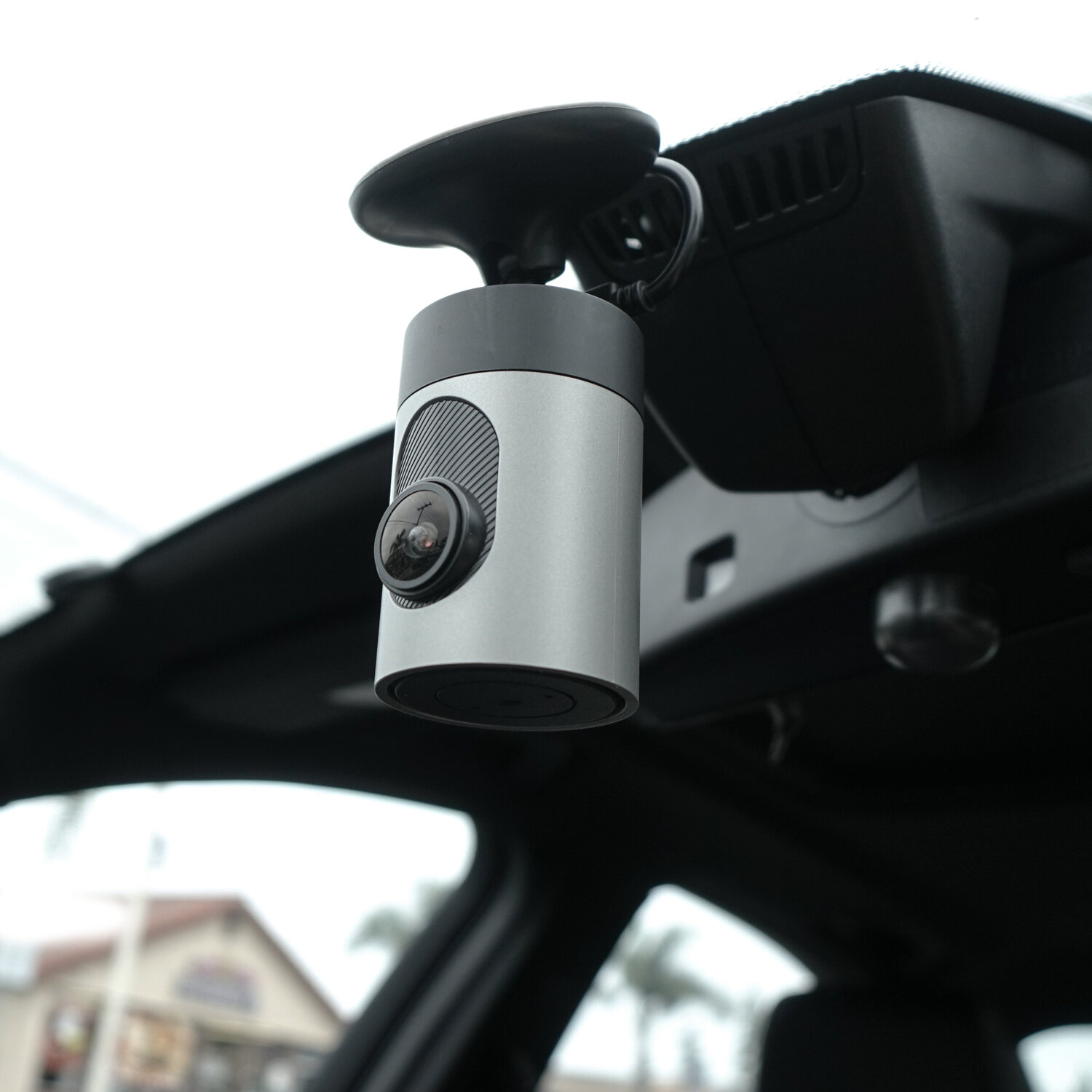
Credit: www.grdian.com
Frequently Asked Questions
How Does A Dash Cam Record When The Car Is Off?
A dash cam with parking mode uses a built-in battery or capacitor. It activates when motion or impact is detected, recording footage even if the car is off. This protects your vehicle from vandalism or accidents during parked hours.
Can Dash Cams Drain My Car Battery When Off?
Some dash cams draw minimal power in parking mode. However, models with low voltage cutoff protect your car battery from draining. Choosing a dash cam with this feature ensures your battery won’t die due to extended recording when the car is off.
What Powers A Dash Cam When The Car Is Off?
Dash cams can be powered by a hardwired connection to the car’s fuse box or an internal battery. Hardwiring provides continuous power, while internal batteries or capacitors store energy for short-term recording when the engine is off.
Does Every Dash Cam Work When The Car Is Off?
Not all dash cams support parking mode or off-car recording. Only models with parking mode, motion detection, and power management features record when the vehicle is turned off. Check specifications before buying if this feature is important to you.
Conclusion
Dash cams can keep recording even when your car is off. They use special power modes or backup batteries to work. This helps catch important moments, like accidents or theft attempts. Choosing the right dash cam with parking mode is key.
It gives you peace of mind when you leave your car. Understanding how your dash cam works helps you stay safe. A good dash cam protects your car around the clock. Keep your vehicle monitored, even when parked and off.







