
If you want to stay one step ahead on the road and avoid unexpected speeding tickets, the Uniden R3 Radar Detector could be your best ally. Imagine driving with confidence, knowing you have a device that quickly alerts you to radar and laser signals nearby.
This means fewer surprises and more control over your speed and safety. You’ll discover why the Uniden R3 stands out from the rest and how it can transform your driving experience. Keep reading to find out how this powerful tool can protect you and your wallet every time you hit the road.
Key Features
The Uniden R3 Radar Detector offers several important features. It helps drivers stay aware of radar signals on the road.
This radar detector is designed to provide clear alerts and reduce false signals for better driving safety.
Detection Range
The Uniden R3 has a long detection range. It can sense radar signals from a great distance.
This early detection gives drivers more time to respond and adjust their speed if needed.
Signal Filtering
This radar detector uses advanced signal filtering. It reduces false alerts from non-police sources.
- Filters out signals from automatic doors
- Ignores signals from other cars’ safety systems
- Focuses on real police radar signals
Display And Alerts
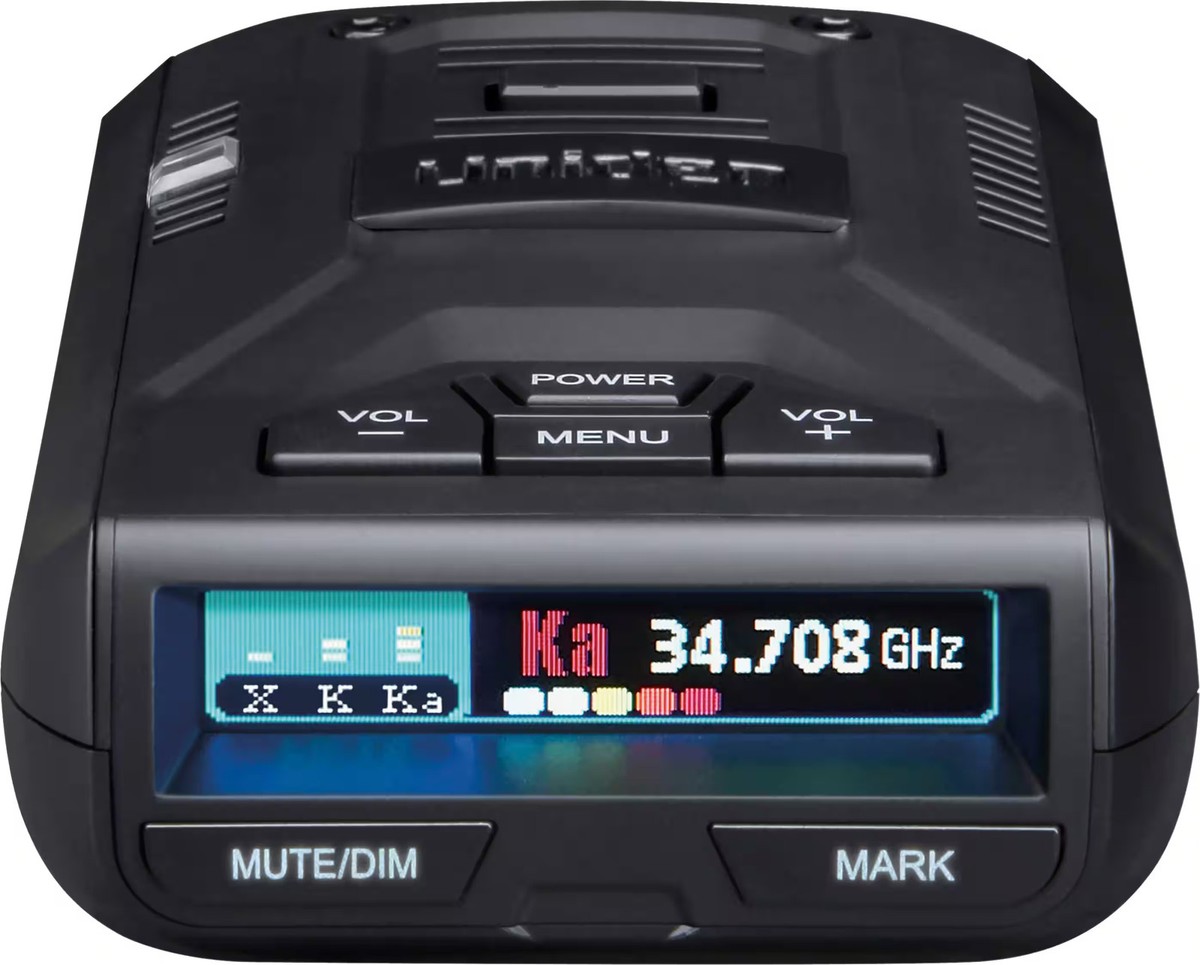
The display shows clear information about detected signals. It uses bright colors and simple icons.
Alerts come as loud sounds and voice messages. This helps drivers notice warnings without looking away.
- Bright OLED display for day and night use
- Voice alerts explain signal type and location
- Adjustable volume and alert tones
Gps Integration
The Uniden R3 includes GPS to track locations. It remembers places with radar or speed cameras.
GPS also helps reduce false alerts by learning where non-threat signals appear often.
- Stores red light camera locations
- Alerts for fixed speed cameras
- Allows user to add custom locations
Credit: www.ebay.com
Installation Tips
Installing the Uniden R3 radar detector correctly improves its performance. Proper setup helps the device detect signals clearly.
Follow simple tips to place, power, and mount the radar detector for best results.
Optimal Placement
Place the detector where it has a clear view of the road ahead. Avoid obstructions that block signals.
- Mount near the windshield, below the rearview mirror.
- Keep away from metal parts that may block signals.
- Make sure the front window is clean and free of tint films.
- Do not place inside a glove box or under the dashboard.
Power Connections
Use the proper power source to keep the detector running without interruption. Avoid loose or unstable connections.
| Power Source | Recommended Use |
| 12V Car Outlet | Easy to access and common in most vehicles |
| Hardwire Kit | Neater installation, powers on with the car |
| Battery | Not recommended for long-term use |
Mounting Options
Choose a mounting style that keeps the detector stable and easy to use. Avoid vibrations that can affect performance.
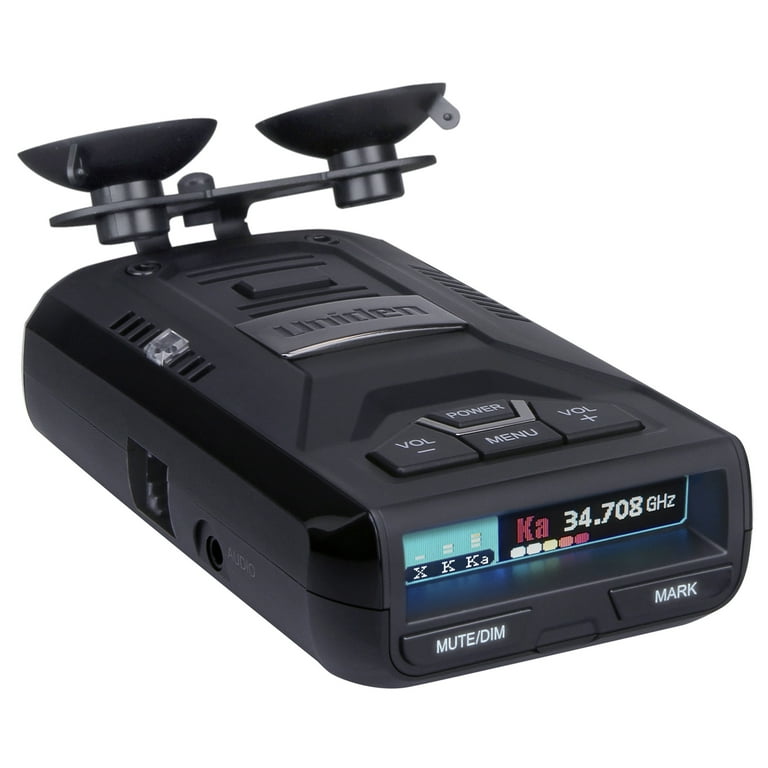
- Suction cup mounts for quick removal and repositioning.
- Adhesive mounts for a more permanent setup.
- Bracket mounts for extra stability on rough roads.
Performance In Different Conditions
The Uniden R3 radar detector adapts to many driving situations. It works well in cities, highways, and tough weather.
Understanding how it performs helps you use it better and stay aware on the road.
Urban Driving
In cities, many signals can cause false alerts. The Uniden R3 uses advanced filtering to reduce these false warnings.
- Filters signals from automatic doors and traffic sensors
- Alerts only for real police radar
- Adjustable sensitivity to lower noise
- Easy mute options for quiet alerts
Highway Scenarios
On highways, the Uniden R3 excels at detecting signals from far away. It gives early warnings about speed traps and cameras.
| Feature | Urban | Highway |
| Detection Range | Moderate | Long |
| False Alerts | Low | Very Low |
| Alert Type | Filtered | Early Warning |
| Volume Settings | Adjustable | Loud |
Weather Impact
Weather like rain or fog can affect radar signals. The Uniden R3 still works well but may have shorter detection ranges.
Tips for using the Uniden R3 in bad weather:
- Keep the windshield clean for best signal reception
- Use manual sensitivity mode if needed
- Check device placement to avoid water blockage
- Listen carefully to alerts as detection may be weaker

Credit: www.amazon.com
Customization Settings
The Uniden R3 Radar Detector offers many ways to adjust settings. These changes help fit your driving style and environment.
Customizing your detector can improve your alert accuracy and reduce false signals. You can change sensitivity, alert types, and voice controls.
Sensitivity Levels
You can set the sensitivity to control how early the detector warns you. Higher sensitivity detects signals farther away. Lower sensitivity reduces false alerts in busy areas.
- High: Detects signals at long range on highways.
- Medium: Balanced detection for mixed driving conditions.
- Low: Best for city driving with many false signals.
Alert Types
The detector gives different alert types to notify you. You can customize which alerts you want and how they appear.
| Alert Type | Description | Customization Options |
| Visual | Lights and screen display | Color and brightness settings |
| Audio | Warning tones and sounds | Volume control and tone types |
| Vibration | Silent alerts through vibration | On or off setting |
Voice Controls
Voice alerts let you keep your eyes on the road. You can turn voice control on or off and adjust the volume.
Voice Control Features:
- Enable or disable voice alerts
- Choose from multiple voice languages
- Adjust voice volume level
- Mute voice during quiet driving
Comparing With Other Models
The Uniden R3 radar detector is popular among drivers who want reliable detection. It stands against many other models on the market. Understanding its strengths and weaknesses helps in choosing the right device.
This comparison covers how the Uniden R3 fares against competitors, its value for money, and what users say about it.
Uniden R3 Vs Competitors
The Uniden R3 offers features like long-range detection and GPS alerts. Some rival models focus on added features like smartphone apps or multi-band detection. Comparing them helps find which fits your needs.
| Model | Detection Range | False Alert Filtering | GPS Features | Price |
|---|---|---|---|---|
| Uniden R3 | Very Long | Strong | Yes | Moderate |
| Valentine One | Long | Moderate | No | High |
| Escort Max 360c | Long | Good | Yes | High |
| Radenso Pro M | Long | Very Strong | Yes | Moderate |
Value For Money
The Uniden R3 balances price and performance well. It gives many features seen in higher-priced models. This makes it a solid choice for budget-conscious buyers.
- Affordable compared to premium models
- Good detection range for the price
- Includes GPS and map updates
- Durable build quality
- No costly subscription needed
User Feedback
Users like the Uniden R3 for its clear alerts and easy setup. Some mention occasional false alerts but say GPS helps reduce them. Many appreciate the detector’s responsiveness and accuracy.
- Clear voice alerts and display
- Easy to use even for beginners
- Effective at filtering false signals
- Good customer support
- Some users want longer warranty
Maintenance And Updates
The Uniden R3 Radar Detector needs regular care to perform well. Keeping it updated and clean helps it detect radar signals better.
Follow simple steps to maintain your device. This ensures it lasts longer and works effectively.
Firmware Upgrades
Firmware upgrades are important for your Uniden R3. They improve its performance and fix bugs.
Check for updates regularly. Use the USB cable to connect it to your computer for upgrades.
- Visit the Uniden website for firmware updates
- Download the latest firmware version
- Follow the instructions for installation
Cleaning And Care
Keep your radar detector clean for best results. Dust and dirt can block sensors.
Wipe the device with a soft, dry cloth. Avoid using water or cleaning agents.
- Turn off the device before cleaning
- Use a microfiber cloth for dust removal
- Avoid exposing it to extreme temperatures
Troubleshooting Tips
If your Uniden R3 is not working, try simple troubleshooting. This can solve most issues quickly.
Common problems include no power or false alerts. Check connections and settings first.
- Ensure the power cable is securely connected
- Reset the device if it behaves oddly
- Check the user manual for specific issues
Legal Considerations
Understanding the legal aspects of using a Uniden R3 Radar Detector is important. Laws differ across regions, and compliance is key.
Knowing where and how you can use radar detectors protects you from fines. This guide will help you navigate these rules.
Radar Detector Laws
In some areas, radar detectors are completely legal. In others, they are restricted or banned entirely. This depends on local traffic laws.
- Radar detectors are legal in private vehicles in most of the United States.
- In Virginia and Washington D.C., they are illegal in all vehicles.
- Commercial vehicles over 10,000 pounds cannot use radar detectors nationwide.
Usage Restrictions By Region
Different regions have specific restrictions on radar detector use. It’s essential to know these before traveling.
| Region | Restrictions |
| California | Illegal in commercial vehicles |
| New York | Allowed, but not on windshields |
| Illinois | Prohibited in commercial vehicles |
Credit: www.walmart.com
Frequently Asked Questions
What Features Make The Uniden R3 Radar Detector Stand Out?
The Uniden R3 offers long-range detection, GPS lockouts, and excellent false alert filtering. It supports multi-color OLED display for easy reading. Its compact design and advanced radar and laser detection make it a top choice for drivers seeking reliable alerts.
How Accurate Is The Uniden R3 Radar Detector?
The Uniden R3 is highly accurate, detecting radar signals from long distances. It uses advanced technology to minimize false alerts. Drivers receive timely warnings, helping them adjust speed safely and avoid speeding tickets effectively.
Can The Uniden R3 Detect Laser Speed Guns?
Yes, the Uniden R3 detects laser speed guns quickly. It alerts drivers with visual and audio signals. This feature improves driver awareness in areas where police use laser speed measurement.
Does The Uniden R3 Support Gps Features?
The Uniden R3 includes GPS to remember false alert locations. It alerts drivers about fixed speed cameras and red-light cameras. This GPS functionality enhances detection accuracy and driving safety.
Conclusion
The Uniden R3 Radar Detector offers reliable and clear alerts. It helps drivers stay aware and avoid speeding tickets. Easy to use with strong detection range. Many users find it a helpful travel companion. It fits well for daily commuting or long trips.
A solid choice for safety on the road. Consider your needs and budget before buying. This device can make driving less stressful. Safety matters, and smart tools like this assist.







