
If you want to save time and money on car repairs, the Foxwell NT301 OBD2 Scanner is your new best friend. Imagine being able to read your vehicle’s trouble codes instantly and know exactly what’s wrong before heading to the mechanic.
This easy-to-use device puts control back in your hands, helping you avoid surprise costs and unnecessary visits. Keep reading to discover how the Foxwell NT301 can make diagnosing your car’s issues simple, fast, and reliable.
Key Features
The Foxwell NT301 OBD2 Scanner offers essential tools for vehicle diagnostics. It helps drivers and mechanics check engine issues quickly and easily.
This device works with many car models and provides clear data to fix problems faster. It is designed to be simple and reliable for everyday use.
Wide Vehicle Coverage
The NT301 supports a broad range of vehicles. It works with most OBD2 compliant cars made after 1996. This includes many makes and models worldwide.
- Supports all OBDII protocols
- Works on gasoline and diesel engines
- Compatible with 12V vehicles
- Includes Asian, European, and American cars
User-friendly Interface
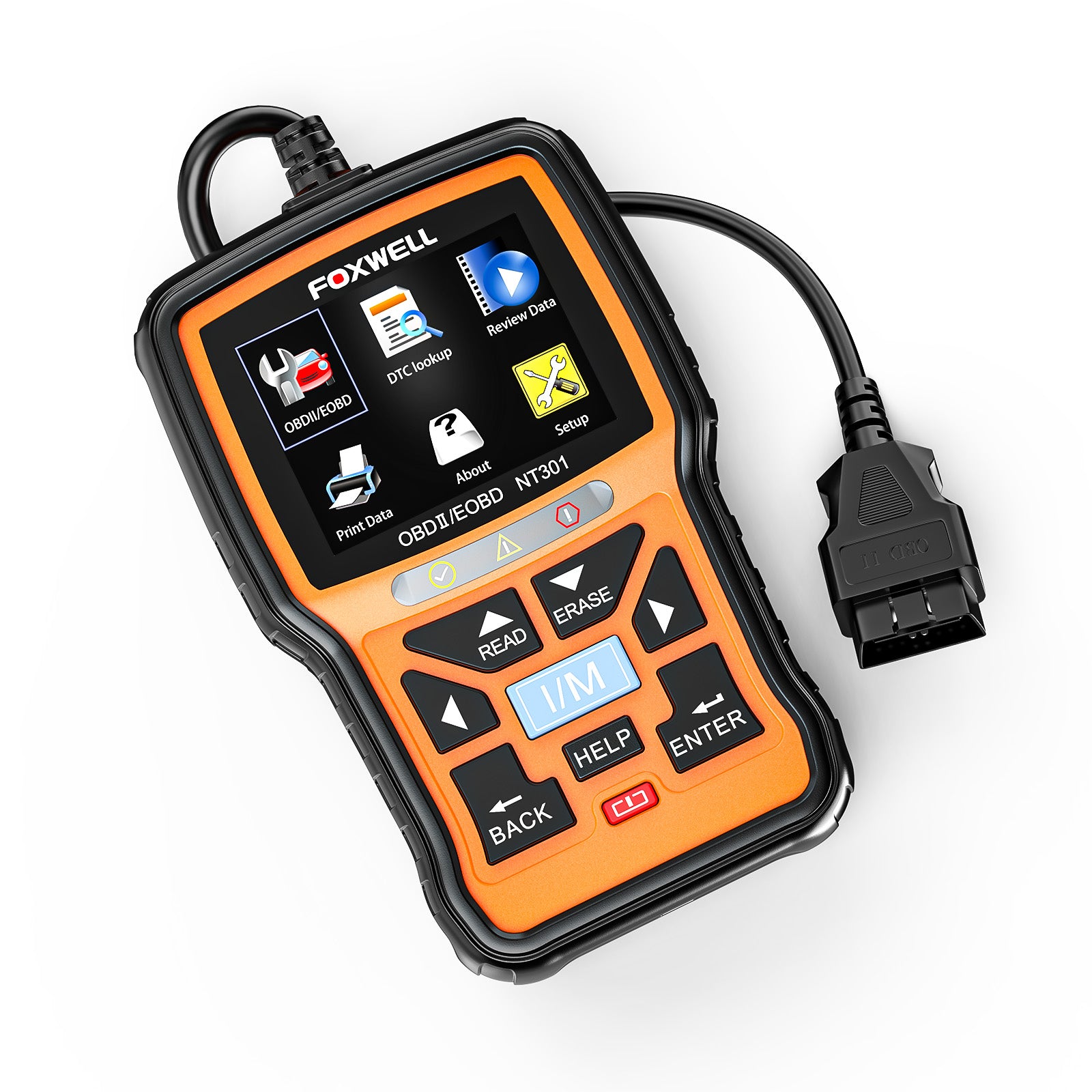
The scanner has a clear color screen and easy buttons. Users can read codes and navigate menus without hassle. The interface shows simple messages and icons.
| Feature | Description |
| Screen | 3.5 inch color display |
| Buttons | Four control keys |
| Languages | Multiple options available |
| Data Display | Clear code and status info |
Advanced Diagnostic Functions
The NT301 reads and clears trouble codes from the engine system. It also shows freeze frame data and I/M readiness status. These functions help identify and solve car problems fast.
- Reads generic and manufacturer codes
- Clears engine warning lights
- Shows freeze frame data for error context
- Checks emissions readiness
Live Data And Graphing
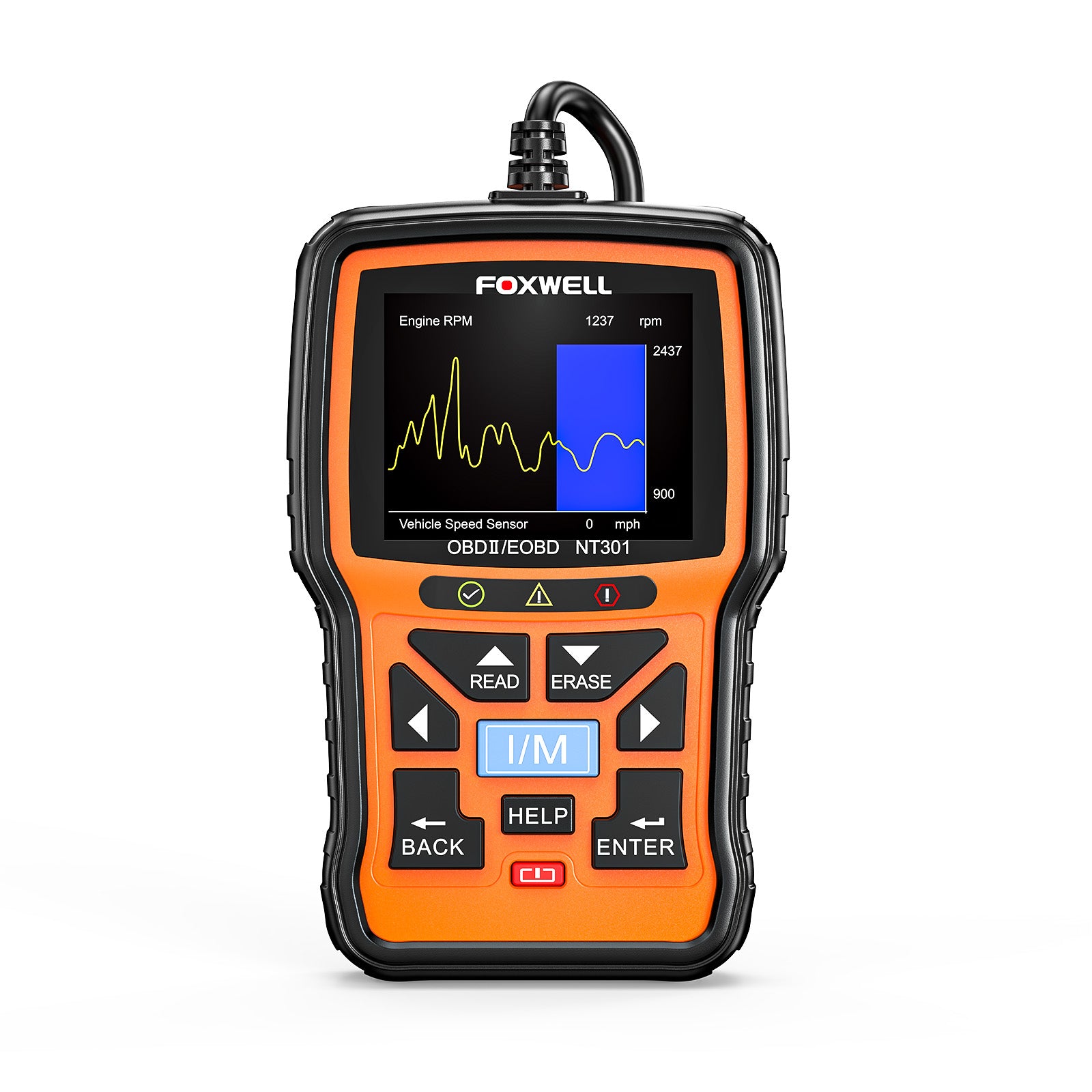
The device displays real-time data from your car’s sensors. It shows numbers and graphs to track engine conditions as you drive. This helps spot issues before they get worse.
Live data includes:
- Engine RPM
- Vehicle speed
- Coolant temperature
- Fuel system status
- Oxygen sensor readings
Design And Build
The Foxwell NT301 OBD2 scanner has a simple and practical design. It is made to be easy to use and hold during car diagnostics.
This tool focuses on delivering reliable performance with a build that fits well in everyday use.
Ergonomics And Portability
The NT301 is lightweight and compact. It fits comfortably in your hand for long testing sessions.
Its size makes it easy to carry in a toolbox or pocket. This portability helps users work on different vehicles without hassle.
- Small and easy to hold
- Lightweight for less fatigue
- Fits in pockets and toolkits
Display And Controls
The scanner has a clear LCD screen that shows data and codes. The display is bright enough for use in various lighting conditions.
Buttons are simple and well placed. Users can navigate menus without confusion or extra effort.
- Clear, easy-to-read LCD screen
- Bright display for all light levels
- Simple buttons for quick control
Durability And Materials
The Foxwell NT301 is made from solid plastic. This material protects the device from drops and bumps.
The build quality ensures the scanner lasts through regular use in garages and workshops.
- Strong plastic casing
- Protects against shocks and drops
- Built for regular workshop use
Performance And Accuracy
The Foxwell NT301 OBD2 scanner offers reliable performance for vehicle diagnostics. It provides accurate data that helps users identify car issues quickly.
This tool works well for both professionals and car owners who want clear information about their vehicle’s health.
Error Code Detection
The scanner reads and clears trouble codes from your car’s computer system. It shows both generic and manufacturer-specific error codes.
- Detects engine and transmission faults
- Displays code definitions for easy understanding
- Supports live data to find the root cause
- Clears error codes to reset warning lights
Data Refresh Rate
The NT301 updates data on your car’s status quickly. It refreshes live sensor readings every second to give real-time information.
| Parameter | Refresh Rate |
| Engine RPM | 1 second |
| Vehicle Speed | 1 second |
| Coolant Temperature | 1 second |
Compatibility With Vehicle Systems
The scanner works with most cars built after 1996. It supports many vehicle systems for full diagnostics.
- Engine Control Unit (ECU)
- Transmission System
- Anti-lock Braking System (ABS)
- Airbag System (SRS)

Credit: www.amazon.com
Setup And Usability
The Foxwell NT301 OBD2 Scanner is designed to be user-friendly and easy to set up. It works with most vehicles made after 1996. This guide explains how to install and use the scanner.
Understanding the menu and keeping the device updated helps you get accurate readings. The scanner supports multiple languages for convenience.
Installation Process
Installing the Foxwell NT301 is quick and simple. Follow these steps to connect it to your vehicle and start scanning.
- Locate the OBD2 port under the dashboard near the steering wheel.
- Plug the scanner’s connector into the port firmly.
- Turn the vehicle’s ignition to the ON position without starting the engine.
- Wait for the scanner to power on automatically.
- Follow on-screen prompts to begin diagnostics.
Menu Navigation
The NT301 has a simple menu that is easy to navigate using the four directional buttons. The main menu includes options like Read Codes, Erase Codes, I/M Readiness, and Data Stream.
| Button | Function |
| Up/Down Arrows | Scroll through menu items |
| OK Button | Select the highlighted option |
| Back Button | Return to the previous screen |
Language And Updates
The scanner supports several languages. You can change the language from the settings menu. Keep your device updated for best performance.
To change the language:
- Go to the Settings menu.
- Select Language.
- Choose your preferred language from the list.
- Confirm to apply the change.
To update the scanner:
- Connect the scanner to a computer via USB.
- Download and install the Foxwell update tool.
- Run the software and check for updates.
- Follow the instructions to update your device.
Comparison With Competitors
The Foxwell NT301 OBD2 Scanner is a popular tool for car diagnostics. It competes with many scanners in the market. This comparison helps you understand its value.
We will look at its price, features, advantages, and limitations. This helps you decide if it fits your needs.
Price Vs Features
The Foxwell NT301 is affordable compared to many scanners. It offers essential features for most car problems. Some competitors cost more but add extra functions.
Its price makes it a good choice for everyday users. You get live data, code reading, and clearing at a lower cost.
- Affordable price under $100
- Reads and clears engine codes
- Shows live sensor data
- Works with many car models
Unique Advantages
The NT301 has easy-to-use menus and a clear screen. It does not require extra apps or Wi-Fi to work. Many users find it reliable and quick.
The scanner updates software via USB. This keeps it current without complex steps. It supports multiple languages, making it user-friendly worldwide.
- Simple interface for beginners
- No need for smartphone or Wi-Fi
- USB updates for easy software upgrades
- Multi-language support
- Compatible with most OBD2 cars
Limitations
The Foxwell NT301 does not support advanced diagnostics. It cannot read ABS or airbag codes. Some competitors offer these features but cost more.
The screen is small and not backlit. This can make reading data hard in low light. The device also lacks Bluetooth or wireless options.
- No ABS or airbag code reading
- Small, non-backlit screen
- No wireless or Bluetooth connection
- Limited advanced functions
Credit: www.foxwelldiag.com
Customer Feedback
The Foxwell Nt301 OBD2 Scanner is popular among car owners. It provides insight into vehicle diagnostics.
Customers have shared their experiences, highlighting both positives and areas for improvement.
Positive Reviews
Many users find the Foxwell Nt301 to be reliable and easy to use. They appreciate its accuracy in diagnosing car issues.
- Simple interface for easy navigation
- Quick diagnostics for various car models
- Durable build and compact design
Common Complaints
While many praise the scanner, some users report issues. These mainly relate to compatibility and display readability.
| Issue | Details |
| Compatibility | Not working with older models |
| Display | Hard to read in bright light |
| Software | Occasional glitches reported |
User Tips And Tricks
Users have shared tips to enhance the scanner’s performance. These tips can help you get the most out of your device.
- Regularly clean the device for optimal performance
- Store in a cool, dry place to prevent damage
- Use with compatible car models for best results
Value For Money
The Foxwell Nt301 OBD2 Scanner is a tool for car owners. It helps diagnose car problems easily. Many people look for value when buying a scanner.
This scanner offers several features at a fair price. Let’s explore its value for money through cost-effectiveness, warranty, and long-term benefits.
Cost-effectiveness
The Foxwell Nt301 is priced competitively. It is affordable compared to other scanners. It provides accurate readings that help save money on repairs.
Many users find it less costly than frequent mechanic visits. This scanner is a wise investment for budget-conscious car owners.
- Affordable initial purchase
- Saves on mechanic fees
- Accurate diagnostics
Warranty And Support
The Foxwell Nt301 comes with a warranty. This ensures users receive support if issues arise. Customer service is available for troubleshooting.
Having a warranty adds value. It gives peace of mind when investing in a new tool.
- Warranty available
- Reliable customer support
- Peace of mind for users
Long-term Benefits
Using the Foxwell Nt301 has long-term advantages. It helps catch problems early. This prevents costly repairs in the future.
Regular use can extend the life of your car. It keeps your vehicle in good condition by spotting issues quickly.
- Early problem detection
- Prevents costly repairs
- Extends car life
Credit: www.foxwelldiag.com
Frequently Asked Questions
What Vehicles Are Compatible With Foxwell Nt301 Obd2 Scanner?
The Foxwell NT301 supports all OBD2-compliant vehicles from 1996 onwards. It works with most US, European, and Asian cars. This ensures broad compatibility for accurate diagnostics and trouble code reading.
How Does Foxwell Nt301 Scan And Clear Error Codes?
The scanner reads engine trouble codes and displays their definitions instantly. It also clears codes and turns off the check engine light. This helps users quickly identify and fix vehicle issues.
Can Foxwell Nt301 Provide Live Data And Freeze Frame?
Yes, the NT301 offers real-time live data and freeze frame data. It shows sensor readings and engine parameters for in-depth diagnostics. This feature aids in monitoring vehicle performance effectively.
Is The Foxwell Nt301 Easy To Use For Beginners?
Absolutely. The NT301 features a user-friendly interface with a clear LCD screen. It requires no technical skills and provides step-by-step instructions. This makes it ideal for DIY car owners.
Conclusion
The Foxwell NT301 OBD2 Scanner offers clear and quick vehicle diagnostics. It helps find car issues without extra cost or delay. This tool suits both beginners and those with some experience. Easy to use and reliable, it saves time and money.
Keep your car in good shape with regular checks. Simple steps lead to better car care. A practical choice for everyday drivers and car lovers alike.







